

Tour › Target library
Target library
The twenty sheets GroupLab comes with, from rimfire at 50 yards to tiled long range, and any you design yourself.
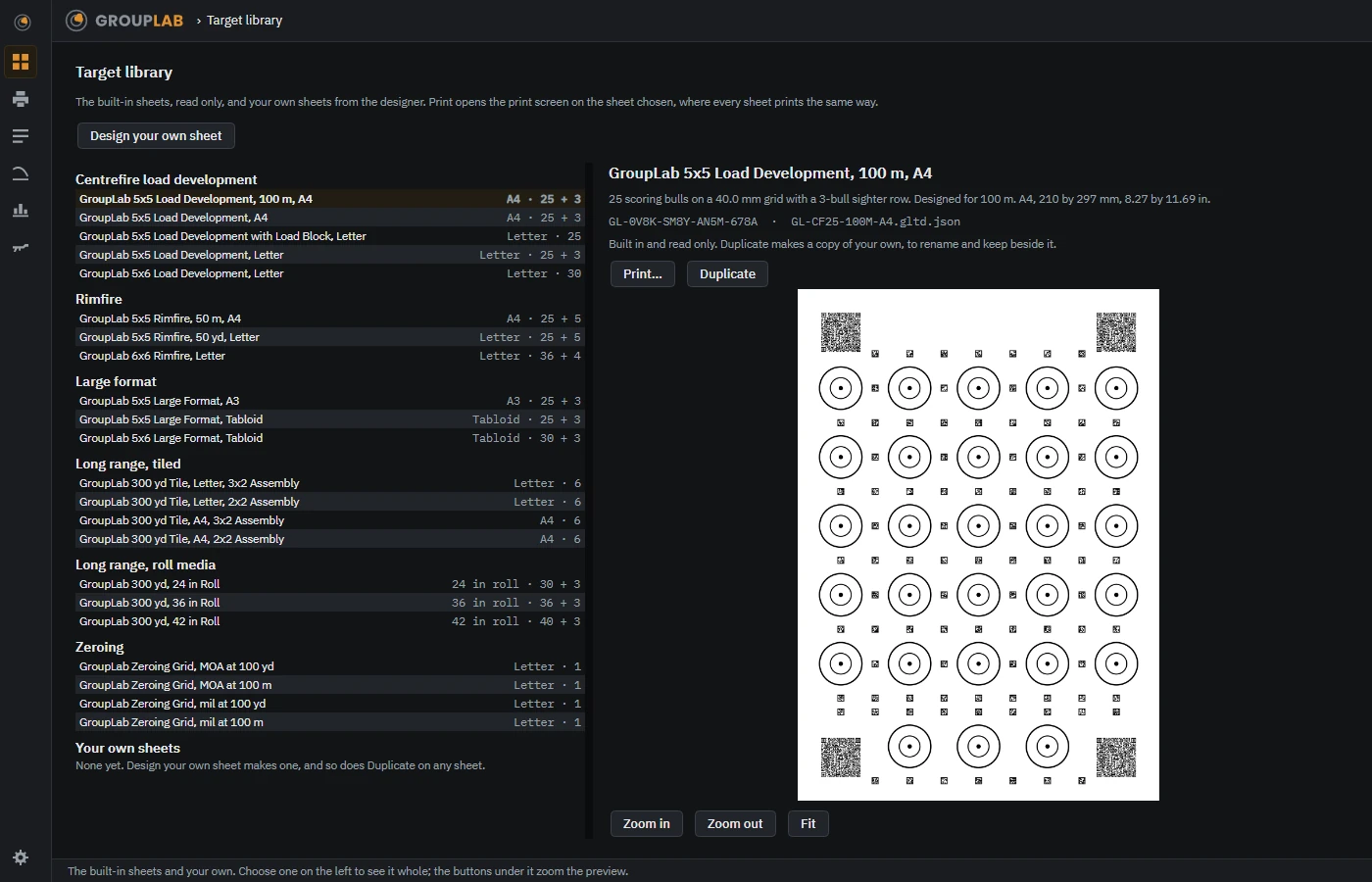
From the newest build of GroupLab, regenerated every week. Tap the picture for it full size.
What this screen is for
GroupLab can only measure a sheet it printed, because the measurement comes from the markers and codes printed around the bulls rather than from anything you tell it. The library is where you choose which sheet to print. Every one of them is designed for a particular job at a particular distance, and the description under each says which.
What you are looking at
- The list, grouped by what the sheet is for. Centrefire load development, rimfire, large format, long range on tiled pages, long range on roll media, and zeroing grids. The right hand column of each row is the paper size and how many scoring bulls it has, with the sighter bulls after the plus sign.
- The sheet you have chosen. Shown whole on the right, with its full description underneath: the bull spacing, the sighter row, the distance it was designed for, and the paper it wants.
- Built in and read only. The twenty that come with GroupLab cannot be edited. Duplicate makes a copy that is yours, to rename and change.
- Print. Opens the print screen with this sheet already chosen.
- Design your own sheet. For a sheet no built-in one covers. Your own sheets appear at the bottom of the list.
- Zoom in, Zoom out and Fit. Move around the preview. This is artwork, not a photograph, so it stays sharp however far you go in.
What you would do here
- Find the group that matches what you are doing: load development, rimfire, zeroing.
- Pick a sheet whose distance and paper size match your range and your printer.
- Read the description to check the bull spacing suits the group you expect.
- Press Print to go to the print screen with it loaded.
Where it fits
This is usually where a session starts. From here you go to Printing.