

Tour › Printing
Printing
Prints the sheet at its true size, and tells you when the paper or the printer's margins would spoil it.
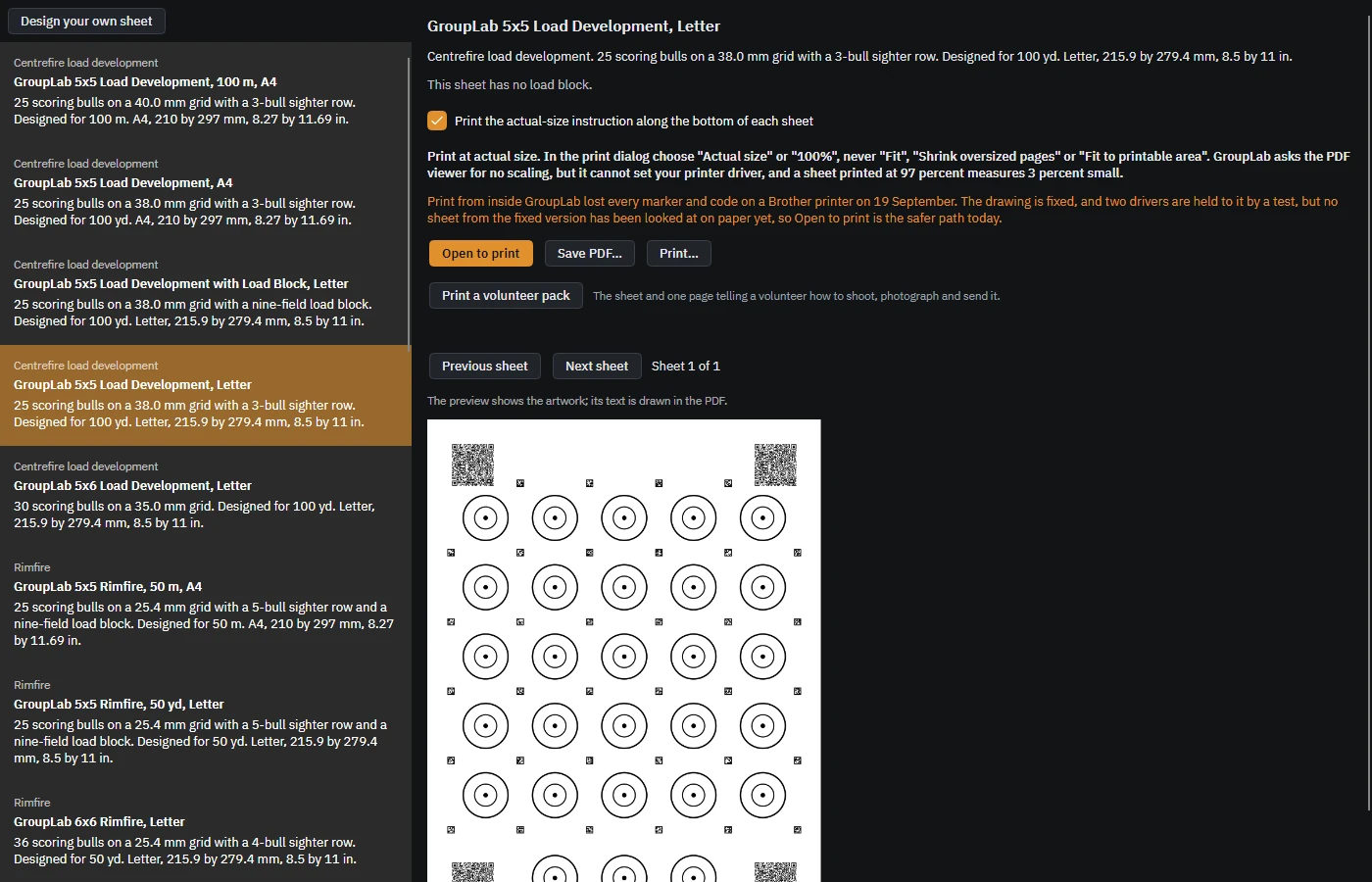
From the newest build of GroupLab, regenerated every week. Tap the picture for it full size.
What this screen is for
Everything GroupLab measures depends on the sheet being the size it says it is. A sheet printed at 97 percent measures three percent small, and nothing later can recover that. So this screen asks the PDF viewer for no scaling, prints the instruction along the bottom of the sheet so you can check with a ruler, and refuses outright when the paper you have chosen cannot hold the sheet.
What you are looking at
- The sheet list on the left. The same sheets as the library. The one in the shaded row is the one being printed.
- The description at the top. What this sheet is, how many scoring bulls, the grid spacing, the distance it was designed for and the paper it needs.
- Print the actual-size instruction. Adds a line along the bottom edge of each sheet telling whoever prints it to choose Actual size and never Fit. Leave it on unless you are printing for yourself and know the driver.
- The warning about drivers. GroupLab says plainly what it has and has not proved on paper. It asks the viewer for no scaling and cannot set your printer driver, so it tells you what to check rather than promising.
- Open to print, Save PDF and Print. Open to print hands the PDF to your usual viewer, which is the safest route today. Save PDF writes the file. Print goes straight to a driver.
- Print a volunteer pack. The sheet plus one page telling somebody else how to shoot it, photograph it and send it back.
- Previous sheet, Next sheet. For a tiled sheet that spans several pages. The counter says which page of how many.
- The preview. The artwork of the page about to print. Its text is drawn in the PDF rather than in the preview, so the preview shows slightly less than the paper will.
What you would do here
- Choose the sheet and check the paper size against what is in your printer.
- Leave the actual-size instruction on if anybody but you will print it.
- Press Open to print, and in the print dialog choose Actual size or 100 percent, never Fit or Shrink oversized pages.
- Measure one printed bull with a ruler against the size in the description before you shoot a whole session on it.
Where it fits
After the library. You shoot the sheet, then photograph or scan it and open it in marking.