

Research › Guides
Does your printer print at true size?
GroupLab project, tested by Alan Hayes, researched and written with Claude. Written 2026-09-22; the data is from GroupLab Phase 0 print tests, September 2026.
This article is a draft. It is not finished, it is not linked from the research index, and anything in it may change.
What we found
a printer set to 'Actual size' can be very accurate: Alan's measured 1.0001 horizontally and 1.0006 vertically, within 0.06 percent. The danger is the print dialog. 'Fit to page' or 'Shrink oversized pages' typically prints a letter sheet at around 94 to 97 percent. On a scan, GroupLab detects this (a sheet printed at 96.2 percent was measured at 0.96200) and corrects every figure for it.
How sure we are
the detection result comes from GroupLab's own acceptance tests. One printer is not every printer; that is why the check below exists.
The data
Why print size matters
A GroupLab sheet is a measuring instrument. The distances between its printed markers are known exactly, and GroupLab uses them to turn pixels into inches. If the sheet comes out of the printer 4 percent small, the markers are 4 percent closer together than GroupLab expects, and anything measured against them is off by the same proportion, unless something catches it.
The setting that causes it
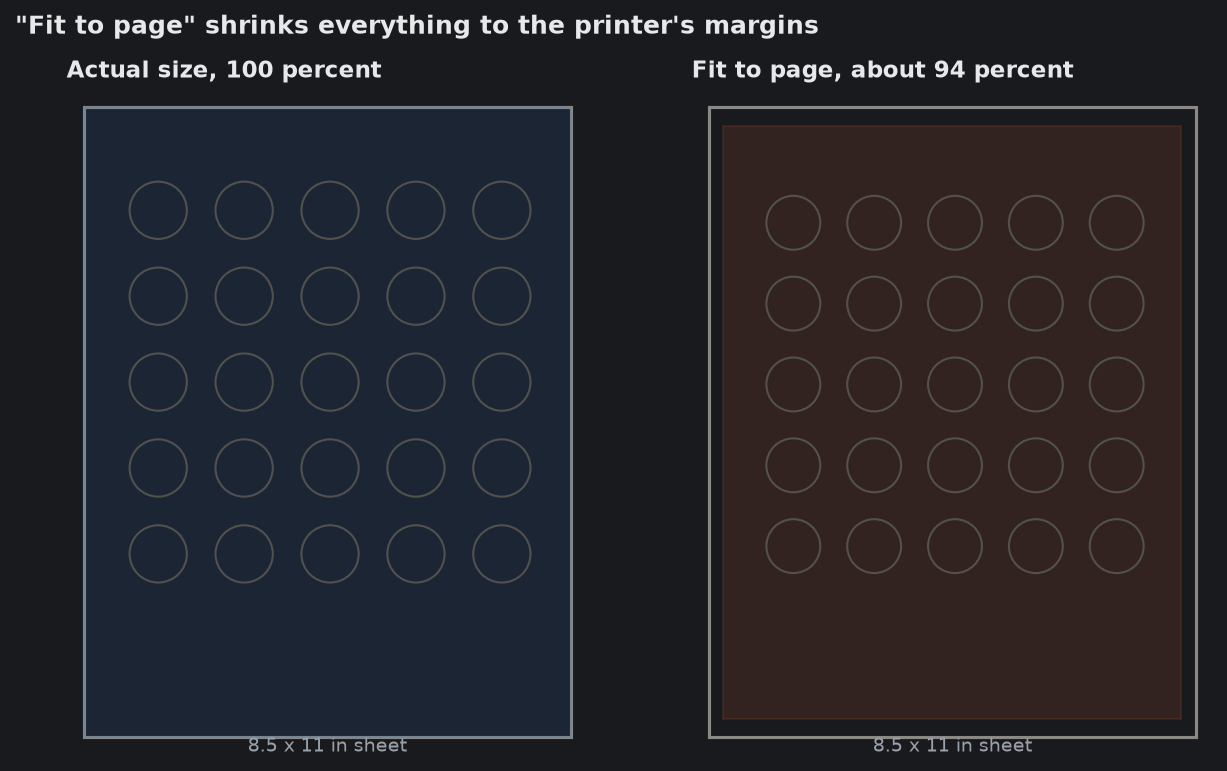
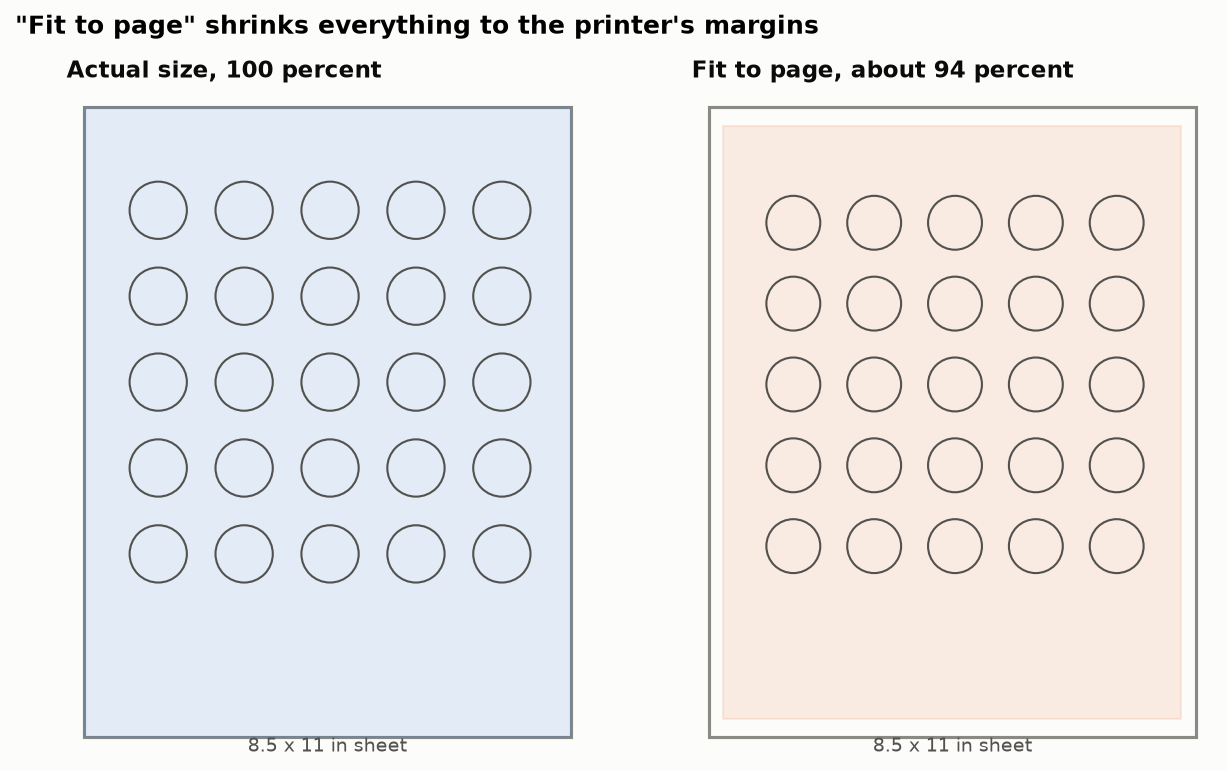
Almost every print dialog has an option that shrinks the page to fit inside the printer's margins. It goes by different names: "Fit", "Fit to page", "Shrink oversized pages", "Scale to fit" or "Fit to printable area". Some programs turn it on by default. Because the whole page shrinks evenly, the printout looks perfectly normal. You cannot see a 5 percent change by eye.
How much it shrinks depends on the printer's margins. With a quarter inch on each side, a letter page shrinks to about 94 percent.
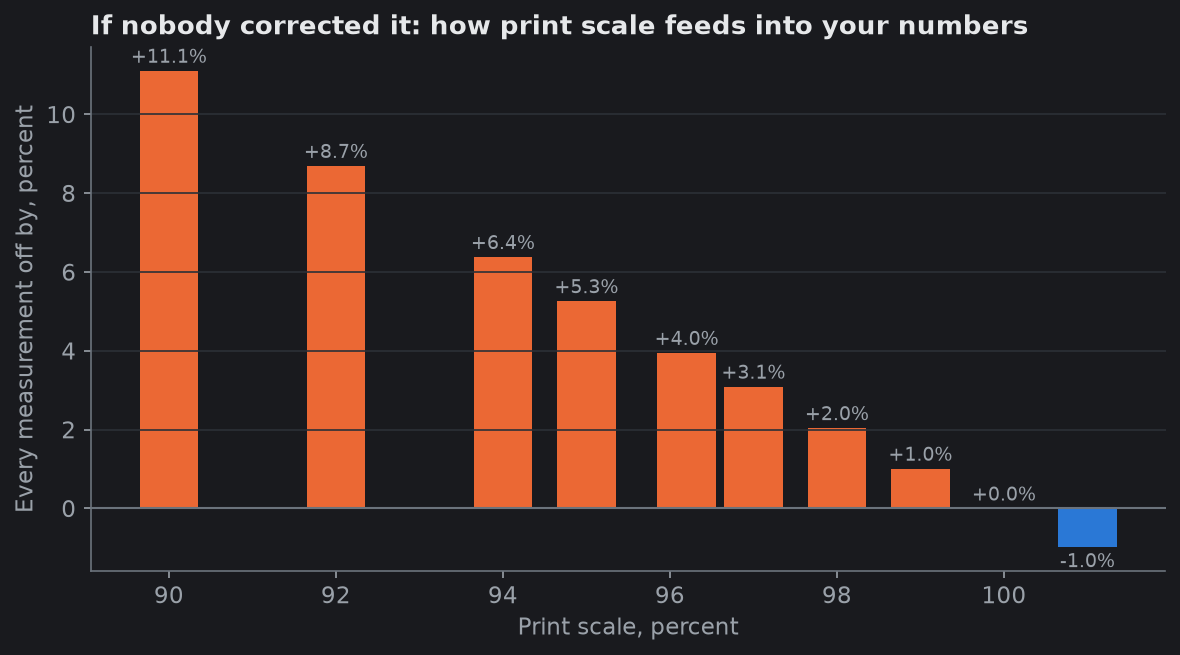
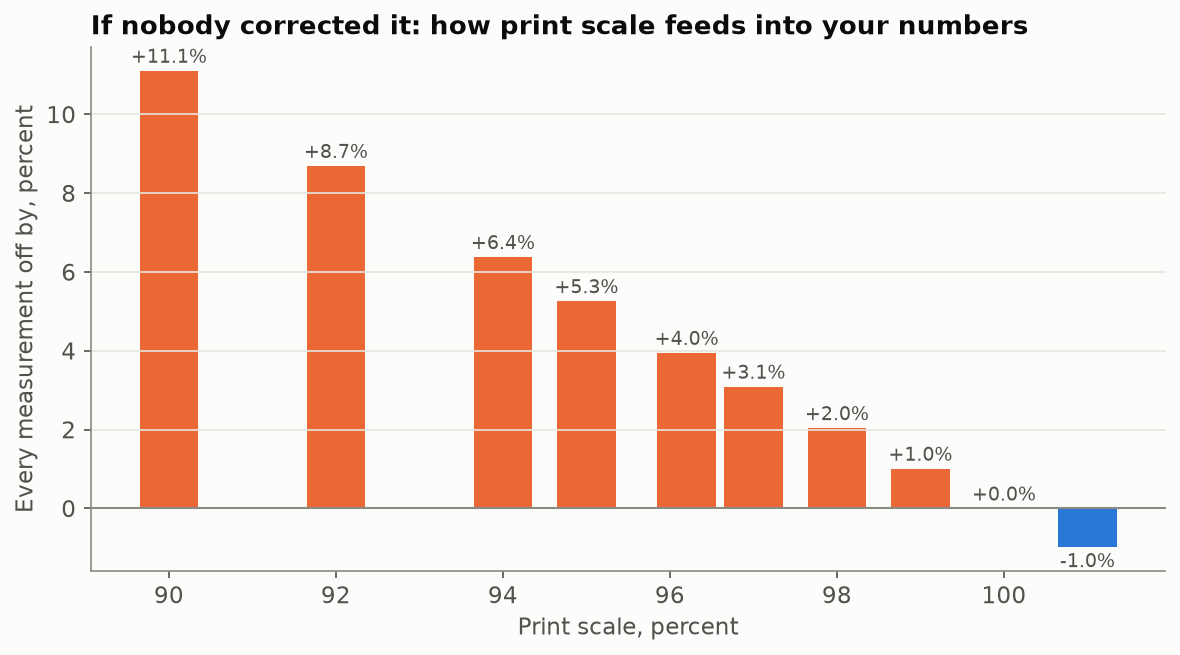
| Printed at | Every distance on the sheet is | A true 0.300 in mean radius would read |
|---|---|---|
| 100 percent | correct | 0.300 in |
| 97 percent | 3 percent small | 0.309 in |
| 96.2 percent | 3.8 percent small | 0.312 in |
| 94 percent | 6 percent small | 0.319 in |
| 90 percent | 10 percent small | 0.333 in |
The error is always in the same direction: a shrunken sheet makes groups look bigger, because the bullets are full size and the ruler they are measured against has shrunk. Calipers are not fooled, since they measure the holes directly. Anything that measures against the printed sheet is, unless it knows the print scale.
How GroupLab catches it
A flatbed scanner has an absolute ruler built in: its resolution. At 600 dpi, 600 pixels is one inch, whatever is on the glass. So when GroupLab reads a scanned sheet it can compare the markers' real spacing with the spacing they were designed to have, and work out the print scale.
In GroupLab's acceptance tests, a sheet deliberately printed at 96.2 percent was measured at 0.96200 from a 600 dpi scan and 0.96201 from a 300 dpi scan. The test required agreement within 0.001; it agreed within 0.00001. The printer's own error at 100 percent (x 1.0001, y 1.0006) cancels out in that comparison.
When the scale differs from 100 percent by more than a quarter of a percent, GroupLab says so on the results panel, corrects every measurement for it, and suggests printing at actual size next time.
A phone photo has no built-in ruler, because the camera's distance from the paper is unknown. So for photographed sheets, printing at true size is up to you.
A thirty-second check
- Print the sheet with the scale set to 100 percent or Actual size. Turn off any fit or shrink option.
- Lay a ruler along the sheet and measure a known distance. The marker grid on GroupLab sheets is designed on exact spacings; the aim point test card has a 2 inch bar printed for exactly this.
- Over 2 inches, 94 percent shows as about 1.88 inches, an eighth of an inch short, which is easy to see on a ruler. 98 percent is about 1.96, harder but visible on a good steel rule.
- If it is short, check the print dialog again. On some systems the setting is buried under "More settings" or in the printer's own preferences.
- Once it is right, most programs remember it. Check again if you change programs or printers.
A note on paper
Paper grows and shrinks slightly with humidity, and a sheet that has been rained on or left in the sun for hours can change shape. For normal range use this is small compared with the print-scale mistake above, but do not measure a sheet that has been soaked and dried.
Sources
- GroupLab Phase 0 results, measurement 5, print-scale detection (docs/PHASE0-RESULTS.md) and the print protocol (docs/PHASE0-PRINT-PROTOCOL.md).
- GroupLab detection advice, the print-scale message and its 0.25 percent threshold (src/GroupLab.Core/Marking/DetectionAdvice.cs).