Every feature, grouped, with where it is explained. The tour walks the main path, print, shoot, scan or photograph, read the numbers; this is the whole list. Behind the curtain shows how the parts behind them fit together.
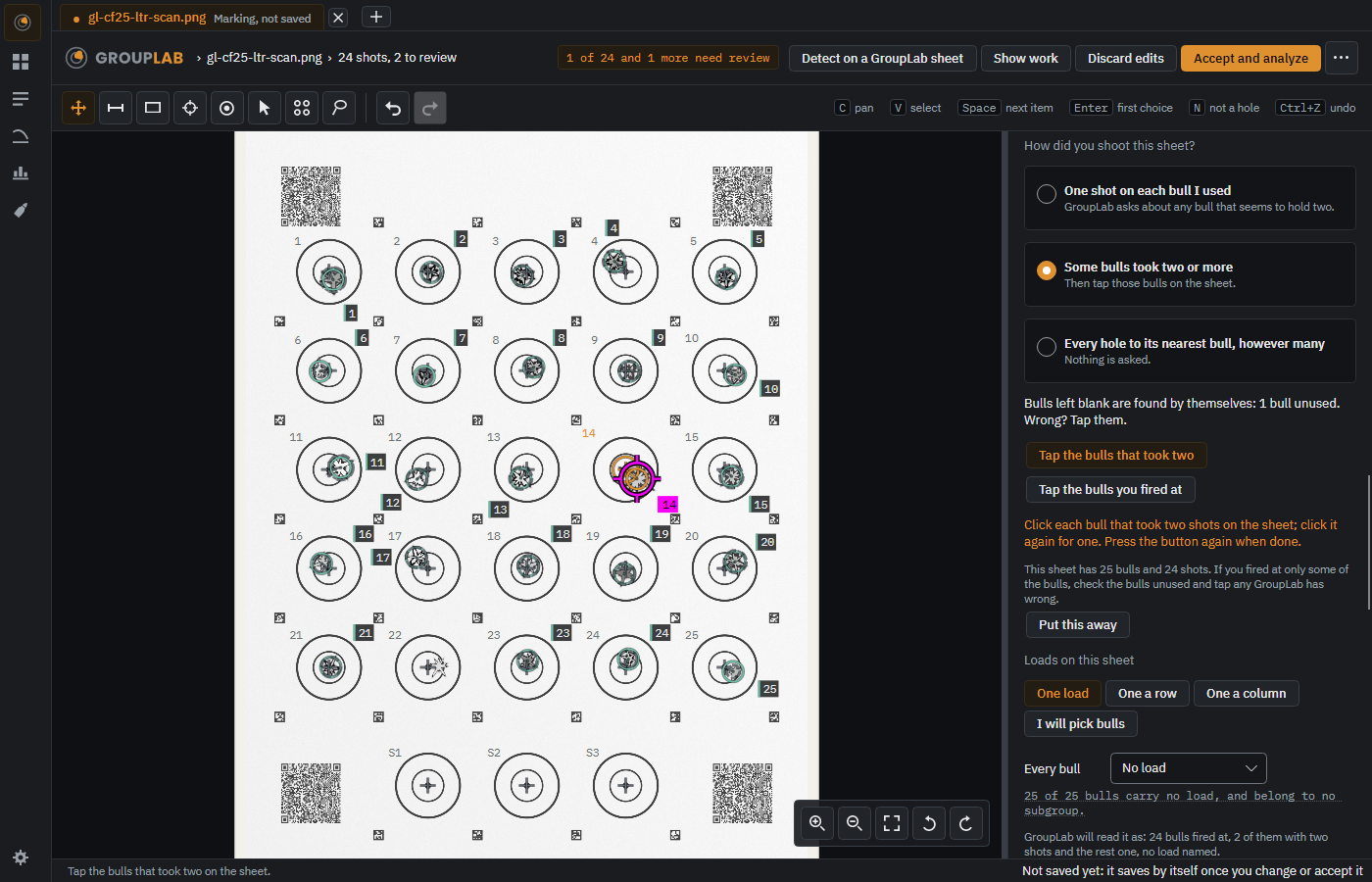
Groups asks How did you shoot this sheet? with three cards: one shot on each bull, some bulls took two or more, or every hole to its nearest bull. Bulls you left blank are found by themselves, you tap the ones that took two or the ones you fired at, and Loads on this sheet sets one load, one a row, one a column or your own pick. A line reads it back before you accept.
Windows · macOS · Linux · Android · iPhone and iPad. Since nightly.185.
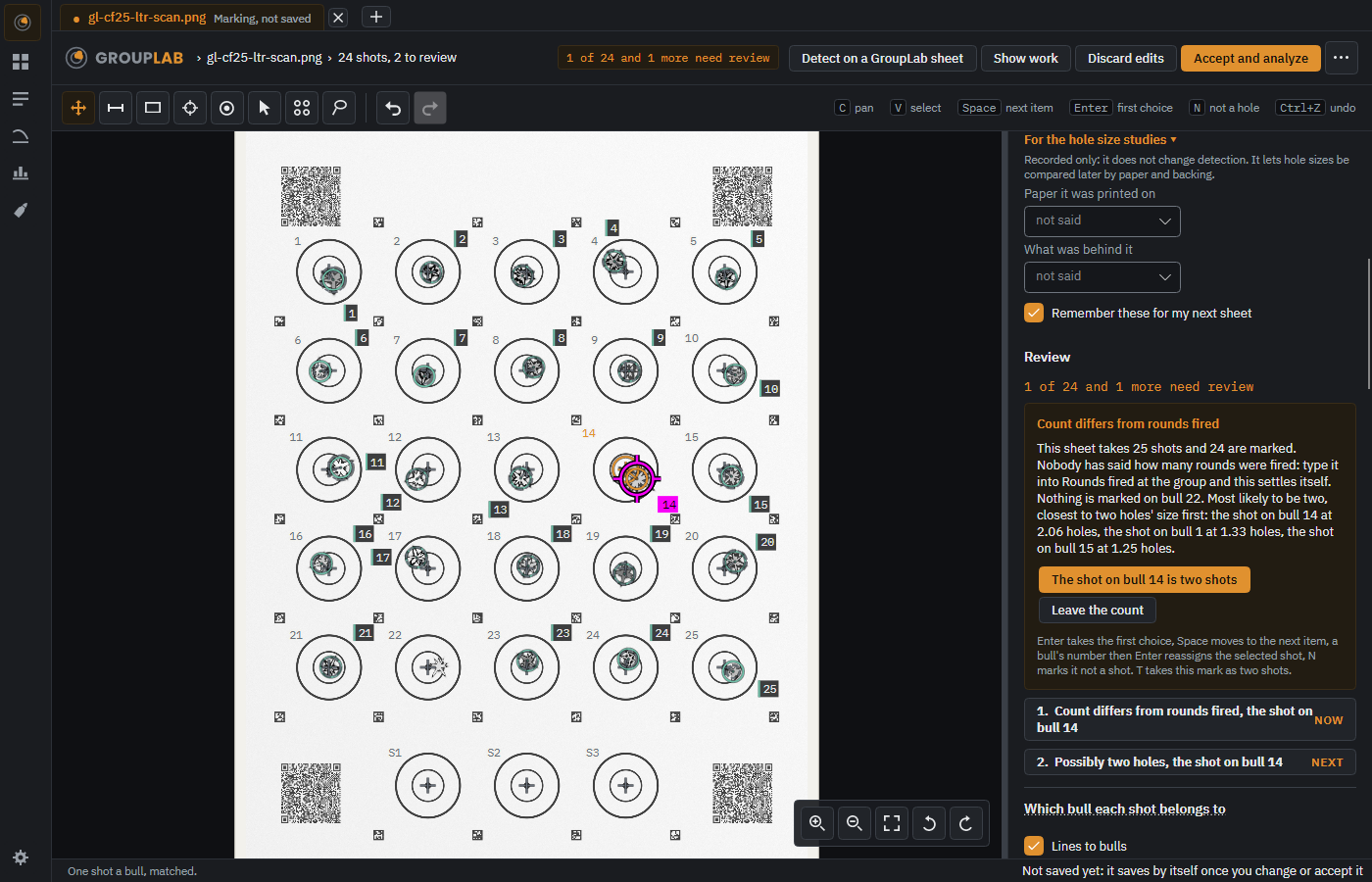
For the hole size studies is a closed section at the bottom of the setup. It records the paper and the backing only, changes no detection, and is remembered for your next sheet unless you turn that off. The phone records them too.
Windows · macOS · Linux · Android · iPhone and iPad. Since nightly.185.
Photograph or scan whatever you shot on, set the scale once (a flatbed scan offers its own stated resolution as the scale, with the number shown, used only if you choose it), and mark the holes by hand, on the computer or on the phone under a crosshair that stays in the middle; place several bulls and keep the layout as a template for the next sheet. On the computer and in GroupLab Dev, Find holes (Experimental) proposes the holes for you to check; finding them reliably on any target is still the goal.
Windows · macOS · Linux · Android · iPhone and iPad. Since nightly.111, changed in nightly.224.
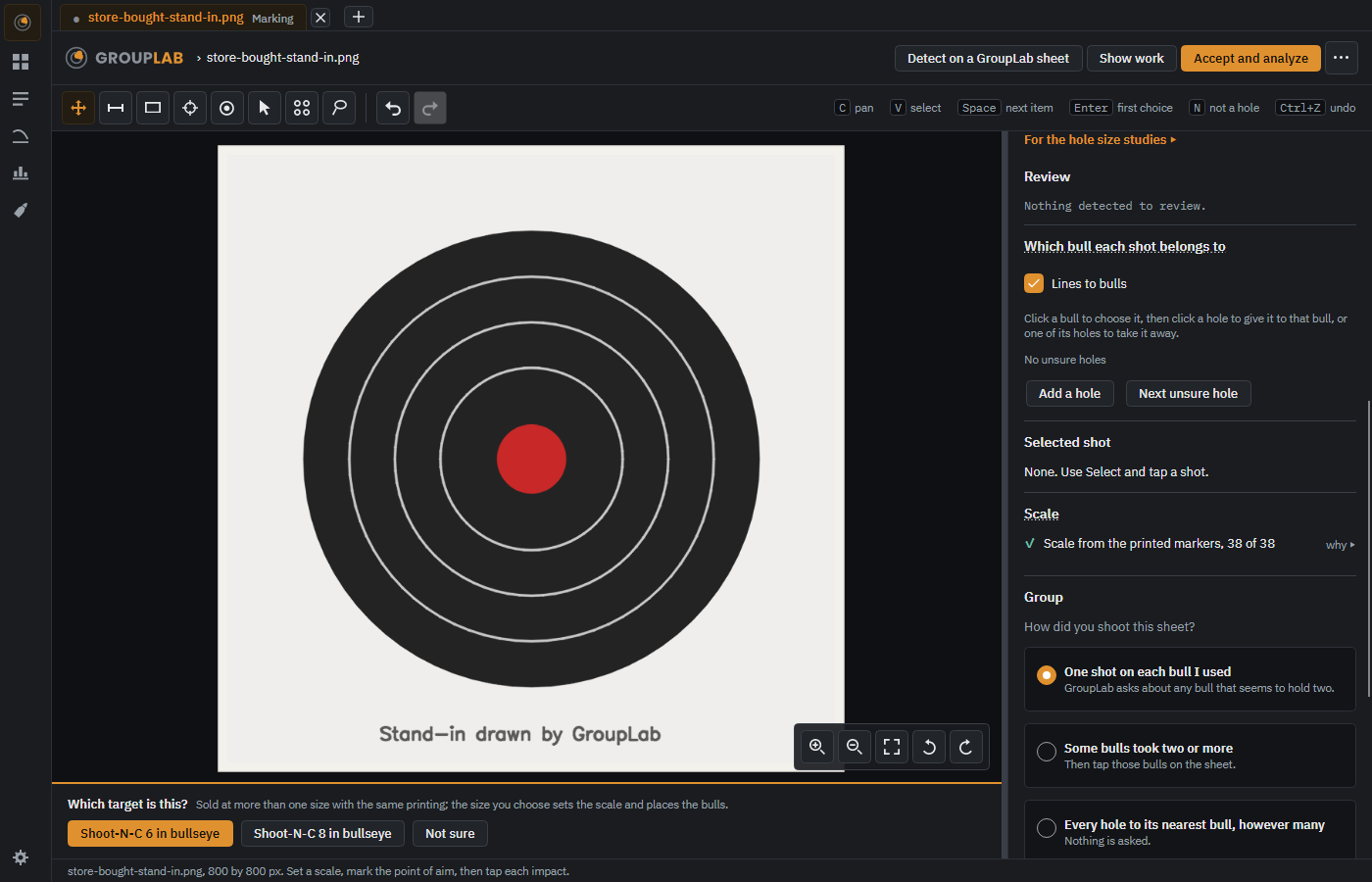
Store-bought targets from Birchwood Casey and the National Target Company are named by themselves, their bulls placed and the scale taken from the printed size, with a note that printed targets vary a little and Check the scale beside it, and a short bar along the bottom of the picture asking 6 in or 8 in, the bullseye kept whole in view above it, when a Shoot-N-C bullseye could be either.
Windows · macOS · Linux · Android · iPhone and iPad. Since nightly.152, changed in nightly.216.
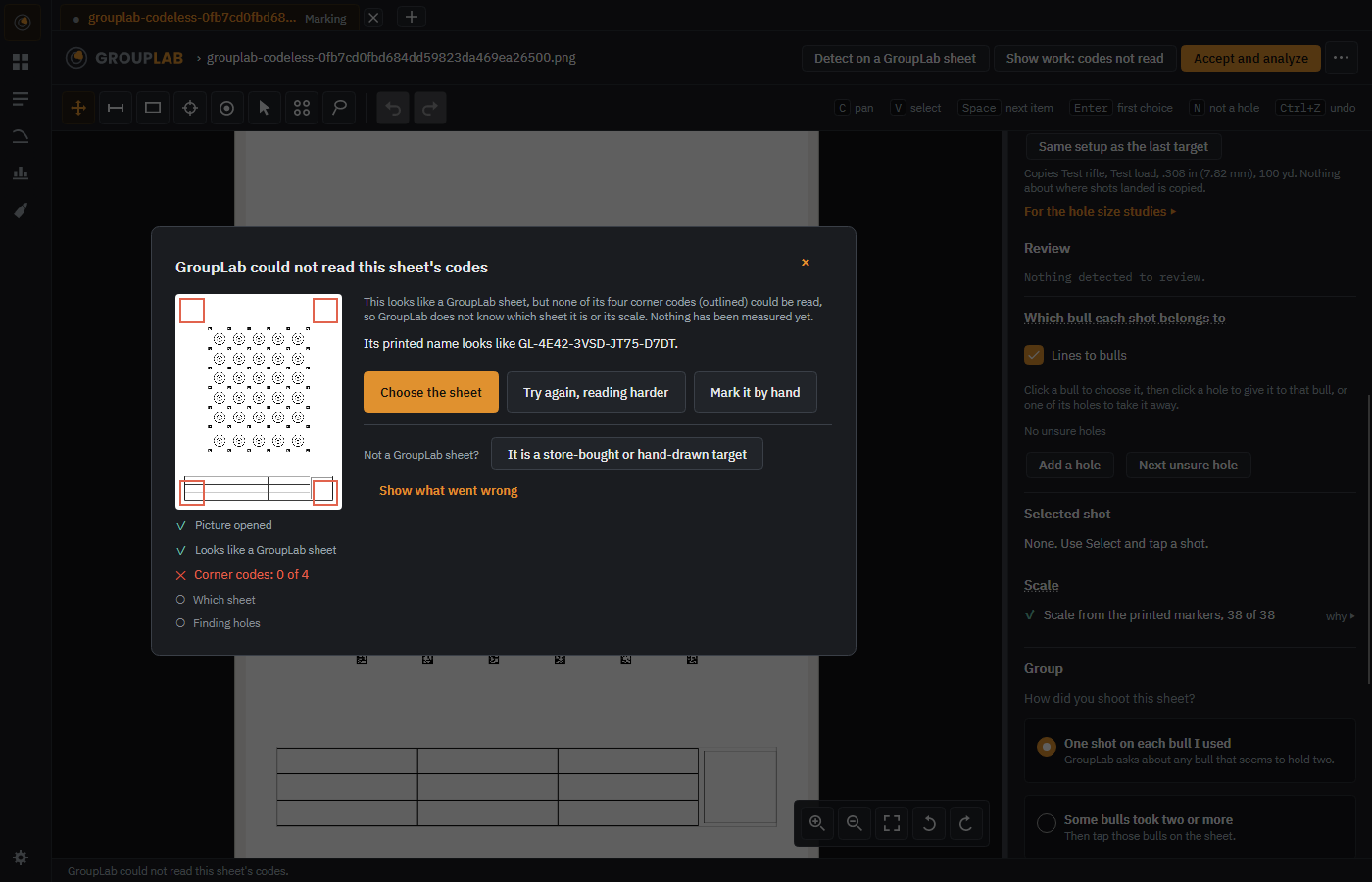
A picture of a target GroupLab did not print is asked about calmly, Which target is this?, with marking it by hand first; one that has a GroupLab sheet's corner squares but whose codes would not read says so in the middle of the window, with the picture's codes outlined, Choose the sheet first, Try again, reading harder, which reads each corner code on its own and looks for the printed name, and Not a GroupLab sheet? remembered for that picture. Dismissed, an amber bar brings it back.
Windows · macOS · Linux · Android · iPhone and iPad. Since nightly.163.
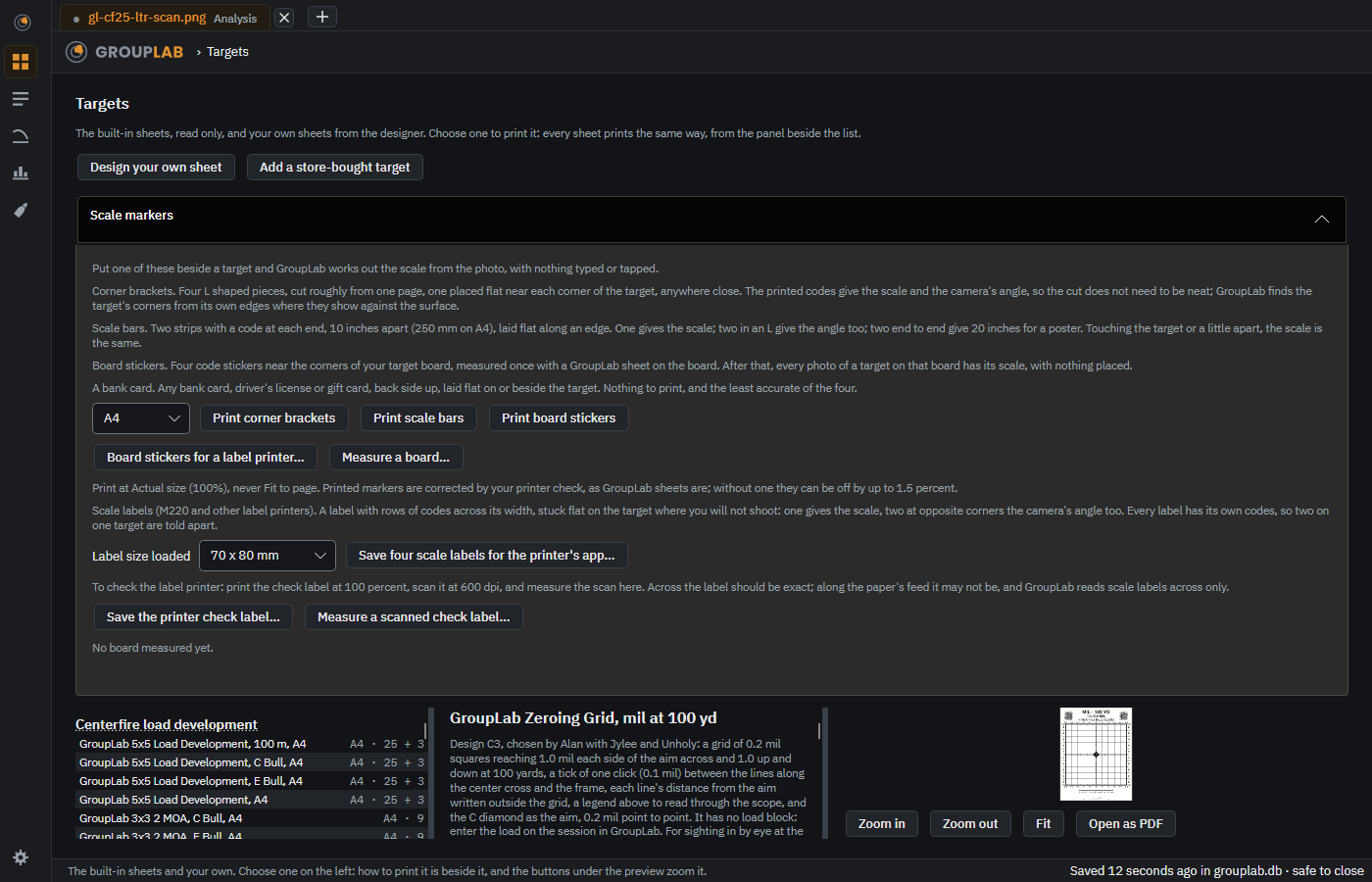
Corner brackets, scale bars or stickers on a measured board, printed from Targets, or a bank card, laid beside a target GroupLab did not print, give it the scale from the photo with nothing typed or tapped, in Add a store-bought target and when marking by hand; a card is blanked out of the photo at once. Scale labels can also be printed from a label printer such as the Phomemo M220, straight from Android.
Windows · macOS · Linux · Android · iPhone and iPad. Since nightly.167, changed in nightly.180.
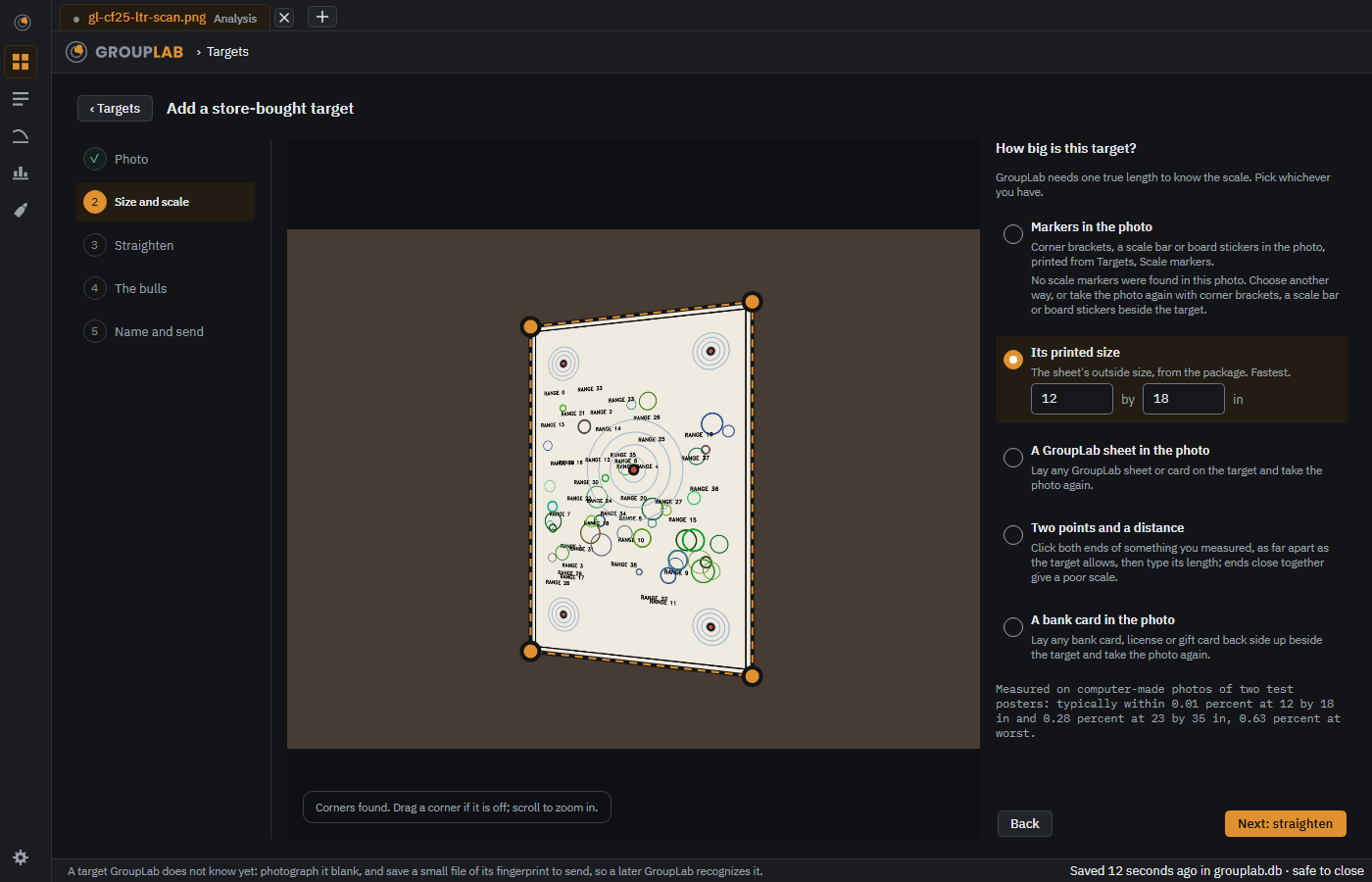
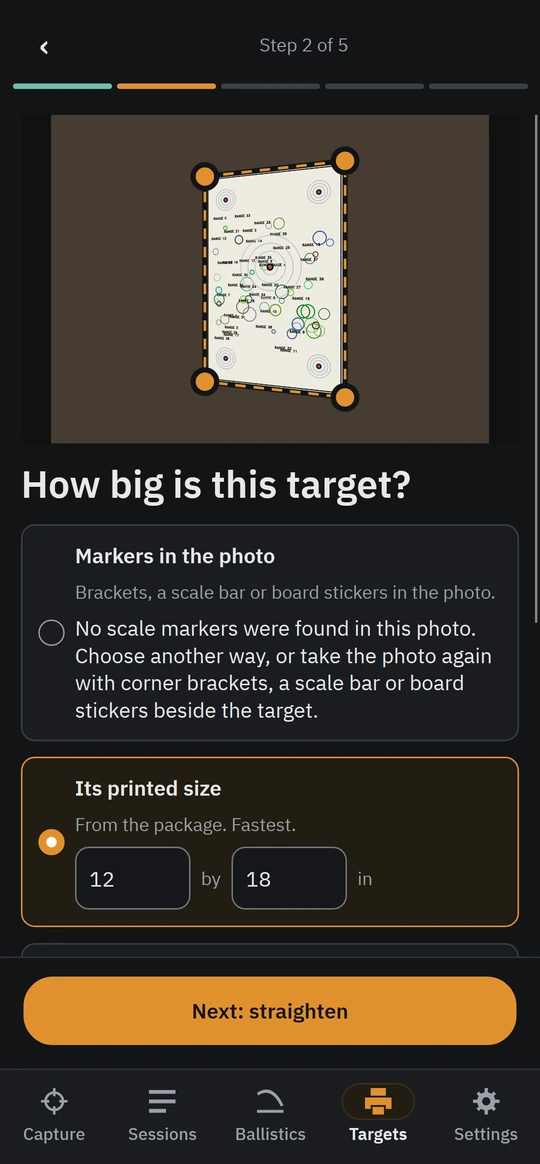
A target GroupLab does not know, photographed blank and fingerprinted in five steps, one question at a time: its corners found, one true length from its printed size, a GroupLab sheet laid on it or two points a measured distance apart, its bulls confirmed, and a small file of the fingerprint, name, size and bulls saved, never the photo, to send so a later build recognizes it.
Windows · macOS · Linux · Android · iPhone and iPad. Since nightly.156, changed in nightly.167.
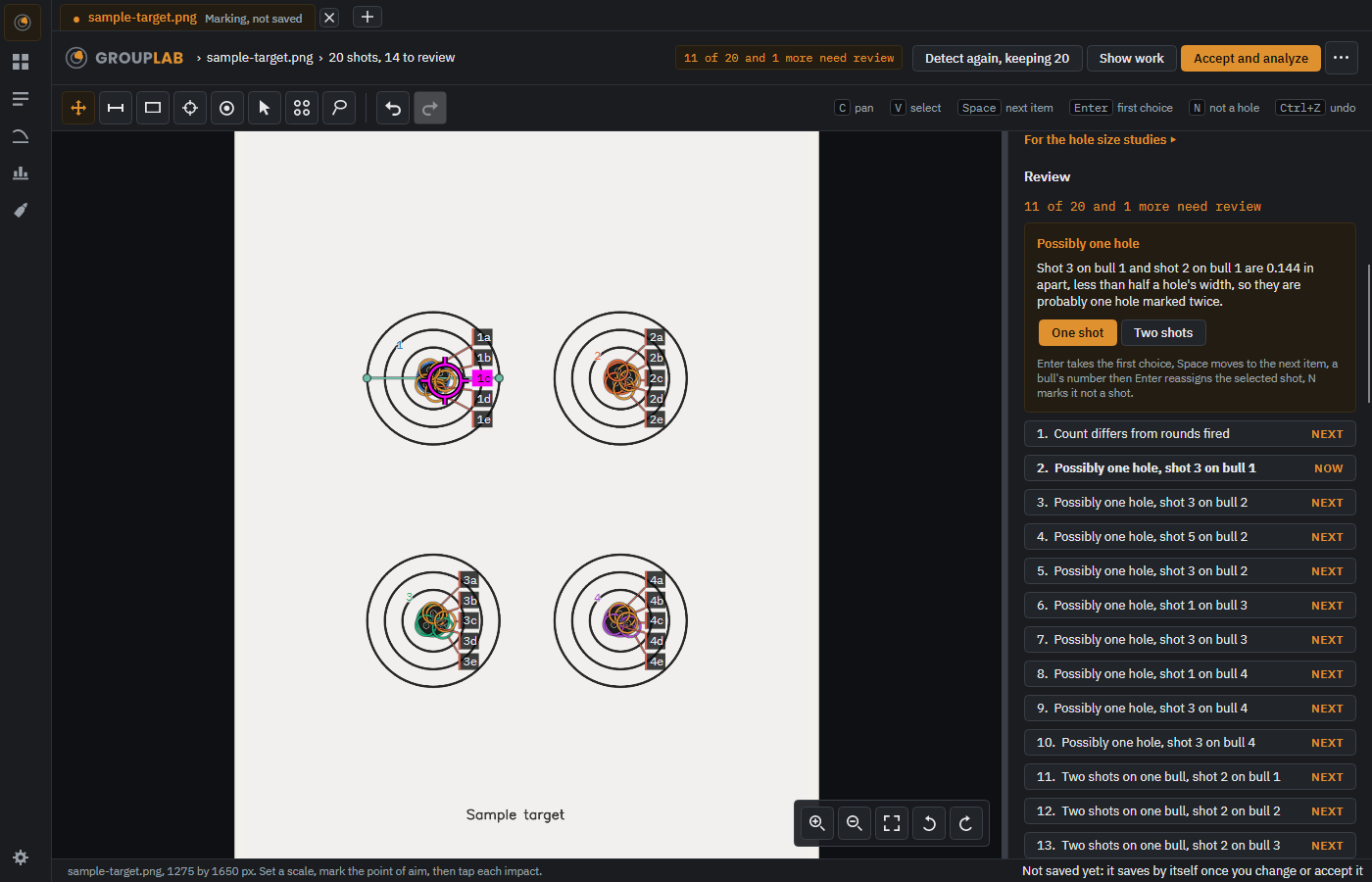
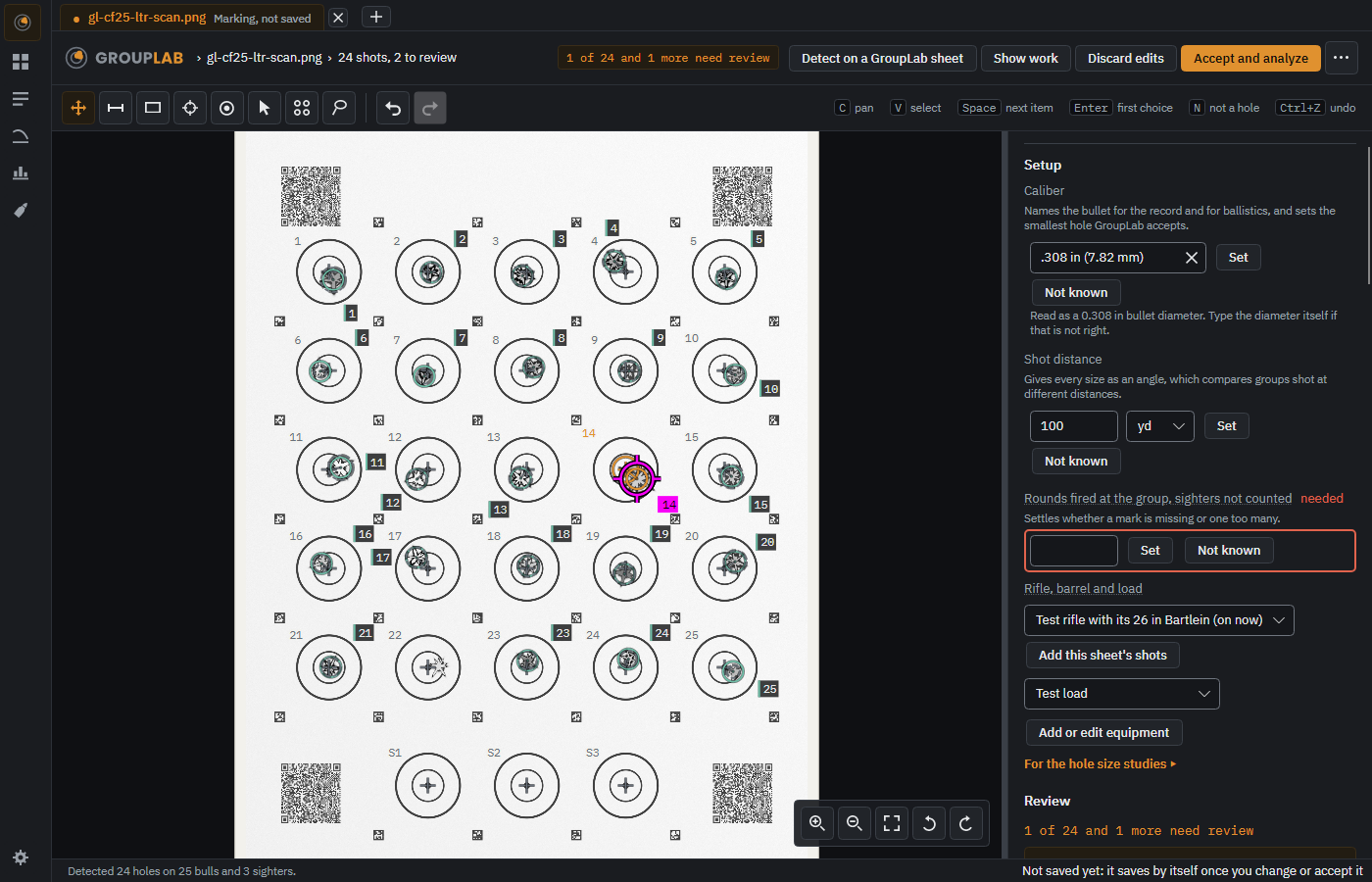
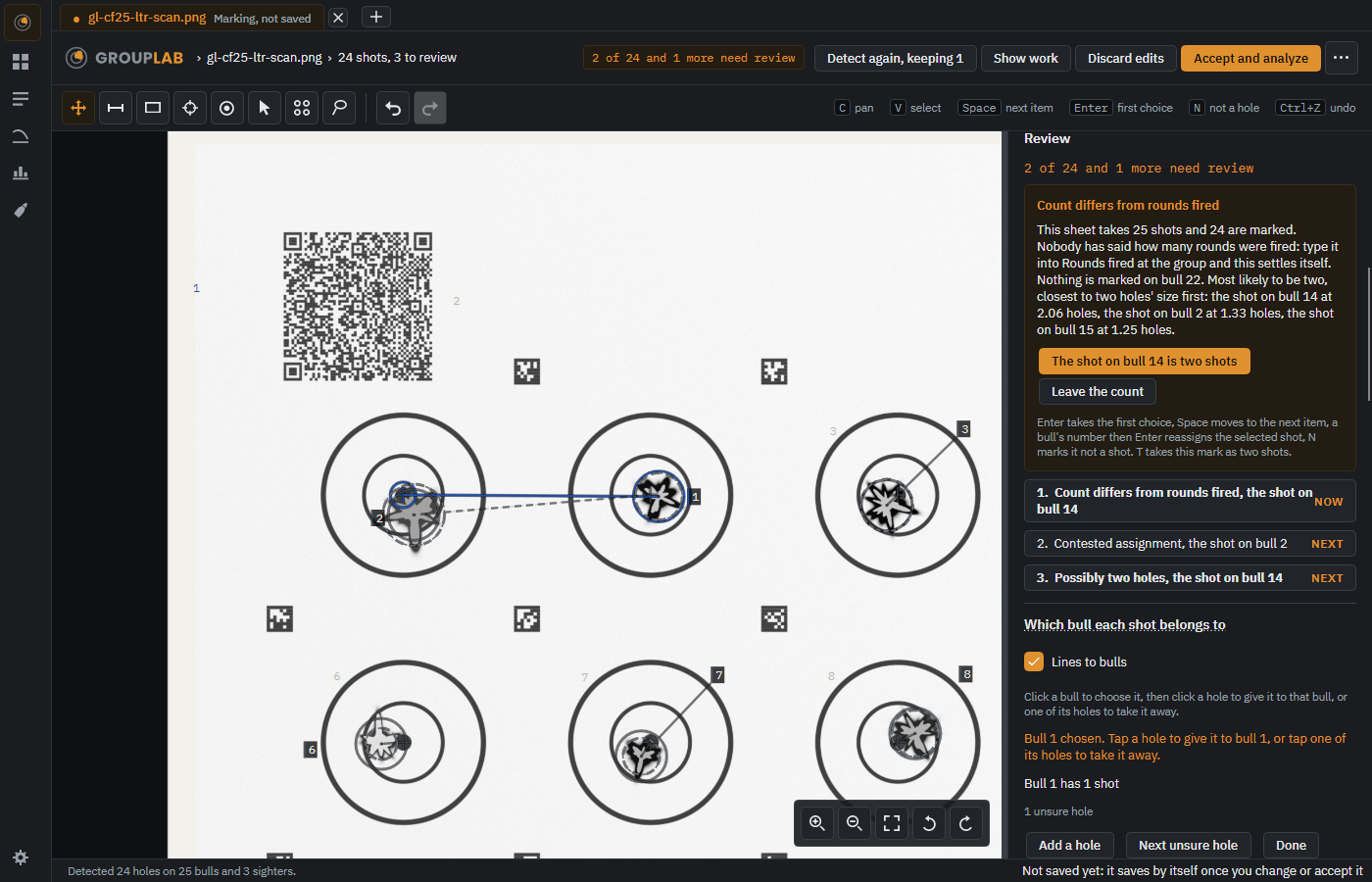
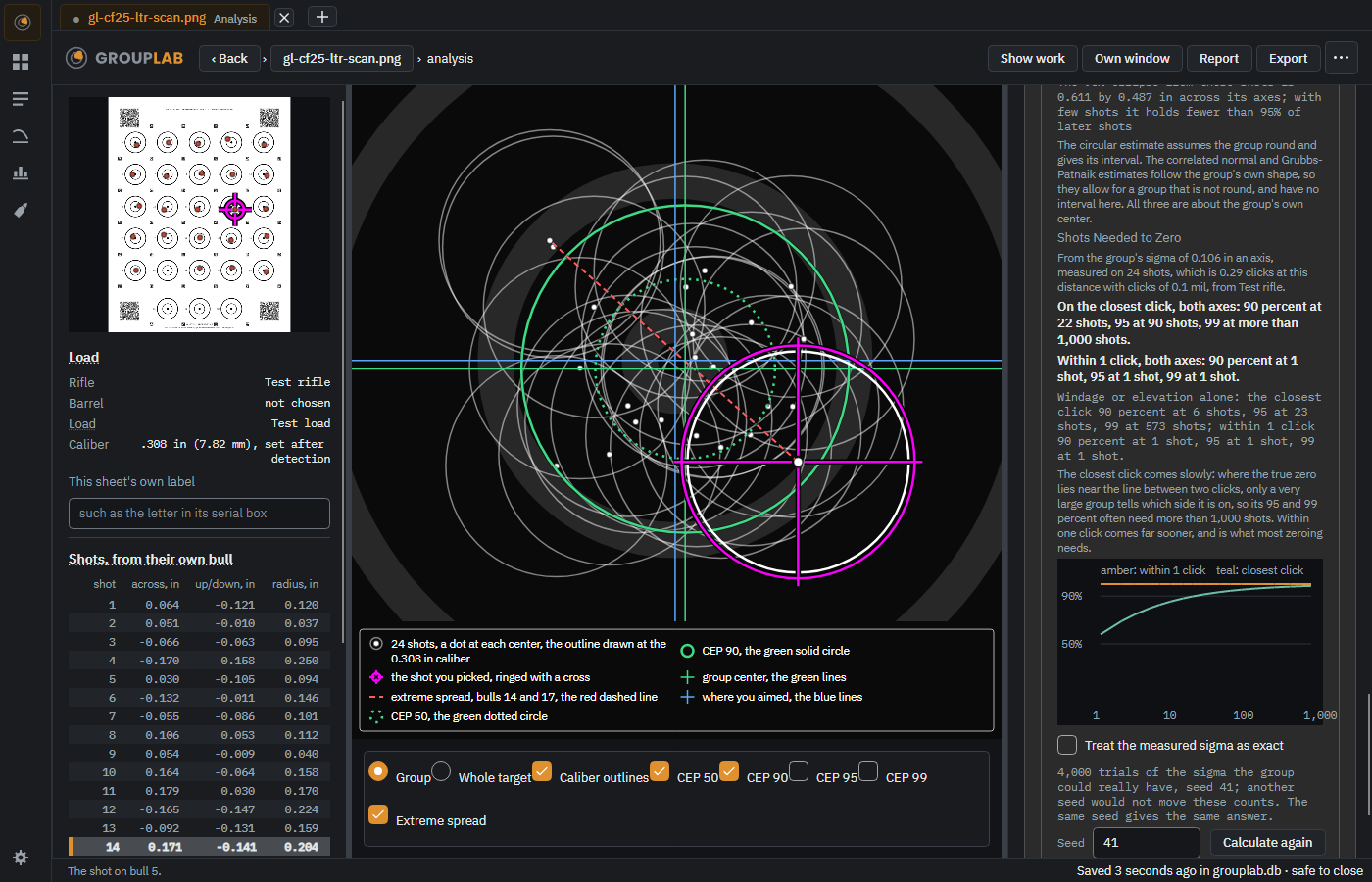
Holes are found for you, and any one can be moved, added, removed, called a flyer or given a note. On the picture each bull's number stands outside its ring and each hole's number in a tag that covers nothing else, several on one bull fanned out in a column, and the shot you select is an open magenta ring that leaves the hole in sight.
Windows · macOS · Linux · Android · iPhone and iPad. Since nightly.28, changed in nightly.220.
When every shot on a sheet of one shot per bull landed off by the same amount, as an unzeroed rifle does, the holes are matched to the bulls as one sheet, read in the order it is shot, and each goes to the bull it was fired at; where two sets of bulls fit equally well, GroupLab asks which you fired at.
Windows · macOS · Linux · Android · iPhone and iPad. Since nightly.112, changed in nightly.173.
A thin line runs from each hole to the bull it was given, on the analysis and in Fix holes, and Lines to bulls switches them off. A line worth a second look is dashed in orange with a question mark, and Next unsure hole goes to it. Click or tap a bull to choose it, then click or tap holes to give them to it or take them away; each shot is named by its bull: Bull 7, or Bull 7, shot 2.
Windows · macOS · Linux · Android · iPhone and iPad. Since nightly.173, changed in nightly.185.
The printer check page as it prints on Letter: a card outline, caliper crosshairs 150 mm apart and two ruler lines
Check your printer once, for real inches from photos#
Print the check page and measure it once, with a card and one photo, a digital caliper, a ruler or a scanner, or type in the two numbers another GroupLab measured for the same printer; photographs of that printer's sheets are then corrected across and down, each saying so, and the paper's own edge checks every photo. Typing them in was asked for by Quack.
Windows · macOS · Linux · Android. Since nightly.120, changed in nightly.228.
A target opens by dropping its picture on the window or pasting it, a screenshot or an image copied from a browser included; dropped onto a tab that already holds a target, it opens in a new tab beside it rather than replacing it.
Windows · macOS · Linux · Android · iPhone and iPad. Since nightly.71, changed in nightly.193.
Each target opens in its own tab across the top of the window, named, with Analysis or Marking and a dot that says whether it is saved; each keeps its own marks, zoom and undo, Ctrl+Tab moves between them, and closing one with unsaved marks asks first.
Windows · macOS · Linux. Since nightly.178, changed in nightly.195.
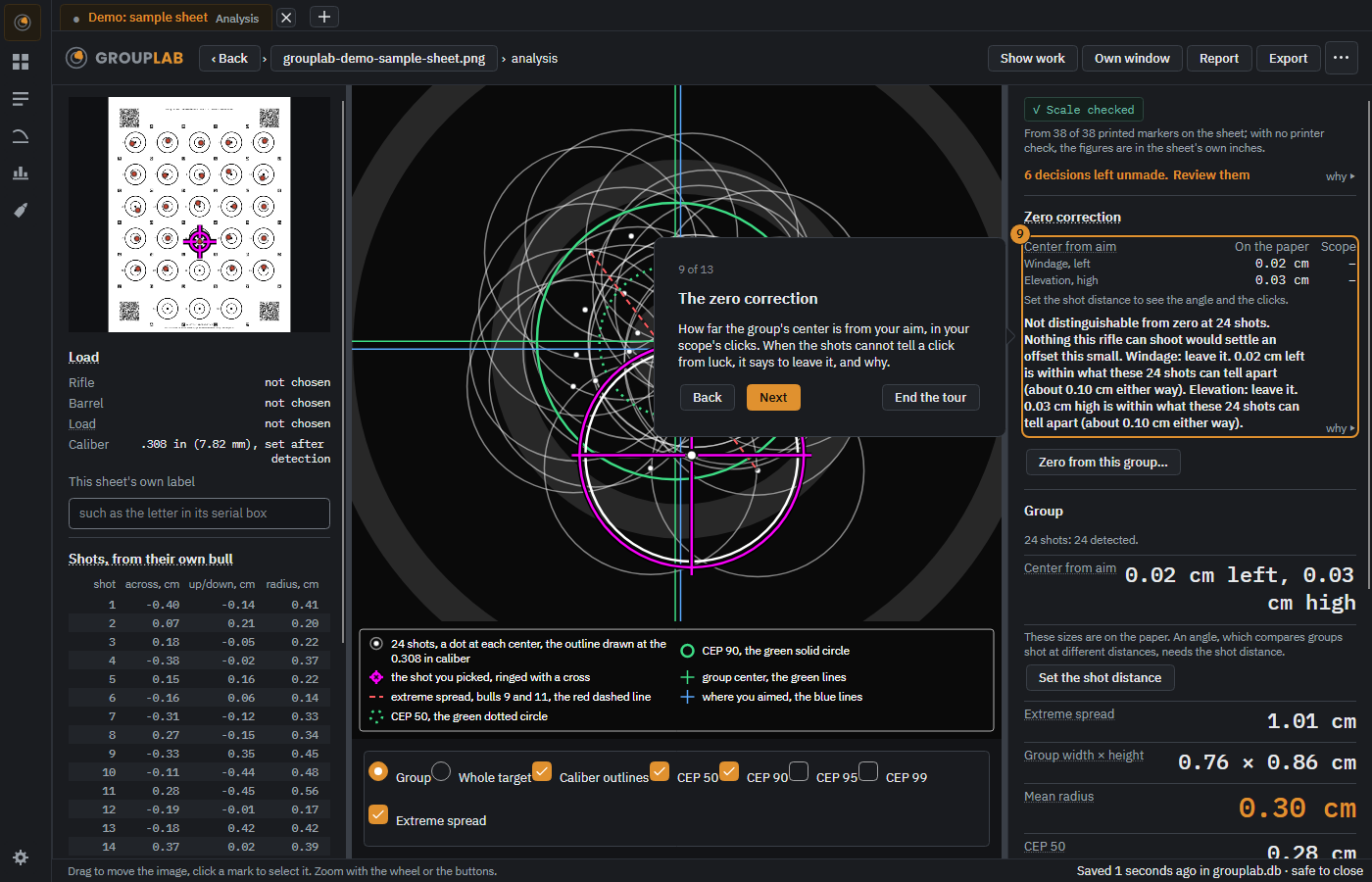
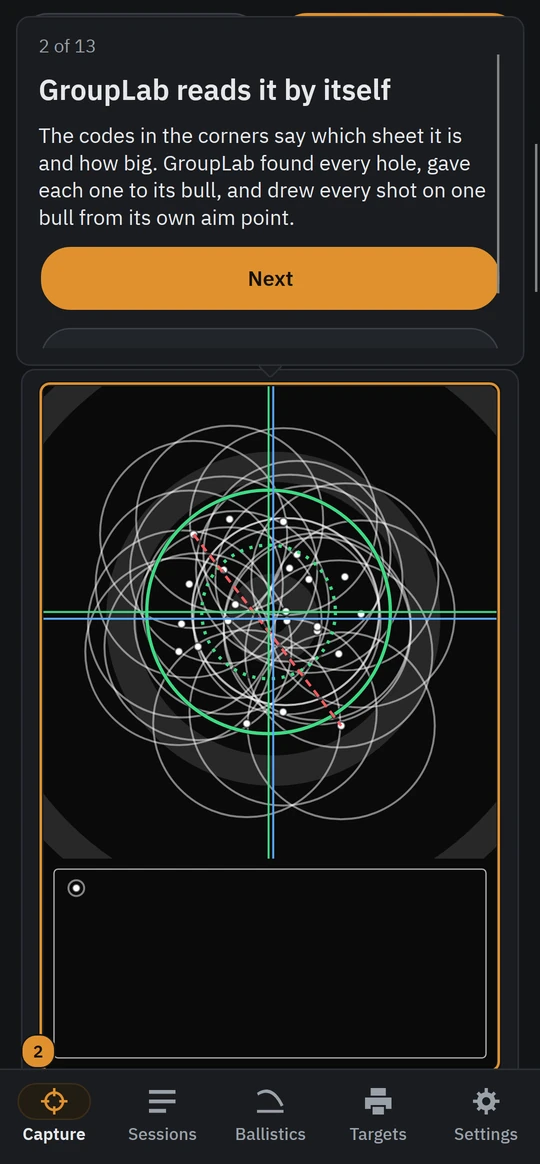
A guided tour of thirteen steps on a sample sheet GroupLab makes itself, offered once after the first run's questions and any time from Settings, that you can do yourself or let GroupLab do with Next, and that nothing you make in it is kept unless you choose.
Windows · macOS · Linux · Android · iPhone and iPad. Since nightly.198, changed in nightly.216.
Tab reaches every button and box and the focus stays where you chose, the arrow keys choose the shot before or after in the shot table and the same bull on the next sheet of a set, and they move along the rail and between buttons in a row.
Windows · macOS · Linux. Since nightly.199, changed in nightly.214.
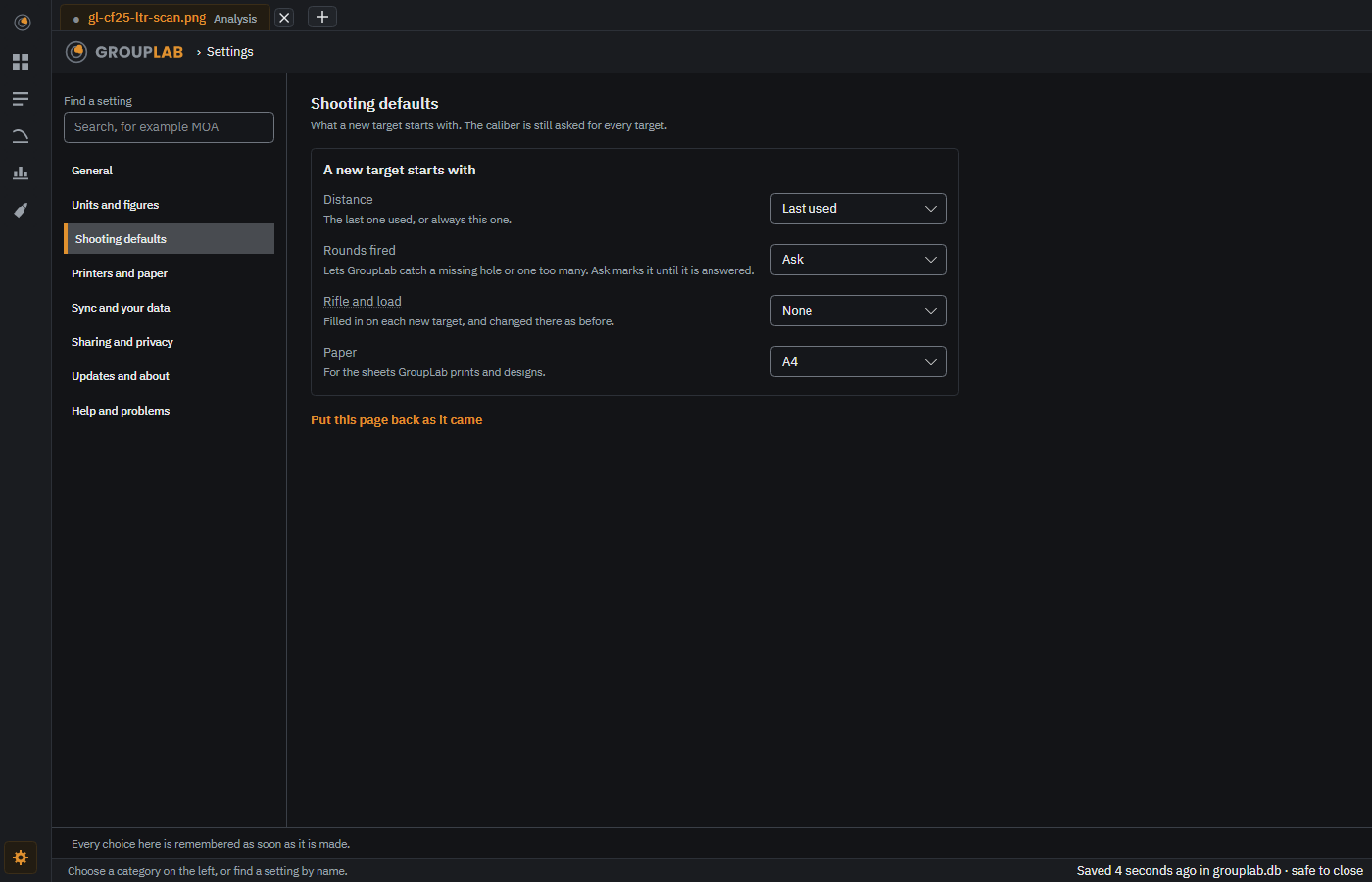
What a new target starts with: the last distance or always the one you choose, rounds fired asked for, one a bull or not known, and the last rifle and load or none, with the caliber still asked every time; on the phone, whether the camera starts in Guided or Manual and makes a sound; and whether the analysis opens with every figure.
Windows · macOS · Linux · Android · iPhone and iPad. Since nightly.218.
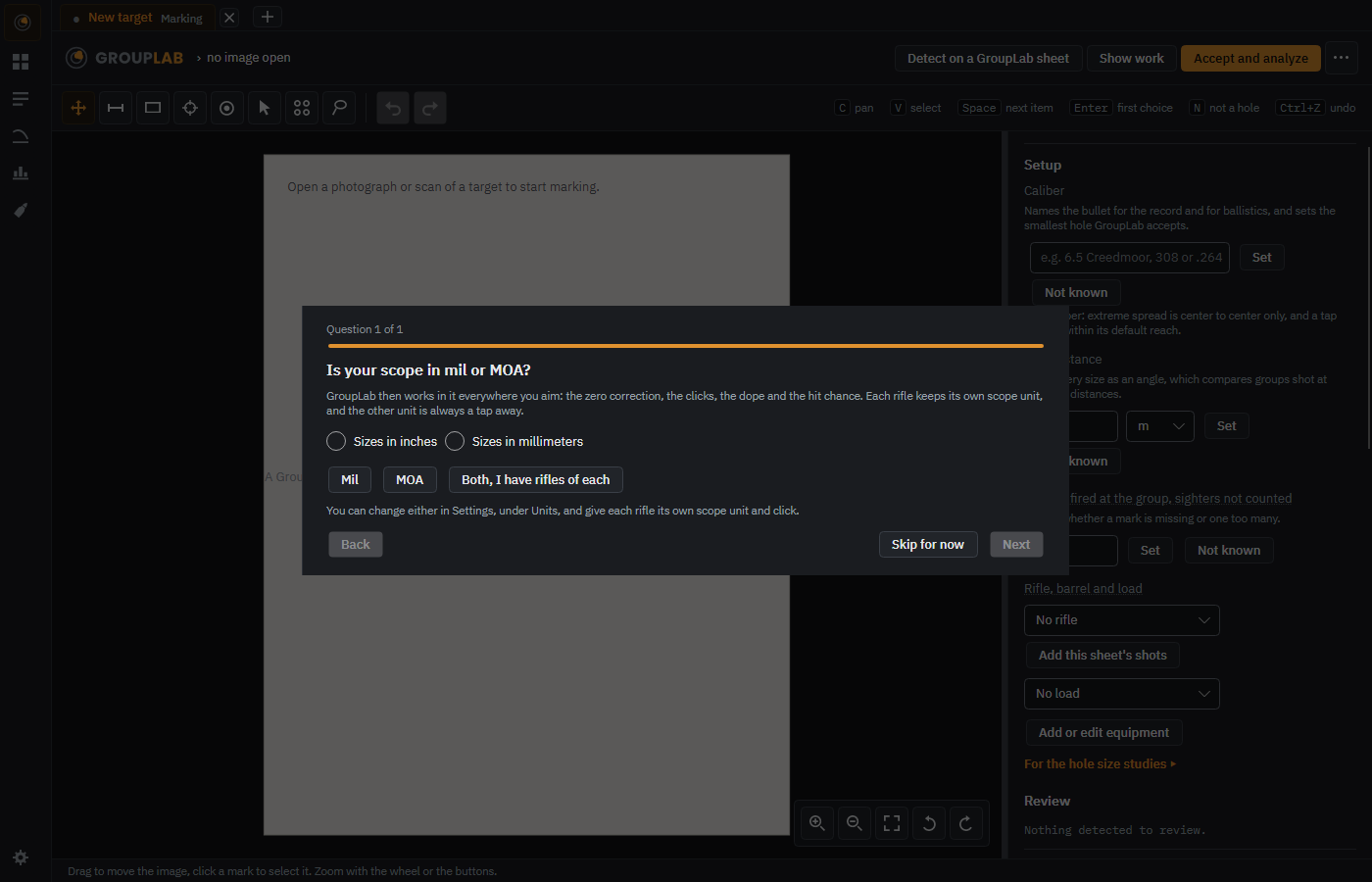
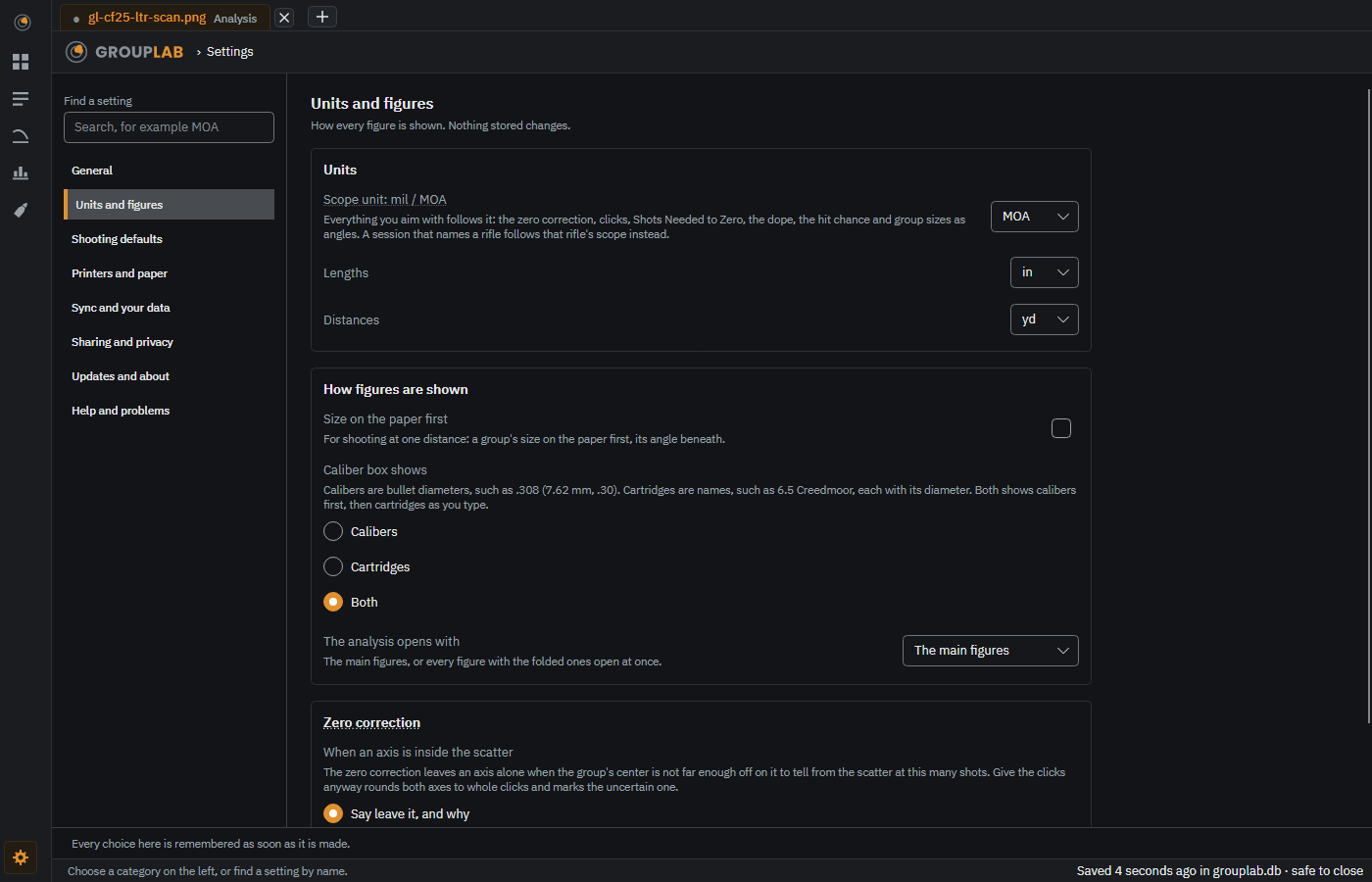
The first run asks whether your scope is in mil or MOA, each rifle keeps its own scope unit and click (0.1 mil, 0.05 mil, 1/4 MOA, 1/8 MOA or any other), and the zero correction, the clicks, the dope, the hit chance and group sizes as angles then read in that unit alone, with the other one tap away.
Windows · macOS · Linux · Android · iPhone and iPad. Since nightly.130, changed in nightly.216.
Tap an angle to switch that number between mil and MOA, a size on the paper between inches and centimeters, a distance between yards and meters; GroupLab remembers it for that figure, and press and hold gives every unit.
Windows · macOS · Linux · Android · iPhone and iPad. Since nightly.120.
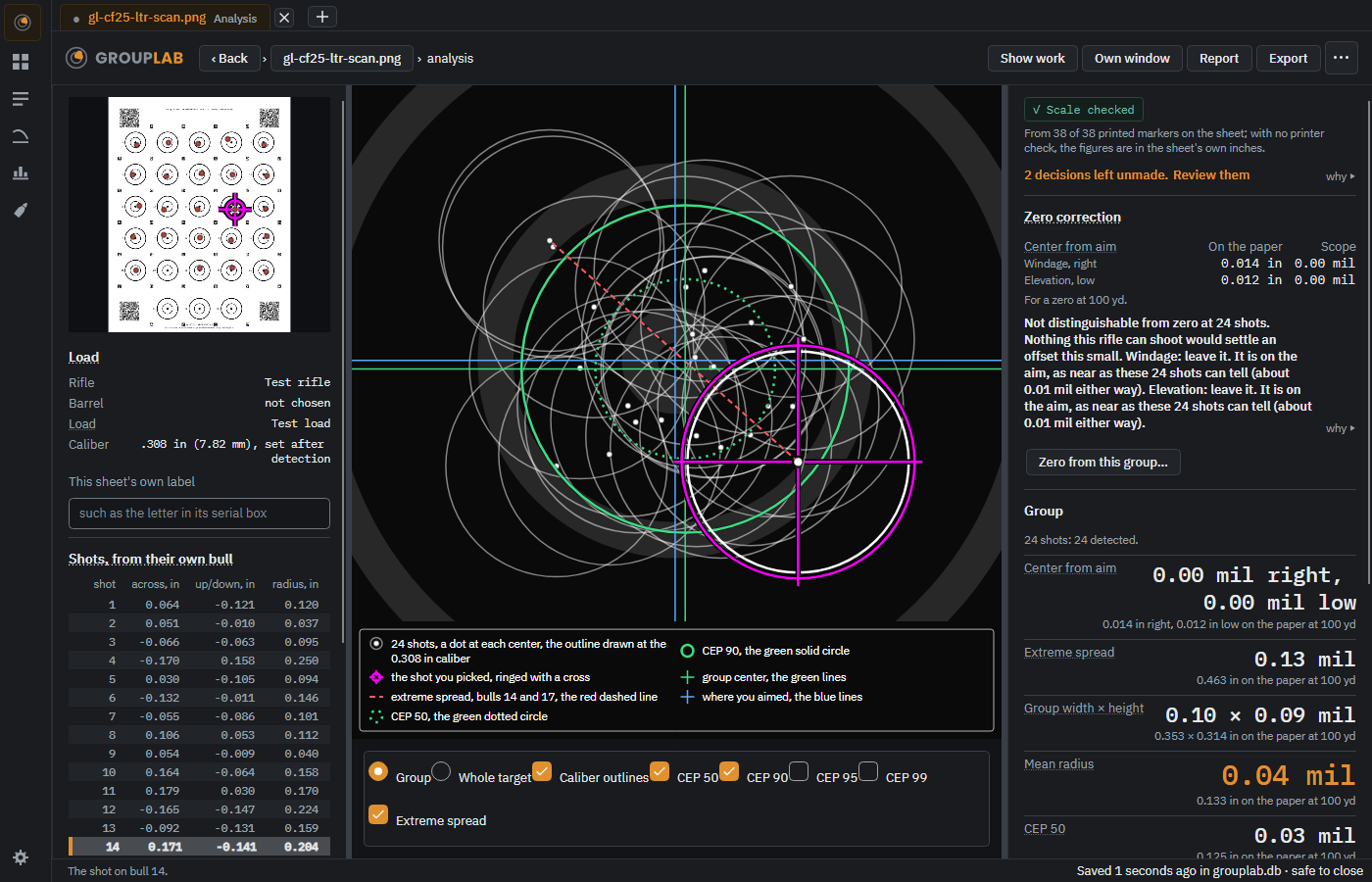
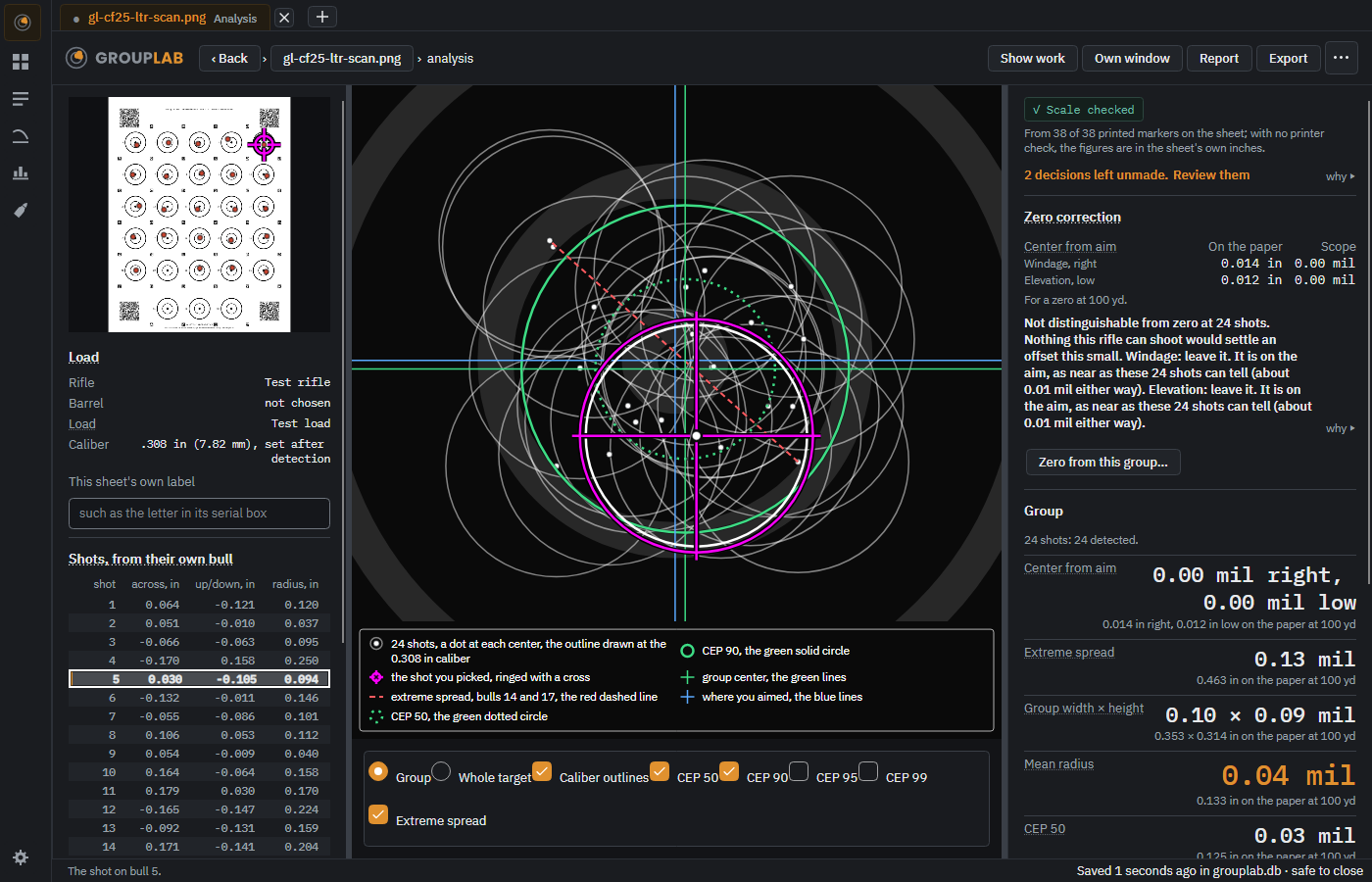
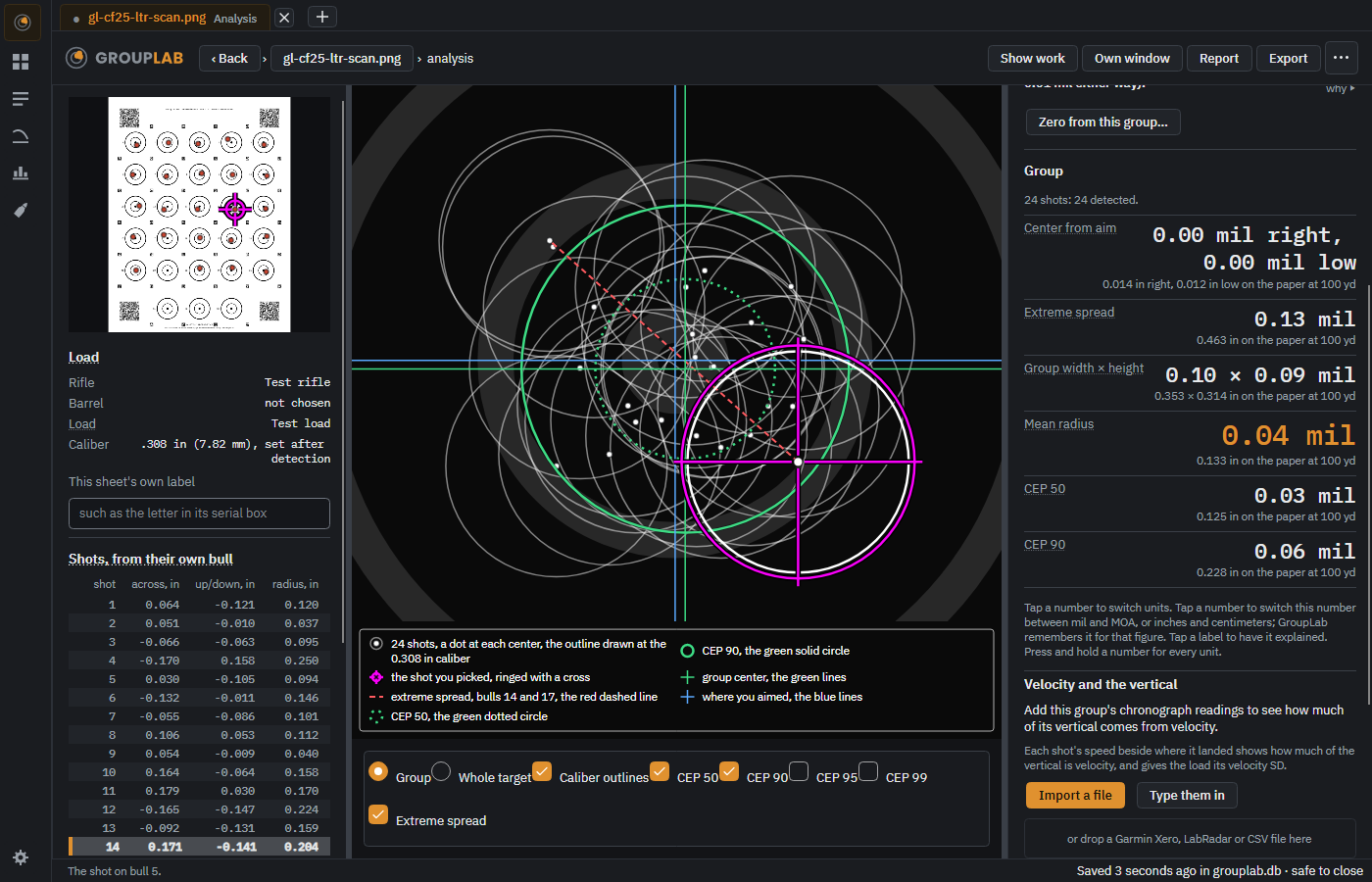
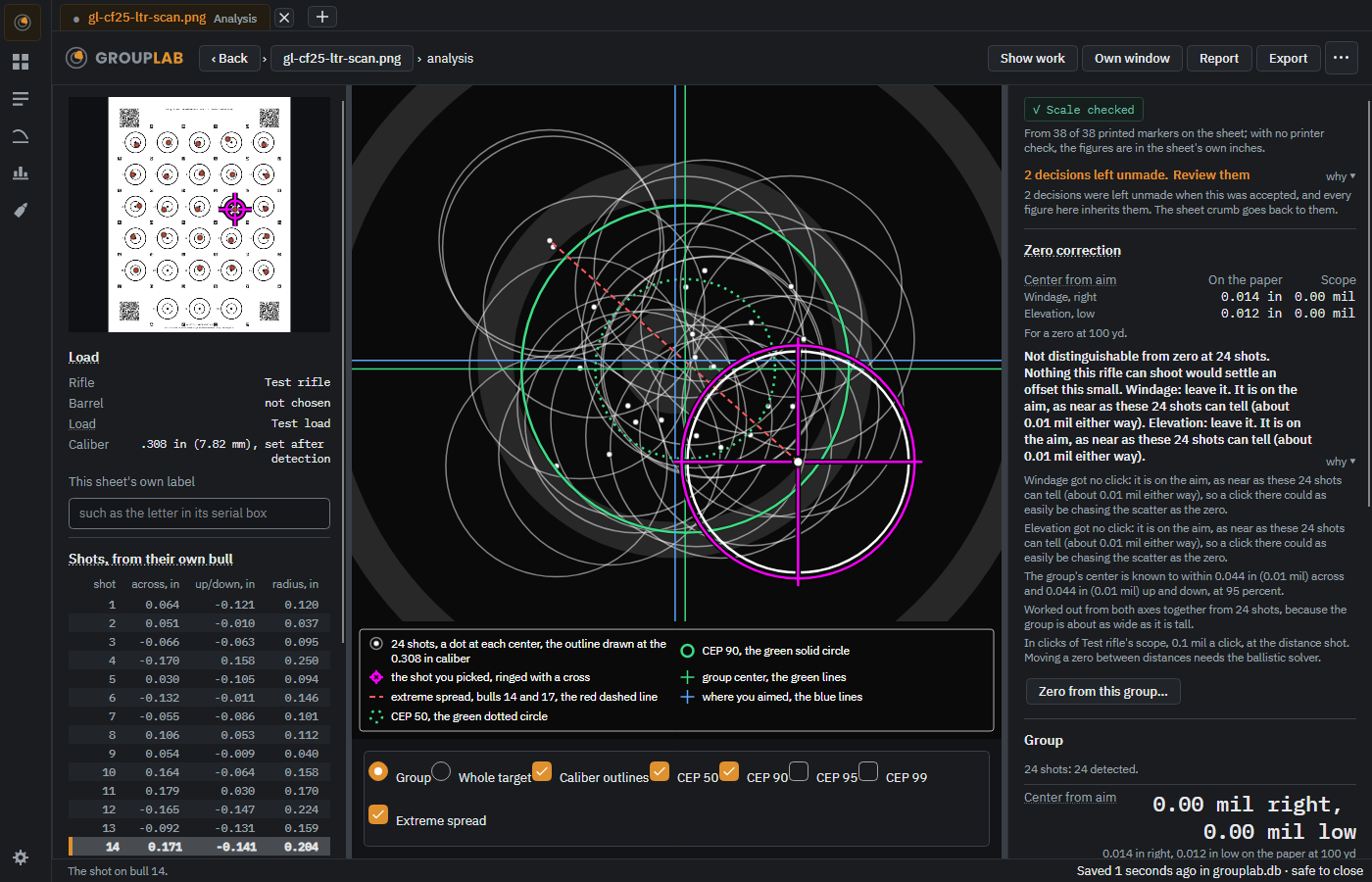
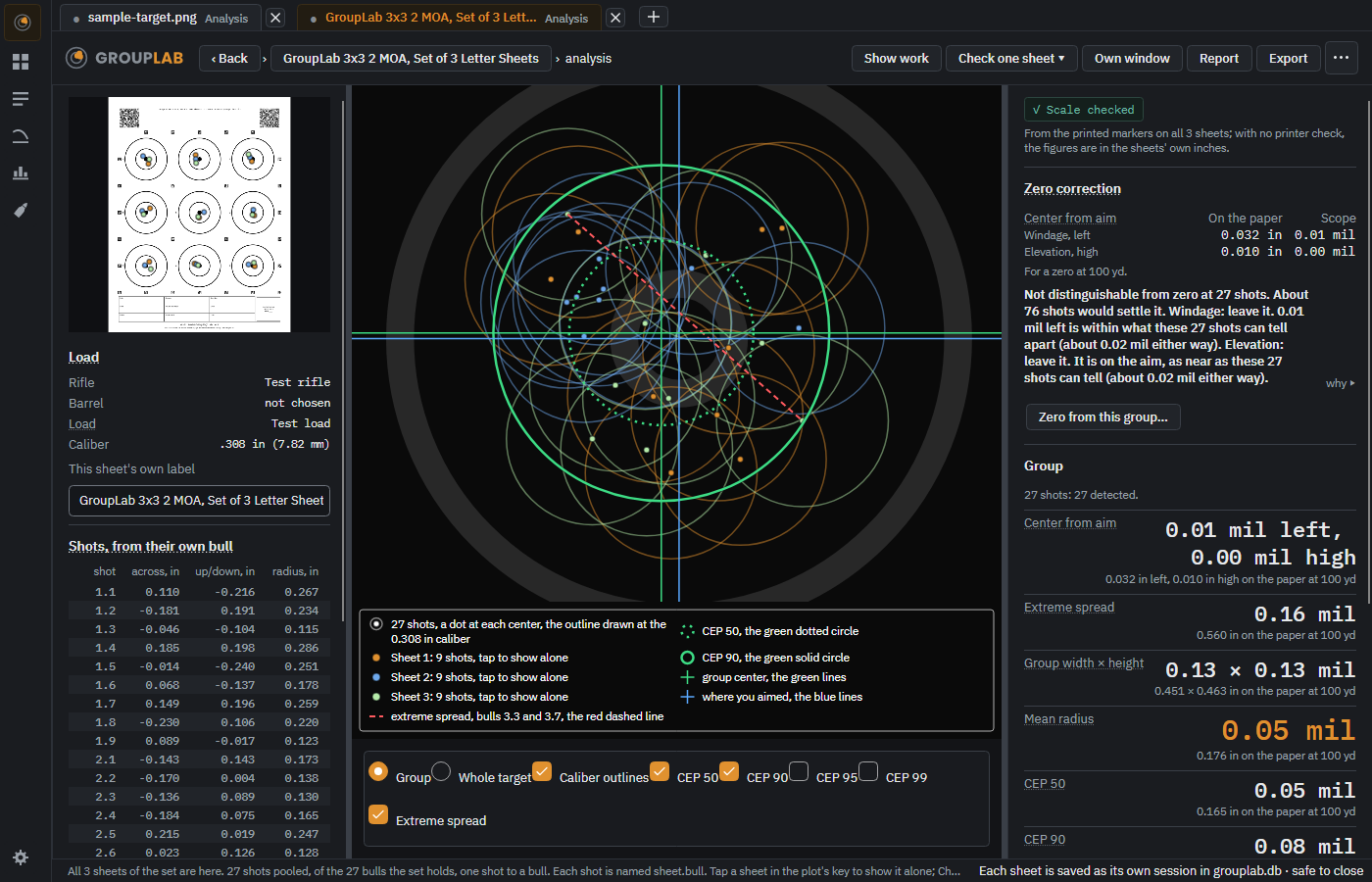
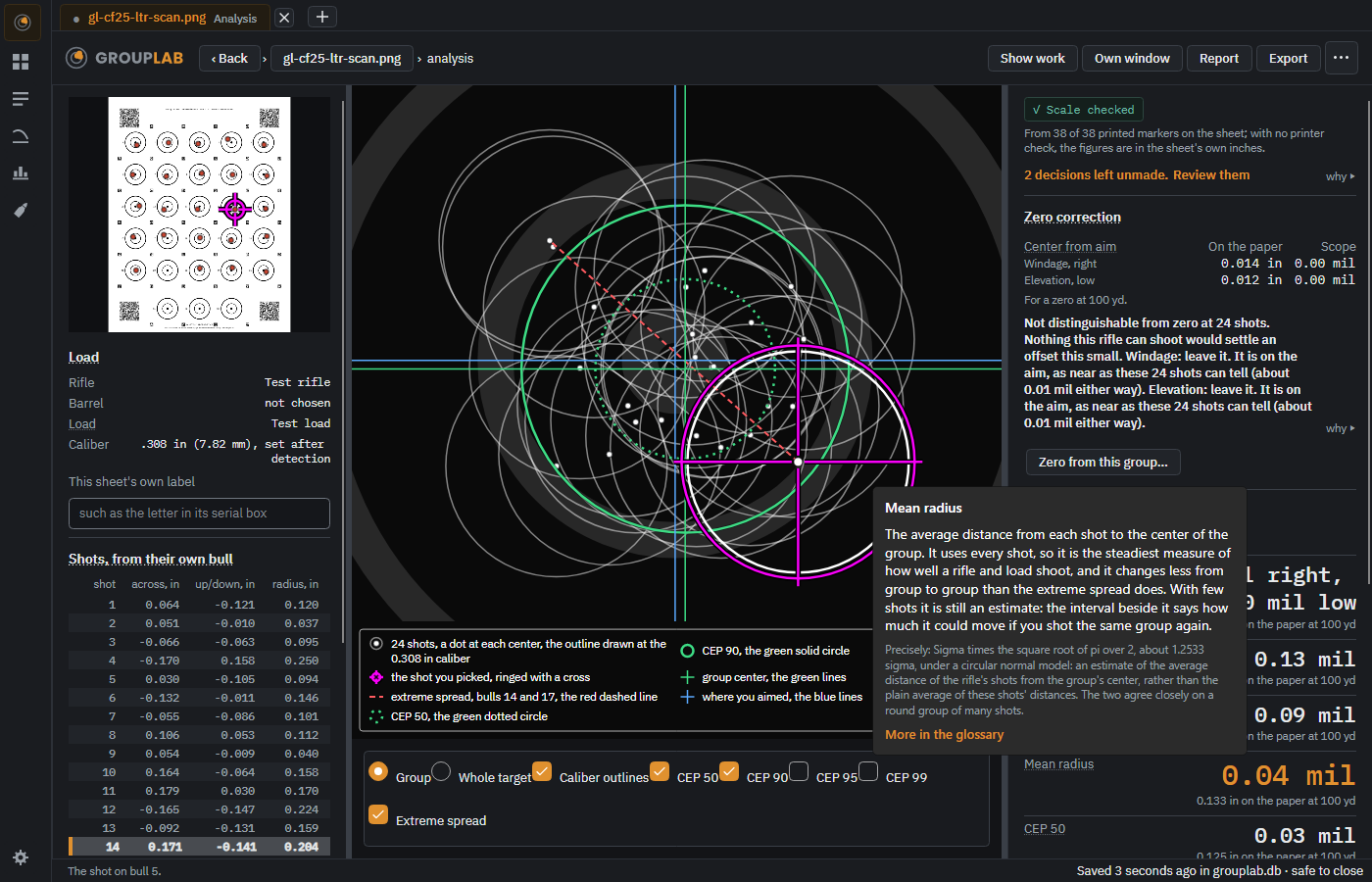
The analysis leads with the figures a shooter reads off a target and the zero correction on the paper and in your scope's unit, mil or MOA, with the clicks to dial; an axis too close to the aim to tell from the scatter is named "leave it", with why, or given its click anyway if you choose that in Settings.
Windows · macOS · Linux · Android · iPhone and iPad. Since nightly.95, changed in nightly.194.
How many shots a zeroing group needs to land on the closest click, or within one click, 90, 95 and 99 times in 100, from your own group and your scope's click value. Suggested by Jylee.
Windows · macOS · Linux · Android · iPhone and iPad. Since nightly.117.
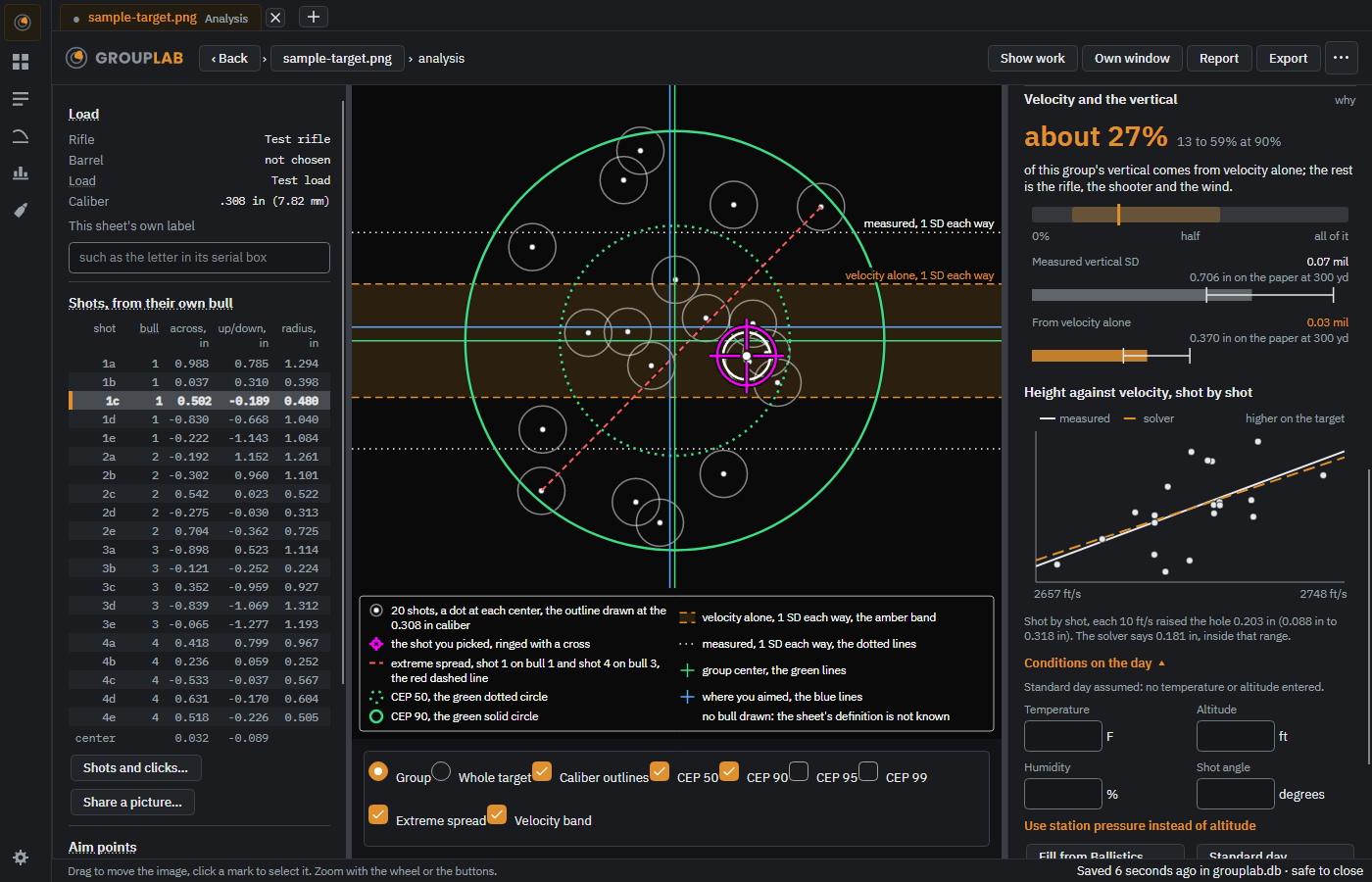
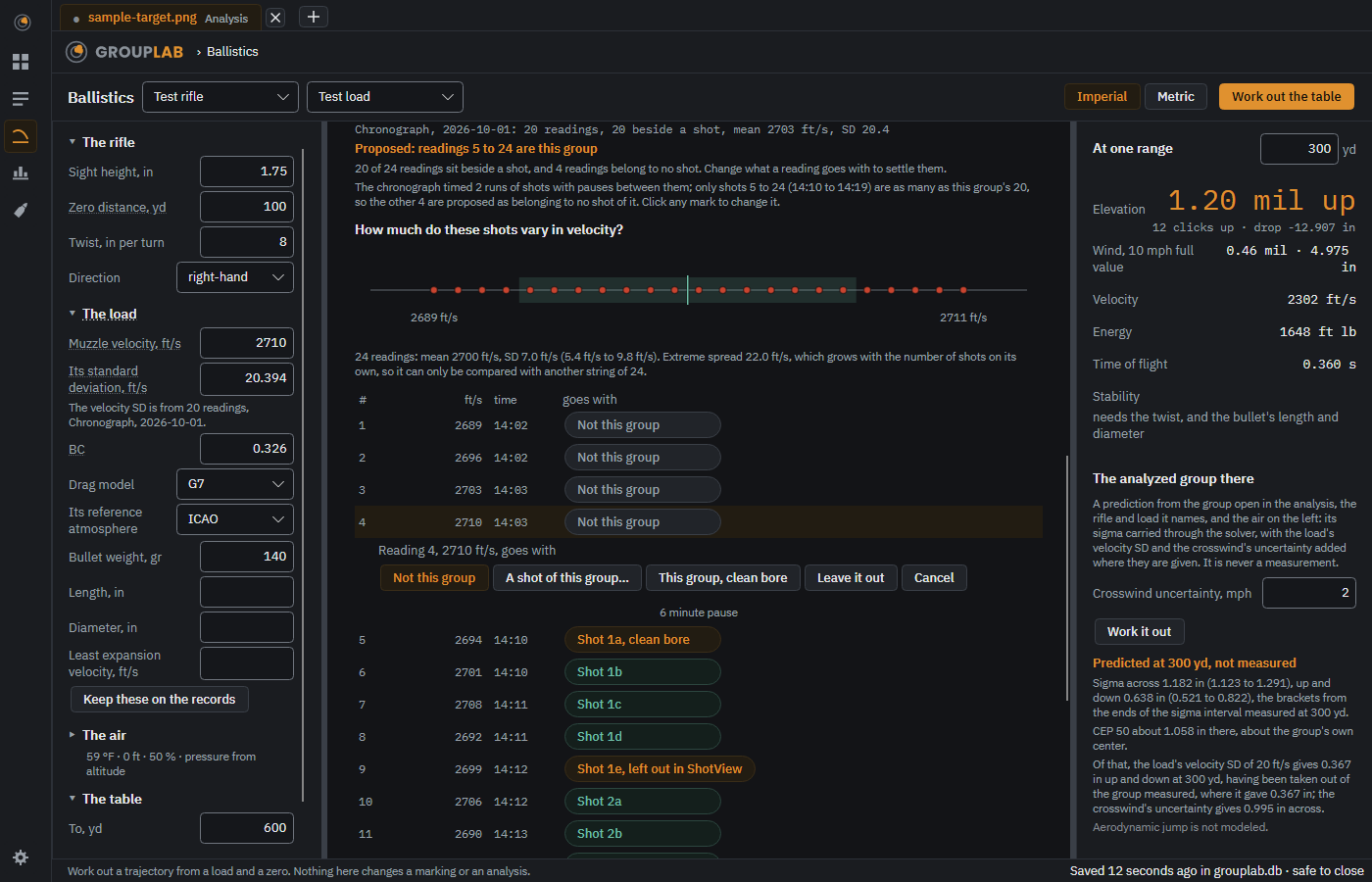
From a group's chronograph readings, how much of its up-and-down spread comes from velocity alone, with the range the shots allow and a band on the group picture you can switch off, in the conditions on the day you enter under it. Where each reading is paired with its shot, a chart of height against velocity says whether the shots follow the solver. The readings can be typed in or come from a file, a spreadsheet CSV or a Garmin Xero export (or, Experimental, a LabRadar report or a BulletSeeker export), paired with the shots by a proposal you accept.
Windows · macOS · Linux · Android · iPhone and iPad. Since nightly.145, changed in nightly.191.
With no readings yet, Velocity and the vertical offers Import a file, Type them in and a place to drop a Garmin Xero, LabRadar or CSV file. Typed speeds are counted against the shots as you go, and Match to shots pairs them as Ballistics would and keeps them, so the block fills in without leaving the analysis.
Windows · macOS · Linux · Android · iPhone and iPad. Since nightly.185.
A chronograph string is paired with the shots a row per reading in the order fired, its speed and time beside a mark saying what it goes with, the pauses that split the string between the rows, and a card saying what is proposed and why; a click on the computer or a tap on the phone changes one mark with the same four choices, and a swap says so.
Windows · macOS · Linux · Android · iPhone and iPad. Since nightly.156.
CEP 50, 90, 95 and 99 are drawn and listed with their ranges, named in the key in a compact box under the plot, and under Advanced a circle for any percent you type.
Windows · macOS · Linux · Android · iPhone and iPad. Since nightly.111, changed in nightly.216.
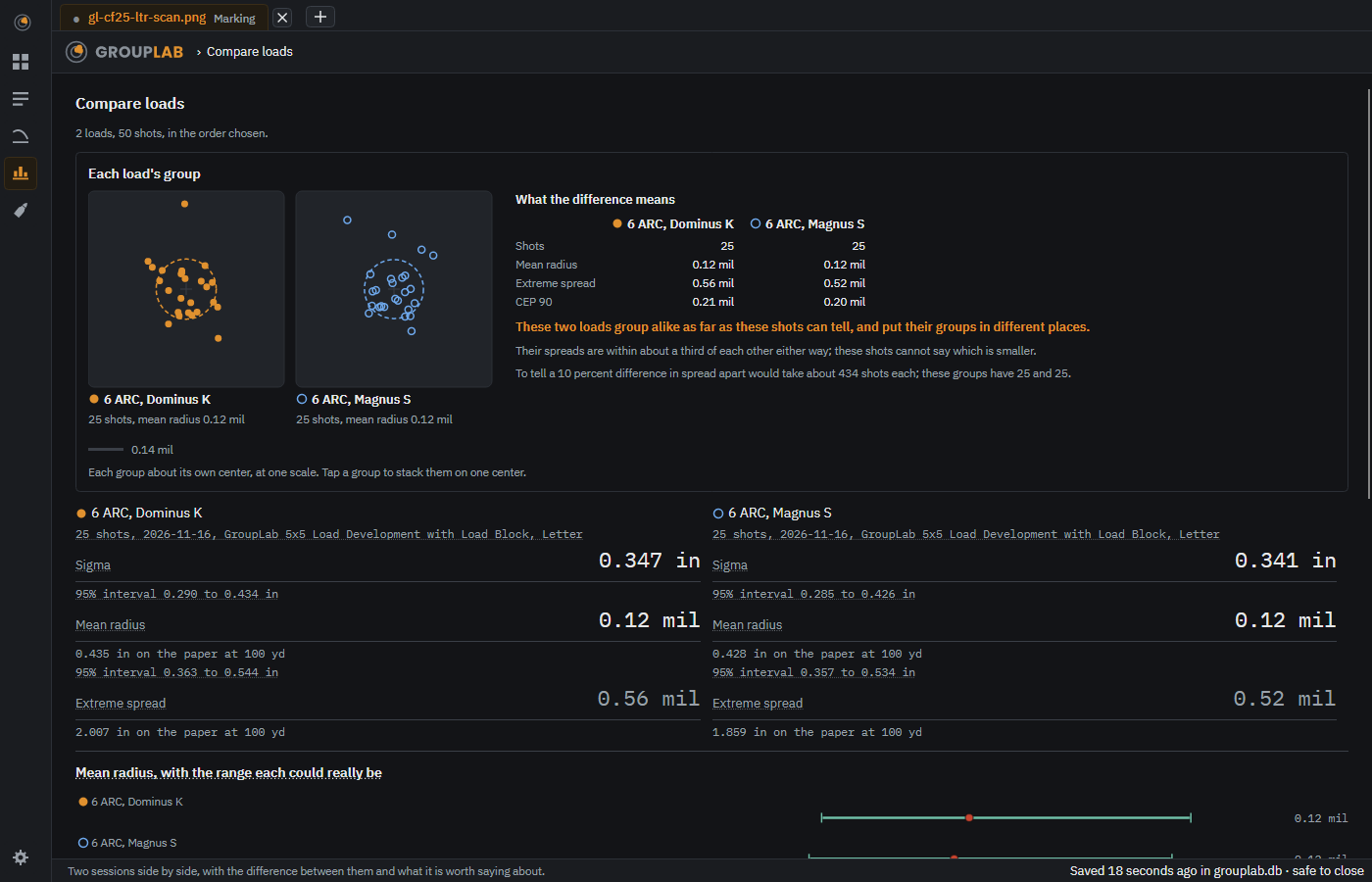
Compare loads draws each load's figures with the range they could really be, so you can see whether the shots can tell two loads apart; with two loads, What the difference means sets their main figures side by side beside the pictures and says in a sentence whether these shots tell them apart and how many would.
Windows · macOS · Linux · Android · iPhone and iPad. Since nightly.42, changed in nightly.216.
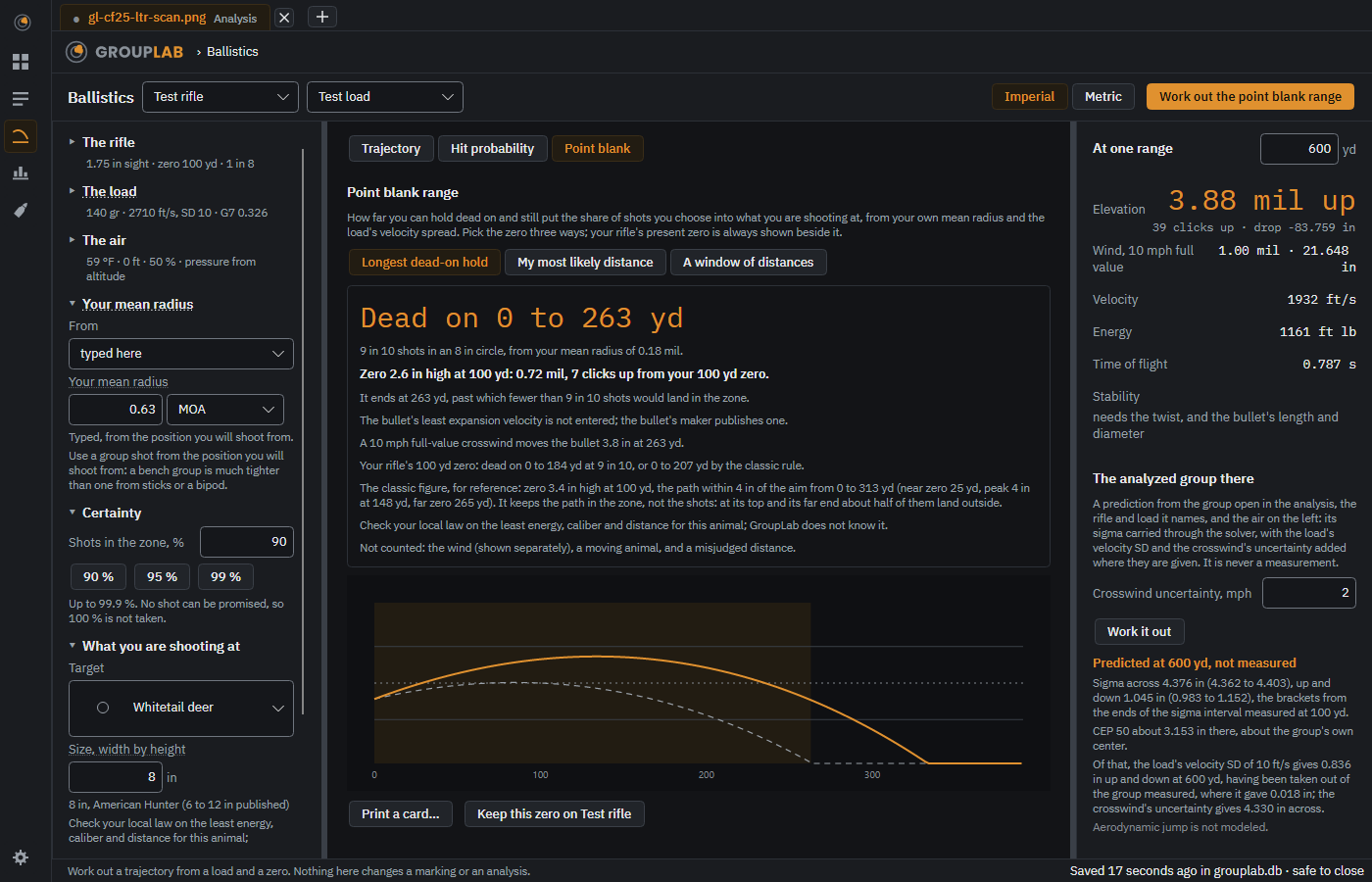
A third Ballistics view tells you how far you can hold dead on at a chosen animal or target and still land 9 shots in 10 in its zone, from your own mean radius, and how to set the zero for it.
Windows · macOS · Linux · Android · iPhone and iPad. Since nightly.206.
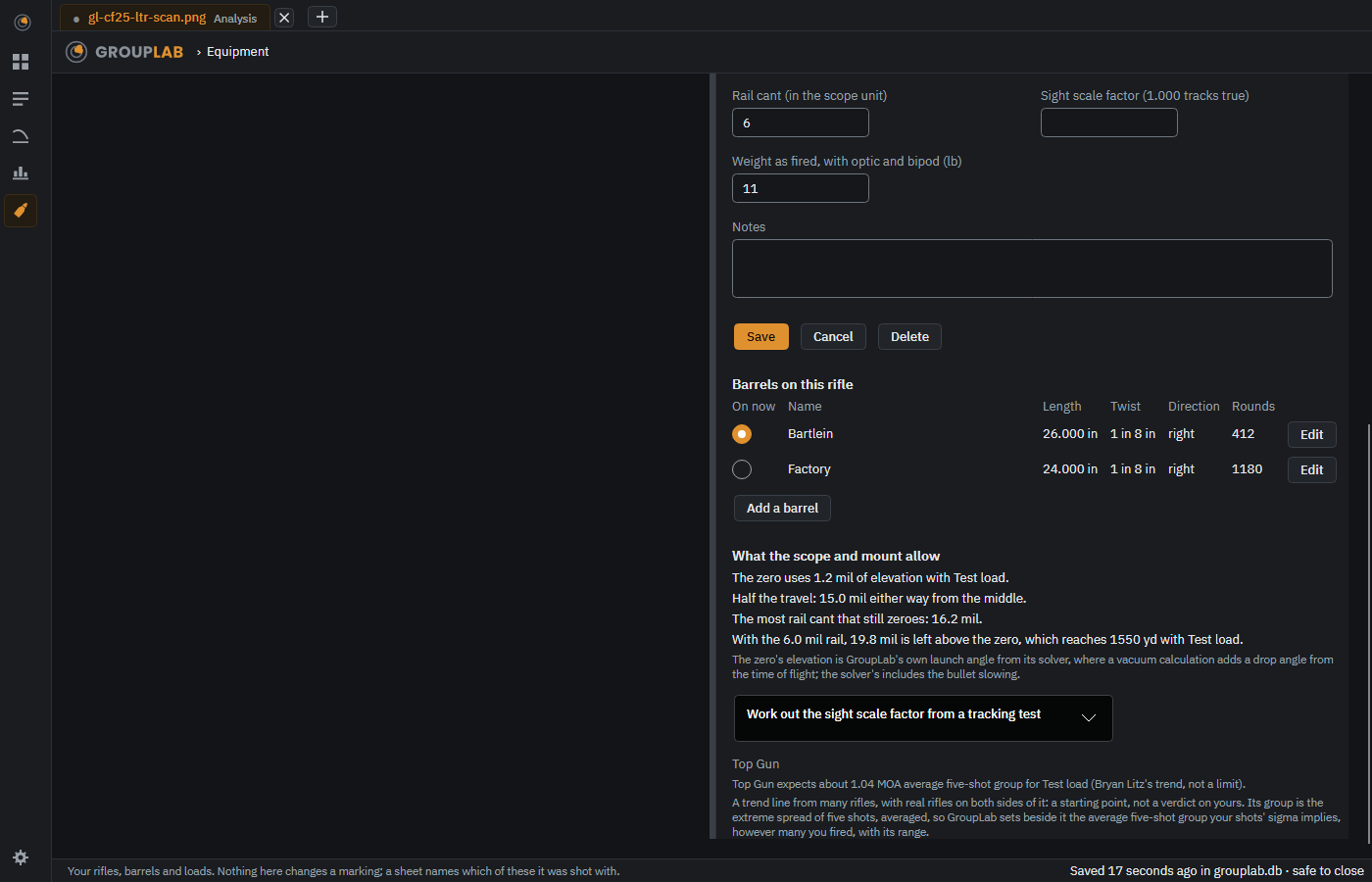
Scope and mount: rail cant, sight scale factor and Top Gun#
The rifle's page has a Scope and mount part that shows how much elevation your scope and rail leave, corrects every click for the scope's measured tracking, and sets Bryan Litz's Top Gun group trend beside each load, with your own groups beside it on the same five-shot basis.
Windows · macOS · Linux · Android · iPhone and iPad. Since nightly.206, changed in nightly.211.
From twenty shots, your own shots show why a few shots mislead: the tightest and the widest three-shot groups among them, what averaging small groups would have said, and the zero chased five shots at a time. Unholy's idea, and his name for it.
Windows · macOS · Linux · Android · iPhone and iPad. Since nightly.123.
Shot coordinates export as a CSV file for a spreadsheet, and import from other target software's CSV, starting from GroupLab's guesses at which column is which; several files can be imported together as one group, and every exported row names its sheet, session and distance.
Windows · macOS · Linux · Android · iPhone and iPad. Since nightly.95, changed in nightly.177.
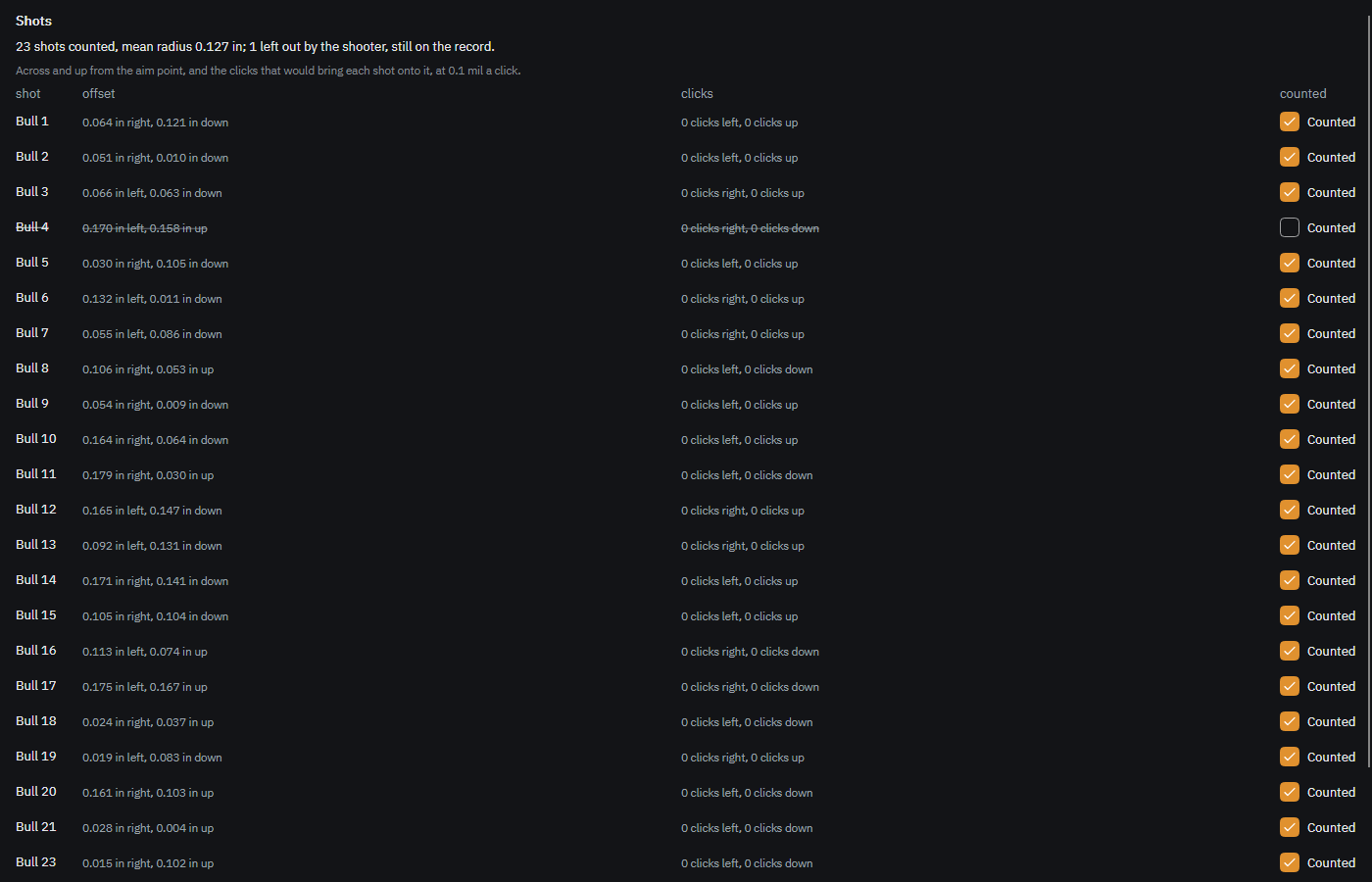
The Shots list is short rows: each shot's offset across and up from its aim point and its distance from its own bull, under headings that name the unit, such as across, in. Open one in place to change its bull, say when it was fired, count it or leave it out (struck through, with no reason asked), or delete it as not a hole, which can still be undone. On the computer, a click on a hole or a bull on the picture brings its place in the side panel fully into view and flashes it, and the line under the picture says what the click did. The list ends with the group's center, the mean of the shots counted, which is the zero correction's figure. On the phone, a bull chosen in Bull by bull brings the picture into view the same way. Suggested by Jylee.
Windows · macOS · Linux · Android · iPhone and iPad. Since nightly.126, changed in nightly.216.
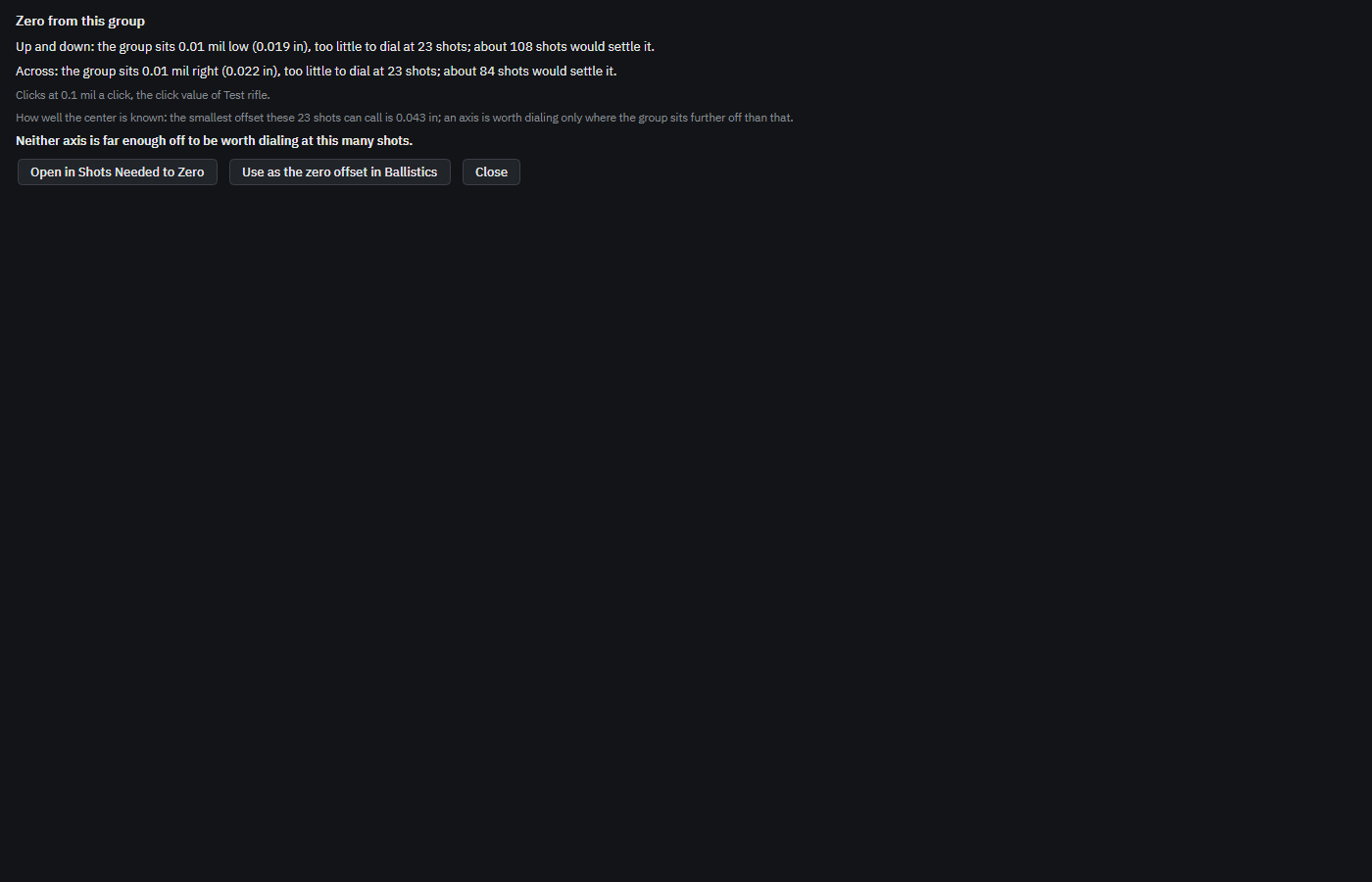
Where the group's center sits from the aim point, the clicks with your scope named, how well the center is known at this many shots, and the offset carried into Ballistics or on to Shots Needed to Zero.
Windows · macOS · Linux · Android · iPhone and iPad. Since nightly.126.
On a target GroupLab did not print, each aim point you place has its own color, its holes marked in it, and its own figures, while the figures above pool every aim point's shots, each measured from its own.
Windows · macOS · Linux · Android · iPhone and iPad. Since nightly.126.
The phone keeps rifles and loads, with Delete and rename, in Ballistics' rifle and load forms, and Settings has a Rifles and loads row that opens them there; barrels are chosen on the computer.
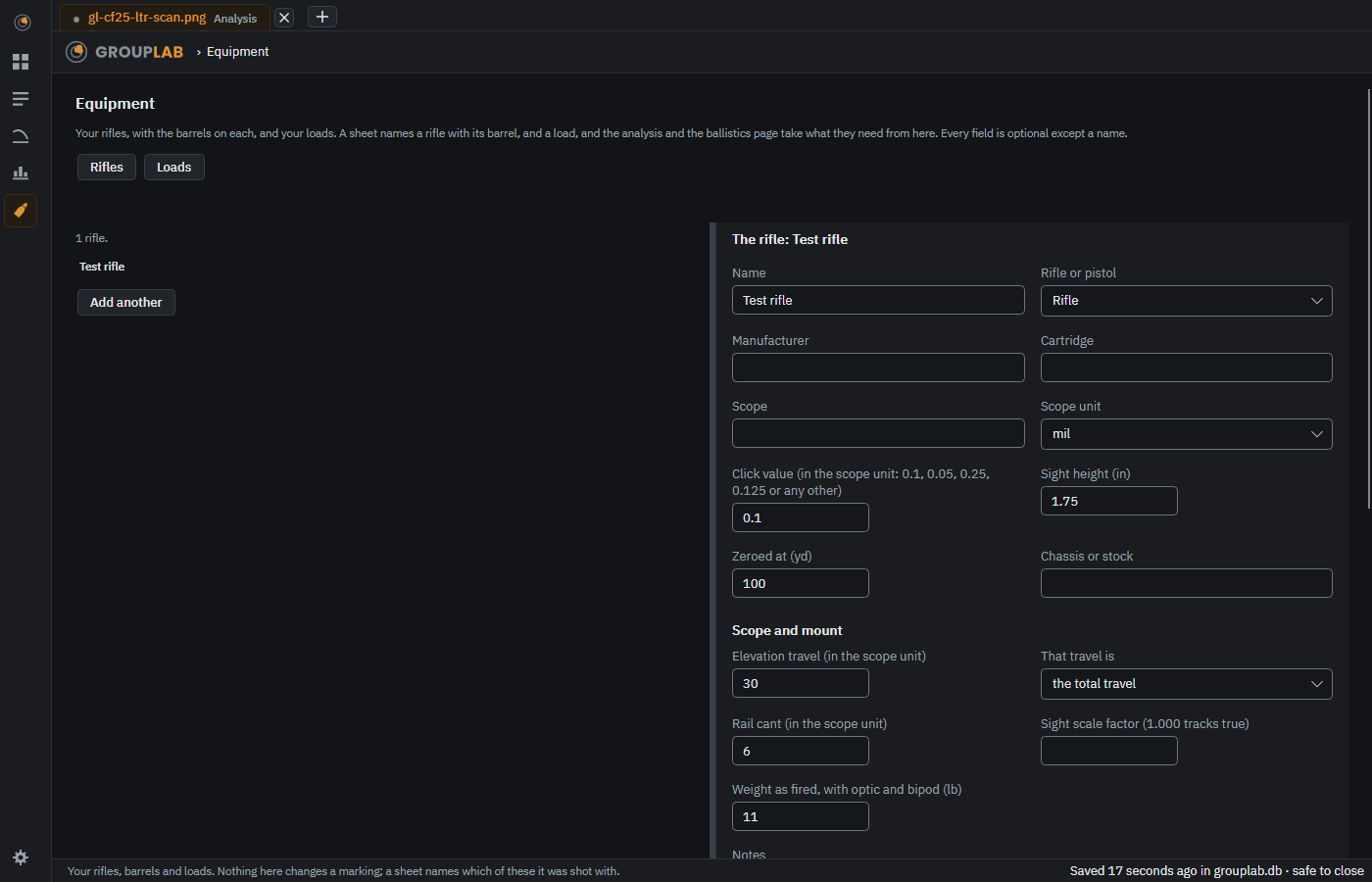
Equipment has two tabs, Rifles and Loads. Each rifle lists its barrels with the one on now, and takes its length and twist from it. Setup names rifle and barrel together, and a barrel's length and twist, a rifle's cartridge and scope and a load's powder, charge and primer are kept when you close GroupLab. Any rifle, barrel or load can be deleted, asked first: a rifle goes with its barrels, and sessions saved with them keep the name. Giving one a new name renames it, a rifle's barrels going with it.
Windows · macOS · Linux. Since nightly.185, changed in nightly.224.
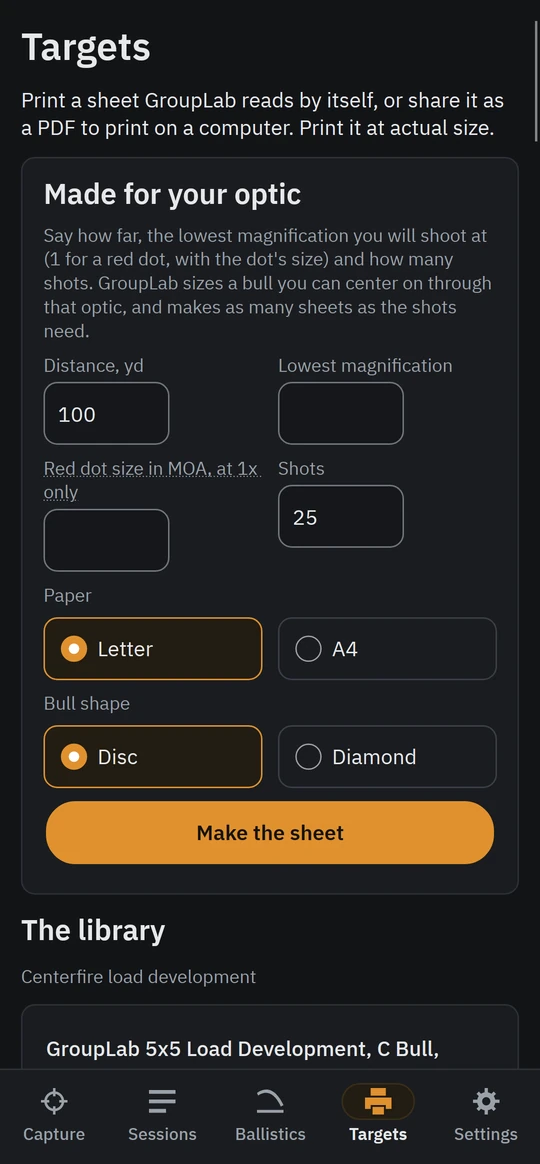
Give the distance, your lowest magnification or a red dot's size and the number of shots, and GroupLab draws bulls you can center on through that optic.
Windows · macOS · Linux · Android · iPhone and iPad. Since nightly.111.
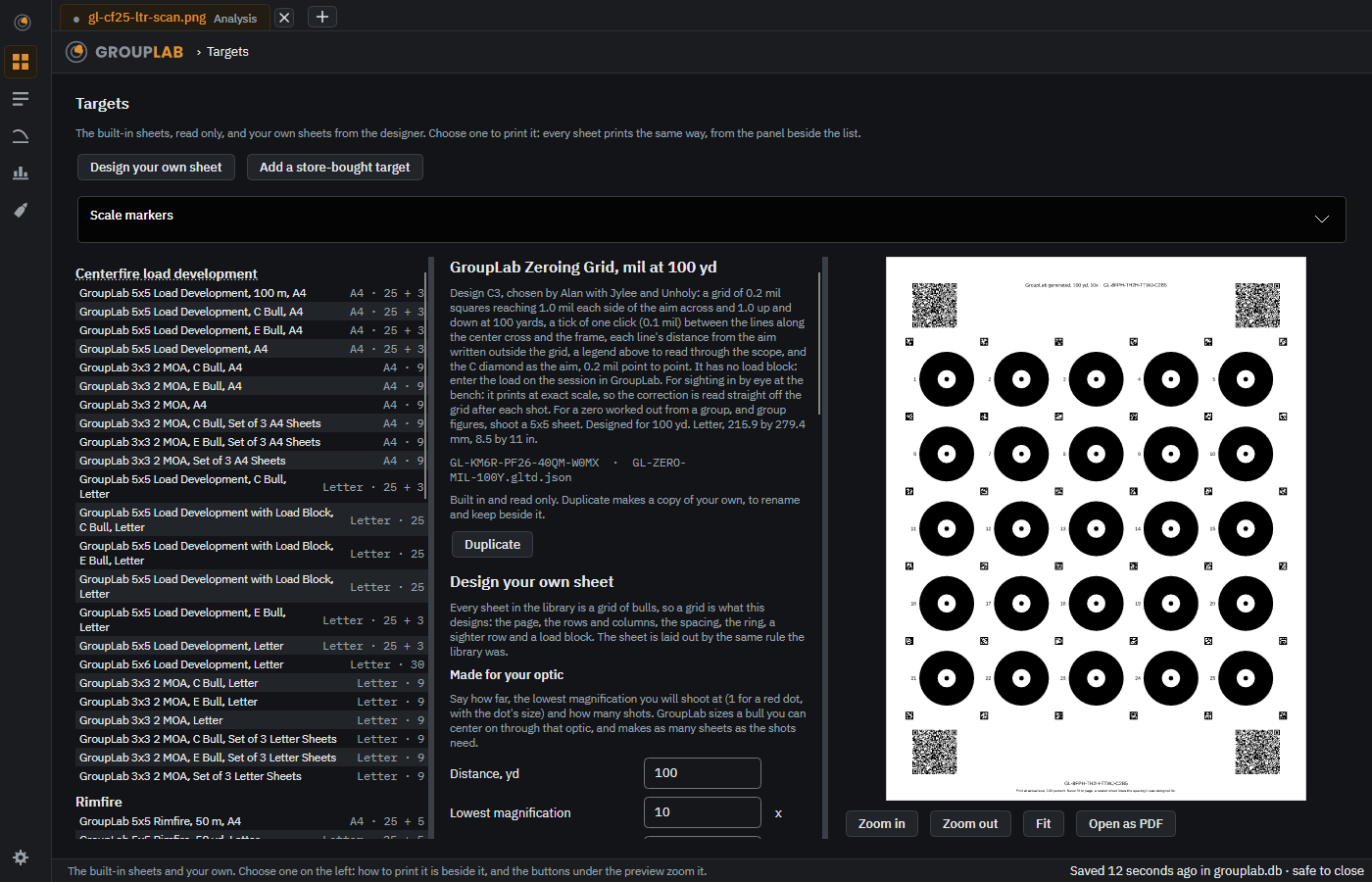
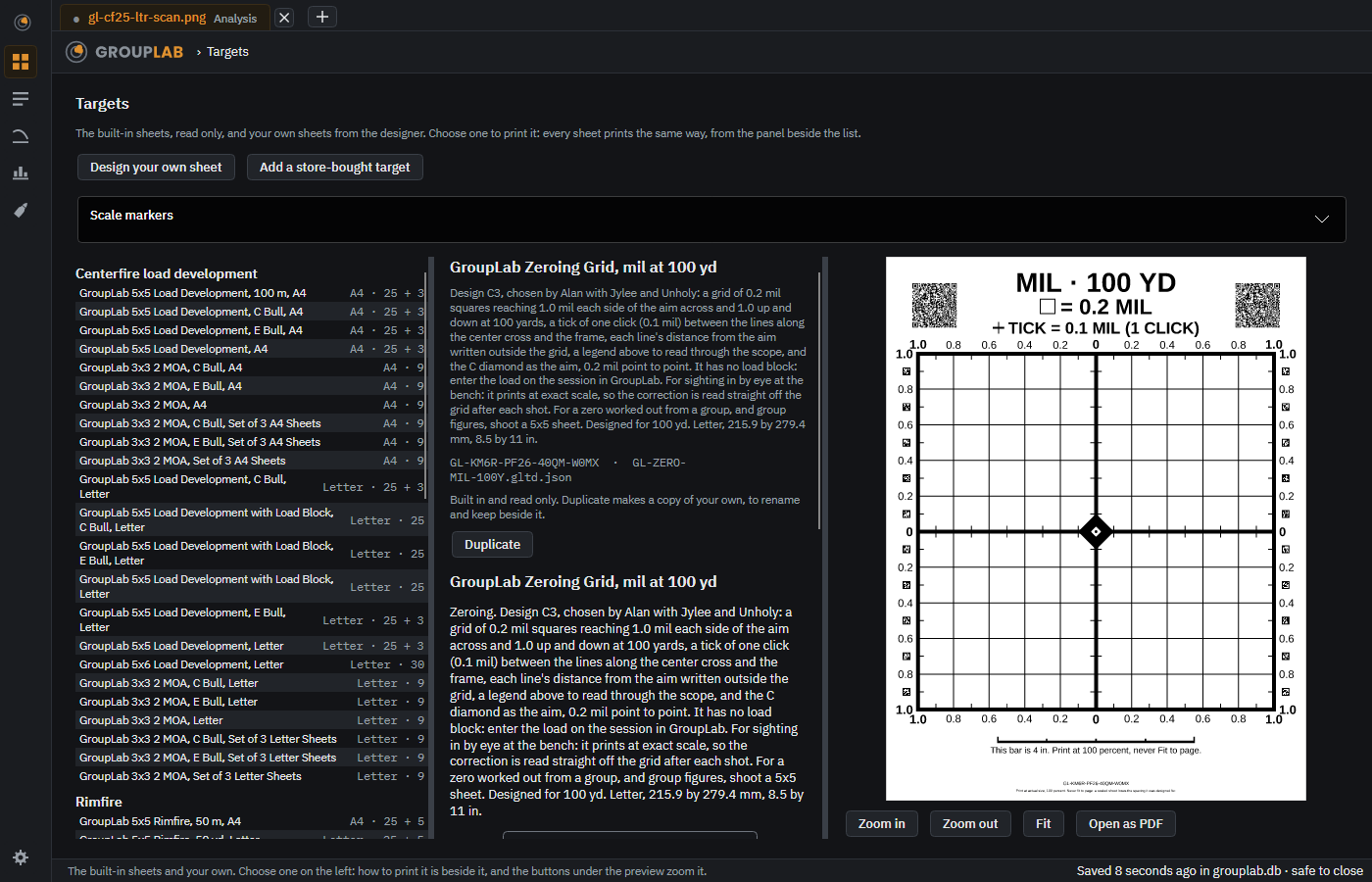
Design C3, chosen by Alan with Jylee and Unholy: squares of a scope's own subtension, 0.2 mil or 0.5 MOA, a tick for each click (0.1 mil or 1/4 MOA), the numbers outside the grid and a legend you can read through the scope; each comes in mil and in MOA, at 100 yd and at 100 m.
Windows · macOS · Linux · Android · iPhone and iPad. Since nightly.111.
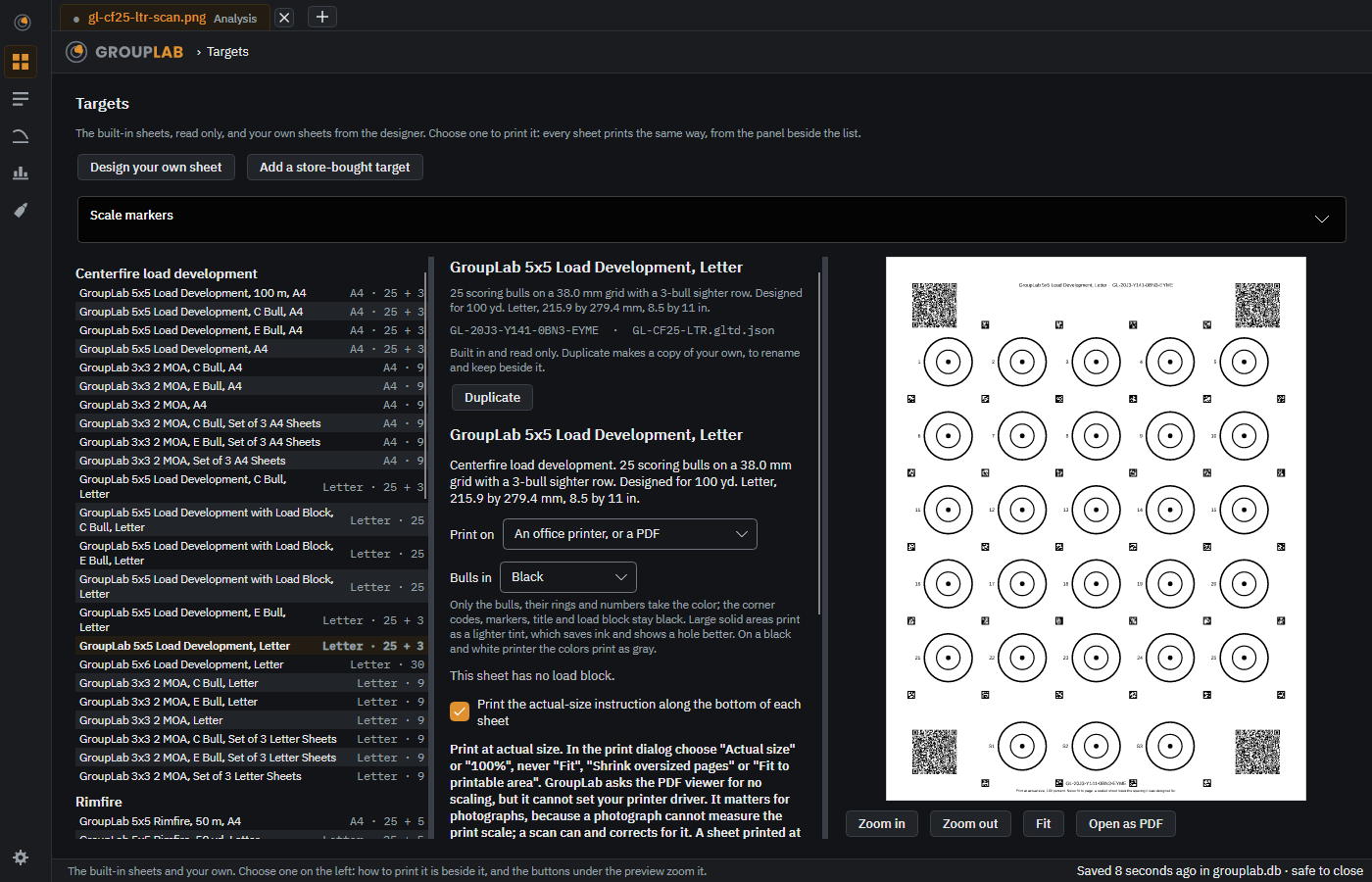
For a target larger than a scanner takes, the Targets screen says whether a phone photograph of it has enough detail, and a tiled target prints on one large page with cut lines.
Windows · macOS · Linux · Android · iPhone and iPad. Since nightly.111.
A scan measures how large the sheet was really printed and corrects every size, so a sheet your printer shrank still measures right, and the top of the figures says how each sheet's scale was found.
Windows · macOS · Linux · Android · iPhone and iPad. Since nightly.95, changed in nightly.216.
The sheets of a set from Made for your optic are read in any order and pooled into one group, which opens on the analysis screen in a tab of its own with each sheet's shots in their own shade, and GroupLab says which sheets are still missing. Dropped onto the window together, the sheets of a set open in one tab, pooled with no question asked, and each sheet can be opened alone there to check and fix; on the phone, sheets chosen together open as the set's checklist with the pooled group showing. The pool is saved in Session records as a pooled set of its own, opens again from there, and can be shared as one file with its sheets. Asked for by Quack and Jylee.
Windows · macOS · Linux · Android · iPhone and iPad. Since nightly.113, changed in nightly.229.
A black diamond standing on a point, with a white center and a dot: its points sit on a crosshair's lines, on three sheets and in the designer and Made for your optic.
Windows · macOS · Linux · Android · iPhone and iPad. Since nightly.114.
The 2 MOA page as it prints on Letter: nine 2.00 in bulls, 3 by 3, and the load blockThe set of three Letter pages, each reading itself, pooled as one group; requested by Unholy
Nine 2.00 in bulls on a Letter or A4 page, 1.91 MOA at 100 yd and 1.75 MOA at 100 m, with a load block: one page for a quick group or a zero check, or a set of three pages that GroupLab pools for load development, with the plain, C or E bull. Requested by Unholy.
Windows · macOS · Linux · Android · iPhone and iPad. Since nightly.126.
Six bulls of the Letter sheets' size on a 4x6, A6 or 100 by 150 mm label, in sets of five that pool into one group, with a printer check label, printed one dot at a time in black only with every code and marker on whole dots. No 4x6 label printer has been tested yet, so until one has printed GroupLab's check page this is "should work"; the Phomemo M834 has printed GroupLab's printer check page true both ways, and the M220 has printed its scale labels. On Windows the computer also prints a sheet straight to a Phomemo M834 paired over Bluetooth, sending the same page the phone sends; that is built and not yet tried on a real M834 from a computer, and on macOS and Linux the choice says it is not available there yet.
Windows · macOS · Linux. Since nightly.165, changed in nightly.193.
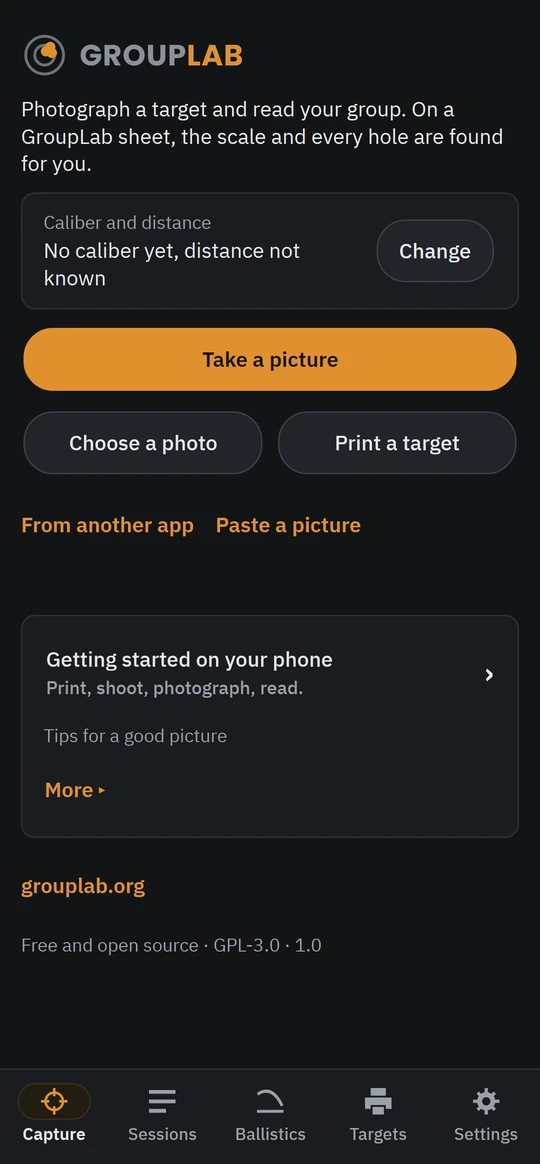
The phone has a Targets screen: the whole library and Made for your optic, printed through Android's own print dialog or shared as a PDF. On Android it also prints a sheet straight to a Phomemo M834 over Bluetooth without the Phomemo app, with Paper in the M834 for a roll or fanfold sheets; a real M834 has printed whole Letter sheets from it, true across and 0.7 percent short along the paper over two prints, so from nightly 181 GroupLab draws its M834 pages 0.7 percent longer along the paper, and the third check print came out true both ways to 0.05 percent (150.0 by 150.0 mm on the caliper lines).
Android. Since nightly.111, changed in nightly.181.
The camera's instruction, shutter and Back show over the live picture, with the torch, a level that works flat over a table or upright at a backer, and a quality bar; Guided takes the picture itself when everything is right, in either position, and Manual when you press.
Every picture, taken or chosen, gets a score from 0 to 100 on a red, amber and green bar, with numbered notes on the picture saying what GroupLab corrected and what would help next time; it asks for another only when it cannot measure.
Choose a photograph from Android's photo picker, cloud-only photos included, with no permission to your storage, or from any app that offers pictures, listed by name: Google Photos, Samsung Gallery, the maker's own gallery on Xiaomi, OPPO, vivo, Honor and other phones, Drive, OneDrive, Dropbox and Files. Or share one or several into GroupLab from any of them; the pickers take several at once too, and the sheets of one set chosen together open as the set's checklist with the pooled group showing. A cloud photo downloads with its progress shown, and a smaller copy is said to be one. On iPhone and iPad, still being built, Photos and Files open from GroupLab, and a Google Photos picture is shared into GroupLab, because iOS lets no app open another app's library.
Android. Since nightly.128, changed in nightly.196.
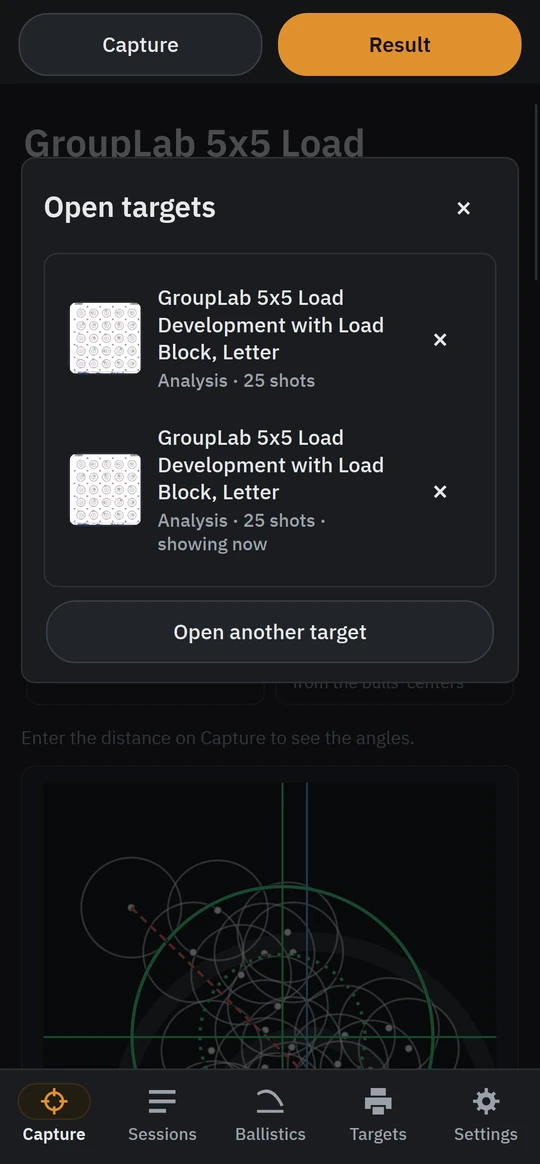
Every target read or opened on the phone stays open as it was left, marks not yet saved included; the target's name at the top of its screen lists them, each with a small picture and whether it is at Analysis or Marking, not saved, to switch to one or close it, and closing one with marks not saved asks first.
GroupLab's text follows the phone's own text size, on Android and on the iPhone, and when it is so large that a place's name would not fit under its icon, the bar along the bottom shows its five icons alone, larger, with the place you are in still in its amber pill; your phone still reads each one out by name, a long press shows it, and a wider screen keeps the names for longer.
Android · iPhone and iPad. Since nightly.188, changed in nightly.191.
After an analysis GroupLab can send the target to the project to improve detection, asking first unless you choose otherwise. Send everything I open sends every picture you open, read or not, on the computer and the phones; a phone sends over Wi-Fi unless you allow mobile data.
Windows · macOS · Linux · Android · iPhone and iPad. Since nightly.102, changed in nightly.173.
When GroupLab hits an error it can send a report so the problem can be fixed, automatically, after asking, or never; on the computer and the phones a report can carry GroupLab's log, anything typed replaced by its length; Report a problem and Make a report send one from GroupLab when you press Send.
Windows · macOS · Linux · Android · iPhone and iPad. Since nightly.103, changed in nightly.225.
Words like sigma, CEP, MOA and bull are underlined with dots in GroupLab and on the website; point at one for a plain explanation. On the phone, a page that names one thing after another, such as Scale markers, stays plain, with What is this? beside each name.
Windows · macOS · Linux · Android · iPhone and iPad. Since nightly.96, changed in nightly.216.
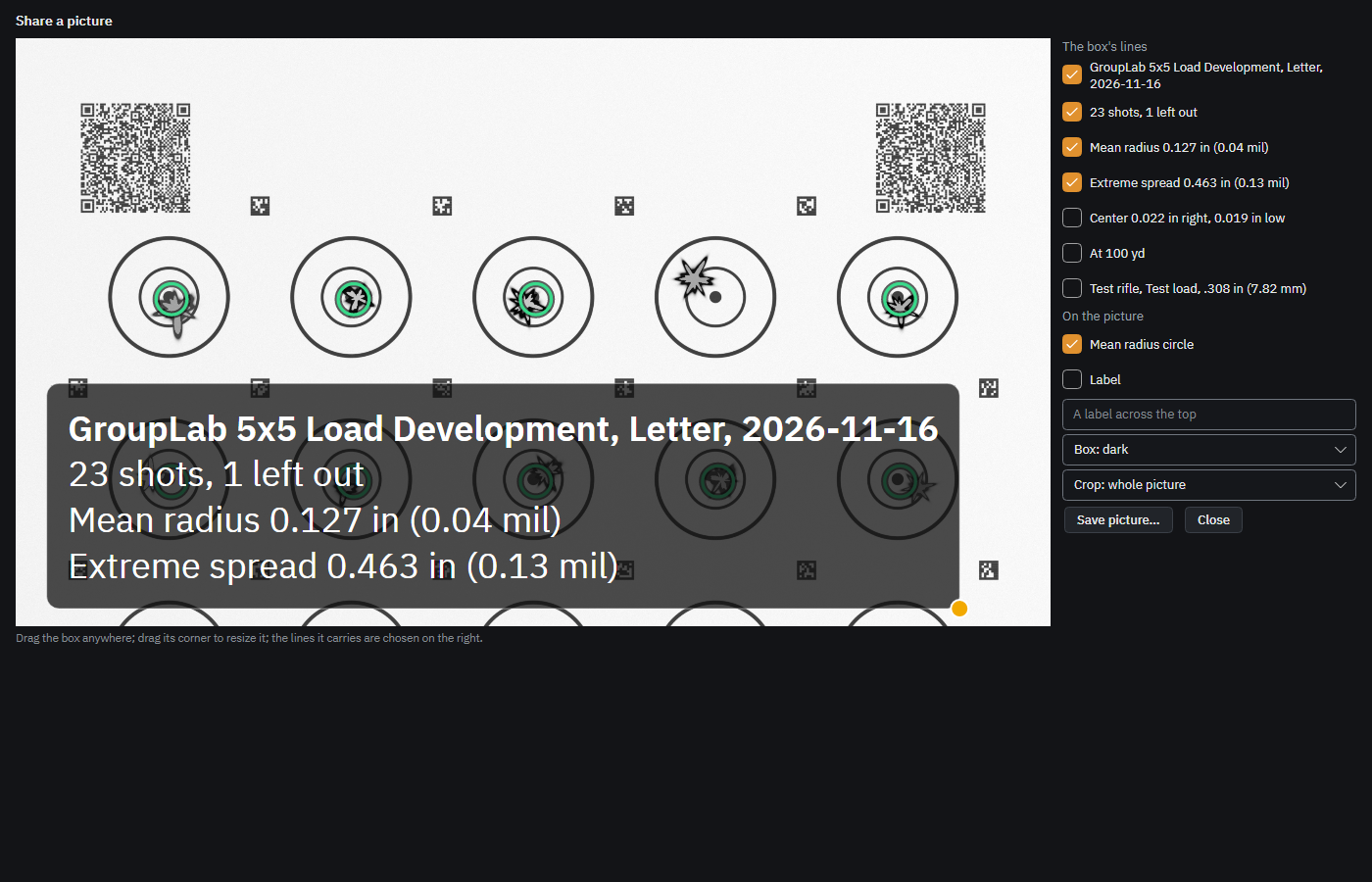
The target with a results box on it, dragged anywhere and resized, its lines chosen, with the mean radius circle drawn about the group's center, a label, the box's style and a crop around the group; saved to the gallery or shared from the phone, saved as a picture on the computer.
Windows · macOS · Linux · Android. Since nightly.126.
One dated page on Letter or A4: the picture, a plot centered on the group with its grid stated, the figures, the load and equipment, and how sure the mean radius is at this many shots, beside the full report on the computer and shared or printed from the phone.
Windows · macOS · Linux · Android. Since nightly.126.
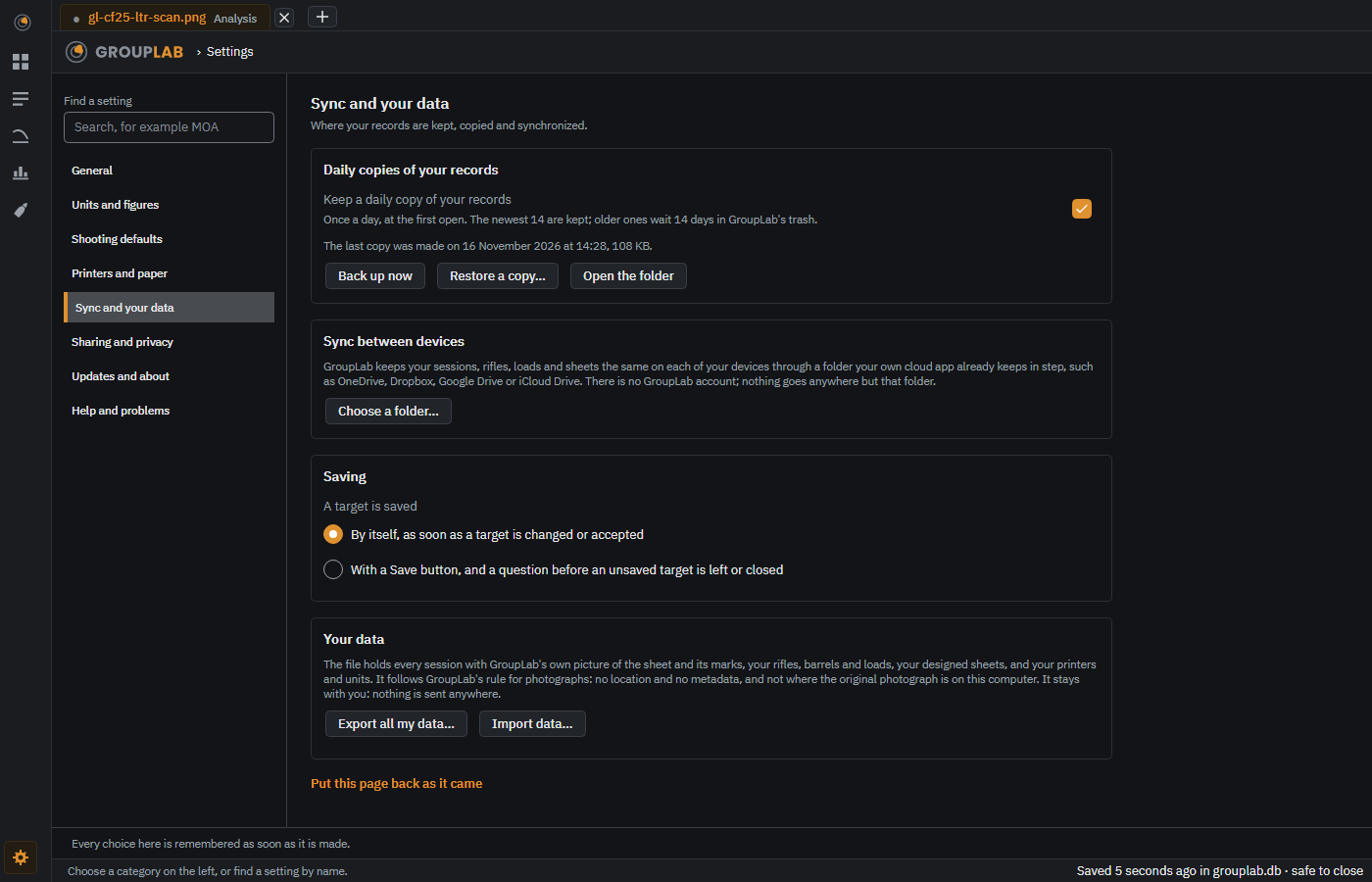
Once a day GroupLab keeps a whole copy of your records, the newest 14 kept and older ones 14 days in its trash, with Back up now, and Restore a copy, which lists each copy with its day and its sessions and copies your records as they are before it puts one back.
Windows · macOS · Linux · Android · iPhone and iPad. Since nightly.218.
The Windows installer updates itself; on every desktop build the update bar lists each build you skipped, newest first, with what each changed, and the zip, the tarball and the Mac builds leave the download to you.
GroupLab Dev and the plain APK, the Android builds installed from an APK, check for the newest nightly that has an Android file, download it on Wi-Fi, check its signature and its signing key, and install it when you leave the application, never in the middle of work; the copy from Google Play is updated by Google Play.
Android. Since nightly.125, changed in nightly.204.
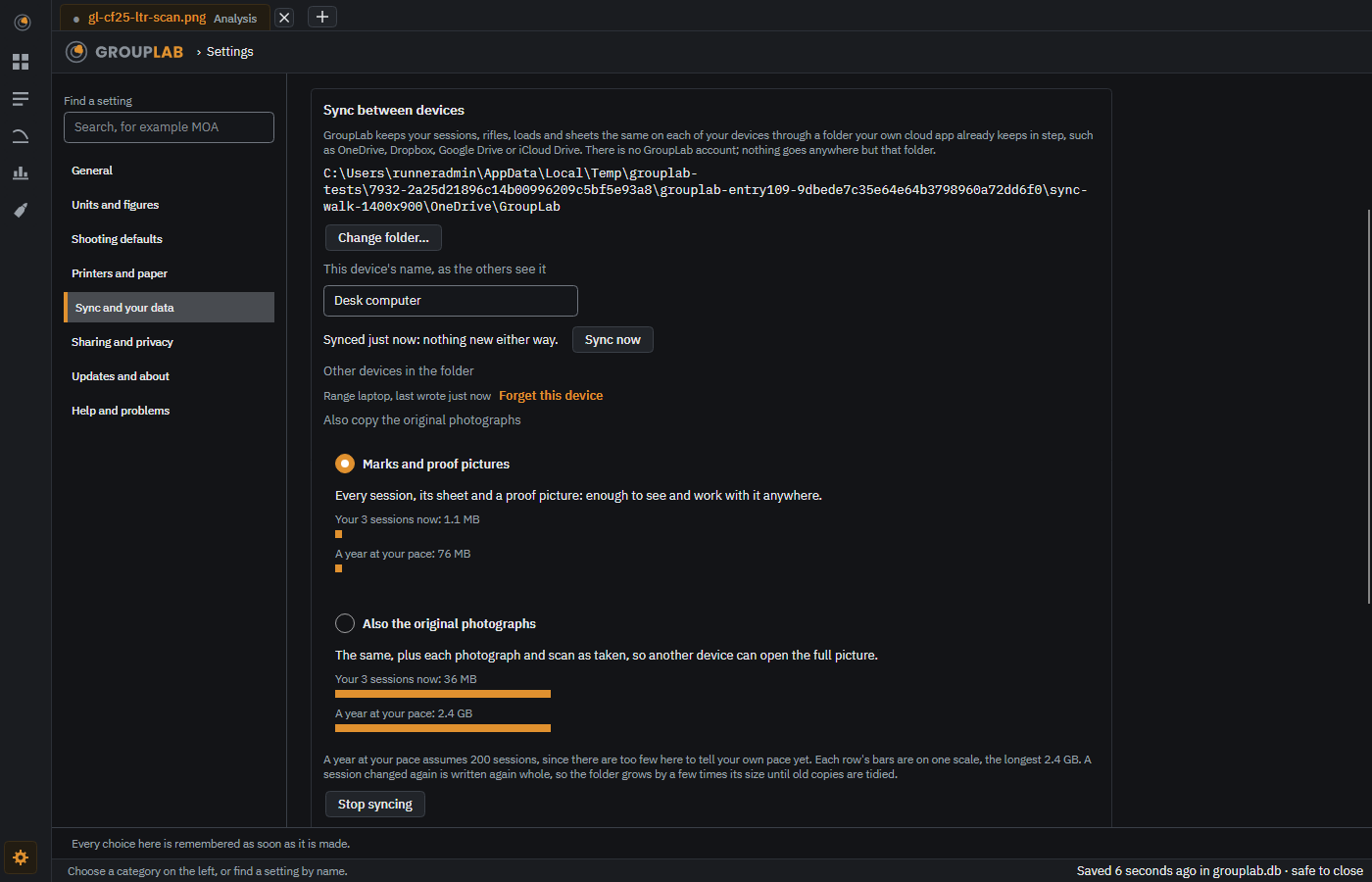
Your sessions, rifles, loads and designed sheets kept the same on your computer and your phones through a folder your own cloud app already keeps in step, such as OneDrive, Dropbox, Google Drive or iCloud Drive: there is no GroupLab account, and nothing goes anywhere but that folder. Settings, Sync and your data, Sync between devices, chooses the folder and says when it last synced; a session changed on two devices is kept both ways and laid out side by side until you choose, and the original photographs travel only if you ask. Once every device has read an old change file and a newer one has replaced all it holds, GroupLab tidies it into the folder's own trash, keeps it there 14 days, and says what it tidied; a device that will not sync again can be forgotten, so tidying stops waiting for it, with nothing in the folder deleted. A change file the cloud app has not finished copying, or that arrived damaged, is waited for and taken only once it is whole. It is held in tests against simulated OneDrive, Google Drive and Dropbox folders but has not yet run for weeks on two real devices, so keep the daily copies on.
Windows · macOS · Linux · Android · iPhone and iPad. Since nightly.215, changed in nightly.221.
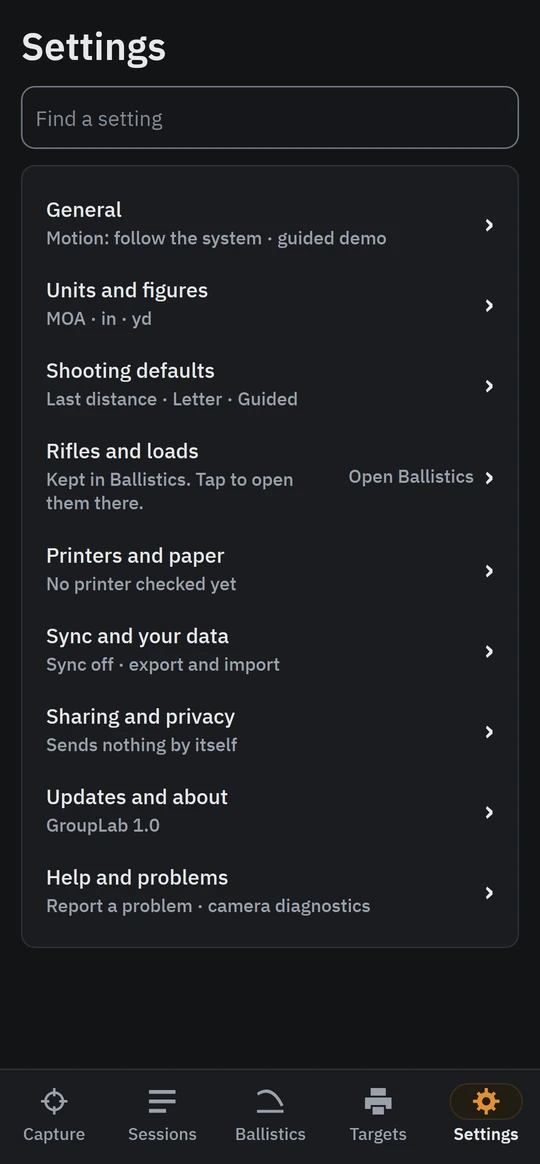
Settings is a menu of eight categories, from General to Help and problems, with Find a setting searching every page's rows by their names and other words for them, one page at a time, and Put this page back as it came on each; on the computer the text can be Larger or Largest with nothing cut off, and Reduce motion turns every flash into a still tint on every platform.
Windows · macOS · Linux · Android · iPhone and iPad. Since nightly.218, changed in nightly.219.
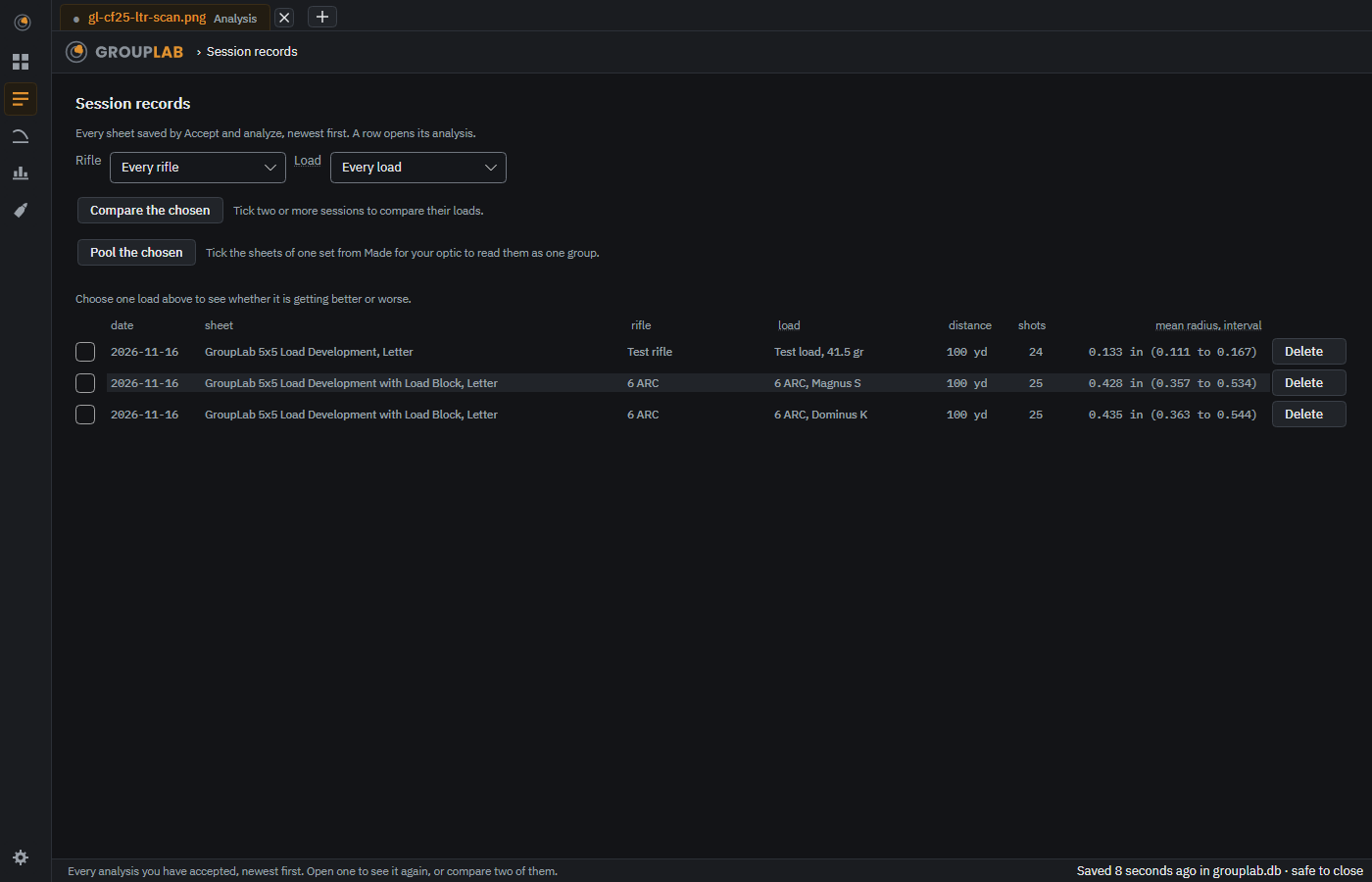
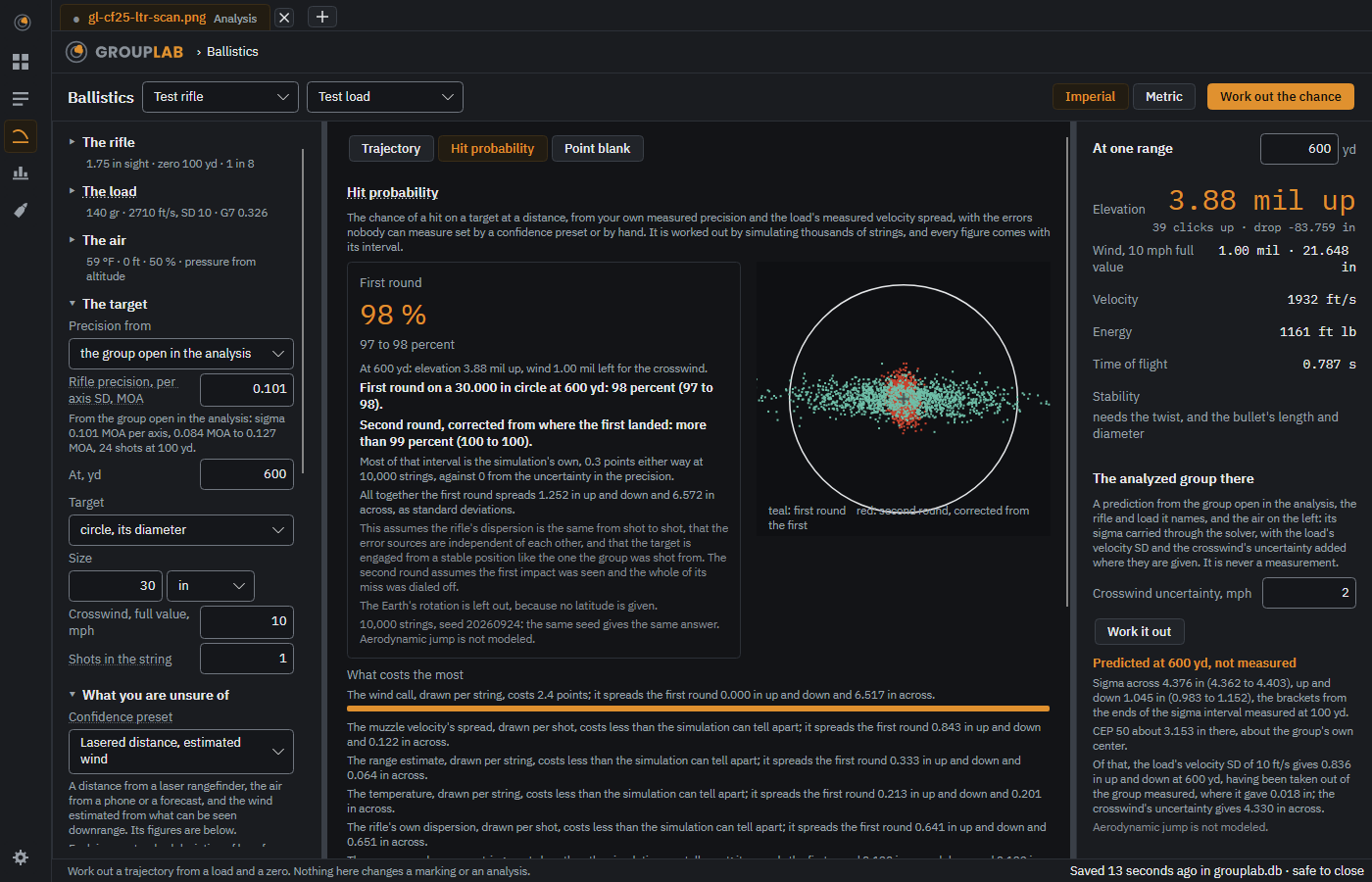
The pictures are the desktop application's, from the newest build, regenerated every week.
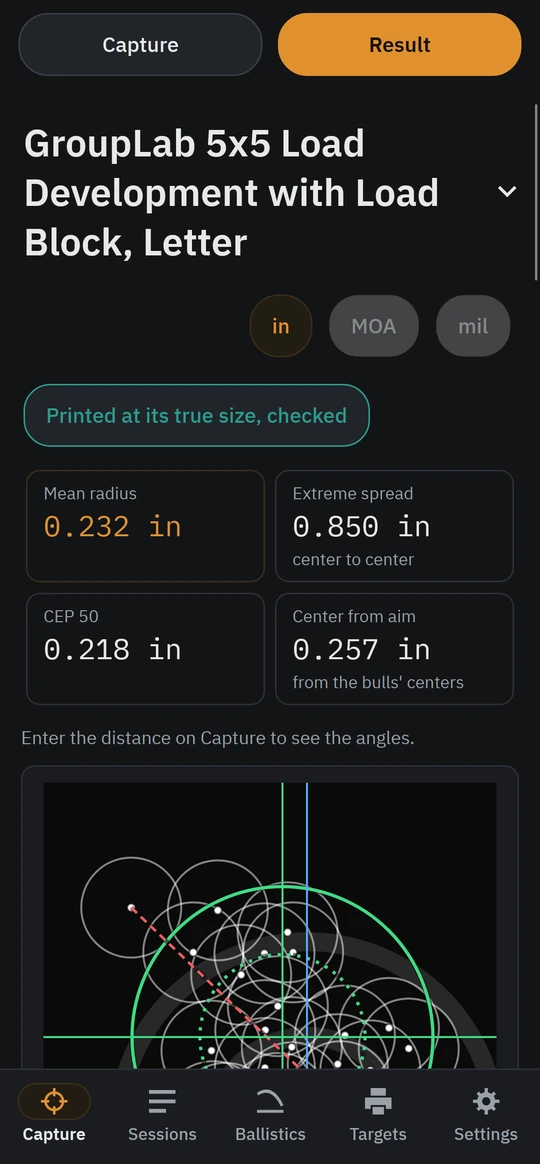
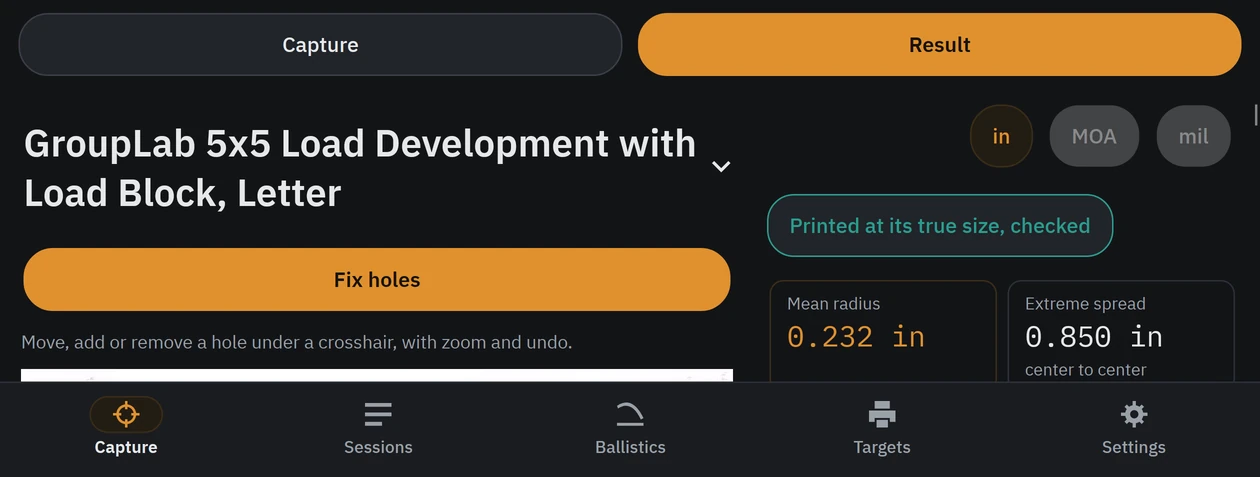
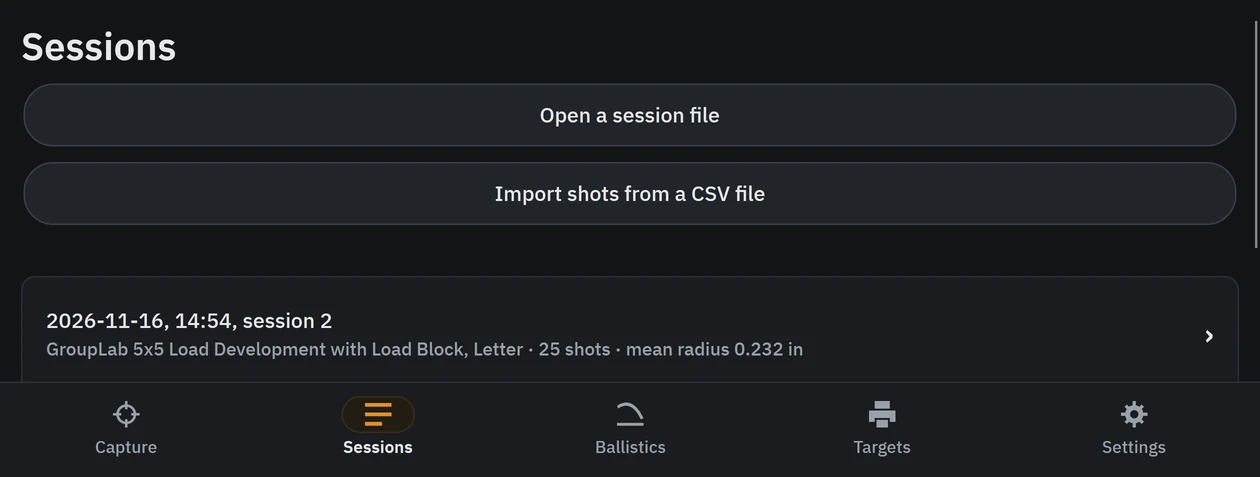
The pictures are taken on the Android emulator, sized as a Galaxy Z Fold 7 and a Galaxy Tab S8 Ultra, after each nightly (these are from nightly 228); the result in them is Alan's own 600 dpi scan of a 25 shot group, published with his consent.