

Tour › The first run
The first run
The first time GroupLab opens it asks three questions: whether to send your targets, whether to send error reports, and whether to take part in the hardware survey.
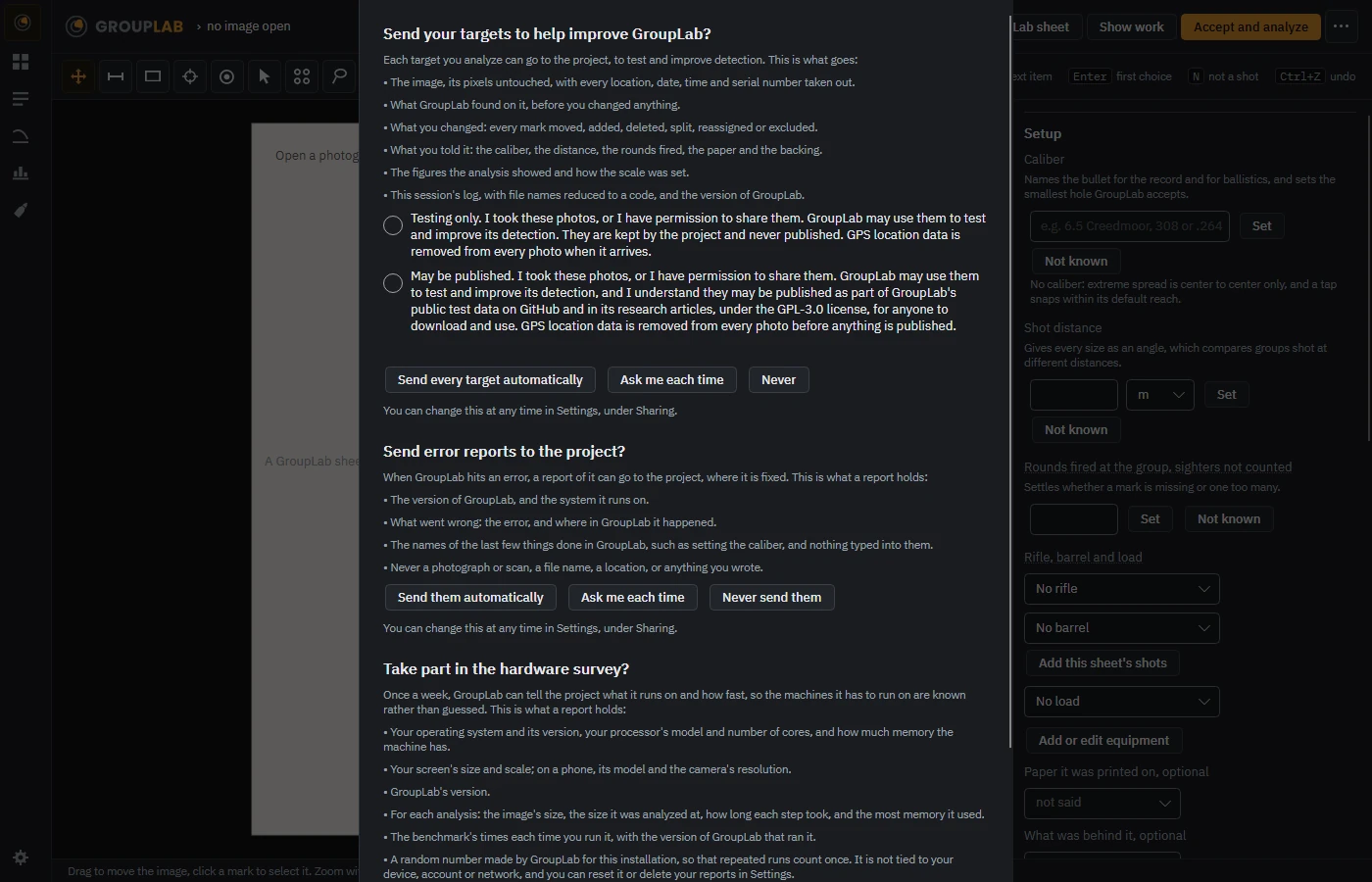
From the newest build of GroupLab, regenerated every week. Tap the picture for it full size.
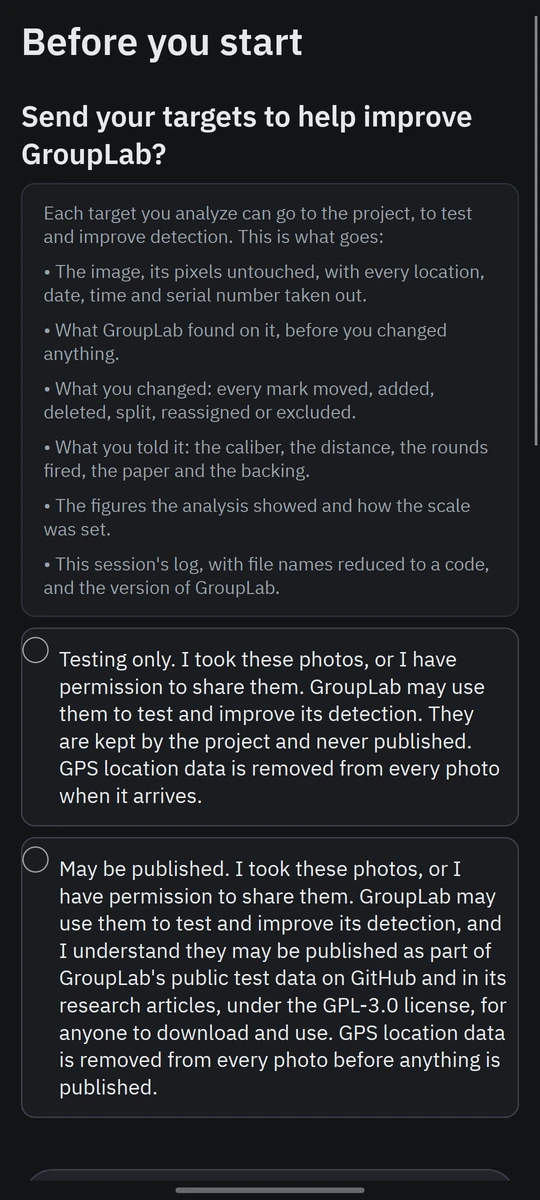
Before you start, on the phone.
What this screen is for
Nothing leaves your computer until you have said it may. Each question says exactly what would be sent before you answer it, and each has a way to say no. The answers are kept and can be changed at any time in Settings, under Sharing.
Without a GroupLab sheet
No difference. It appears before any sheet is opened. What GroupLab can measure.
What you are looking at
- Send your targets. What goes with each target, then the two consents, testing only or may be published, and three answers: send every target automatically, ask me each time, or never.
- Error reports. What a report holds and what it never holds, a photograph, a file name, a location or anything you wrote, then send them automatically, ask each time, or never.
- The hardware survey. A weekly report of what the computer is and how fast GroupLab ran. Below it, the benchmark is offered: Yes does not run it, and it runs only when you start it.
What you would do here
- Open GroupLab for the first time.
- Read each question and answer it; No is always one of the answers.
- Change any answer later in Settings, under Sharing.
What you are looking at
- Send your targets. What goes with each target, and the two consents to choose between.
- Error reports. What a report holds, and whether to send them.
- The hardware survey. Yes or no; the benchmark runs only when you tap it.
What you would do here
- Open GroupLab on the phone for the first time.
- Answer each question; they are kept, and Settings changes them.
Where it fits
Shown once, over the marking screen, before anything else.