

Tour › Settings
Settings
Units, theme, which builds it offers you, and the log. Every choice here is remembered.
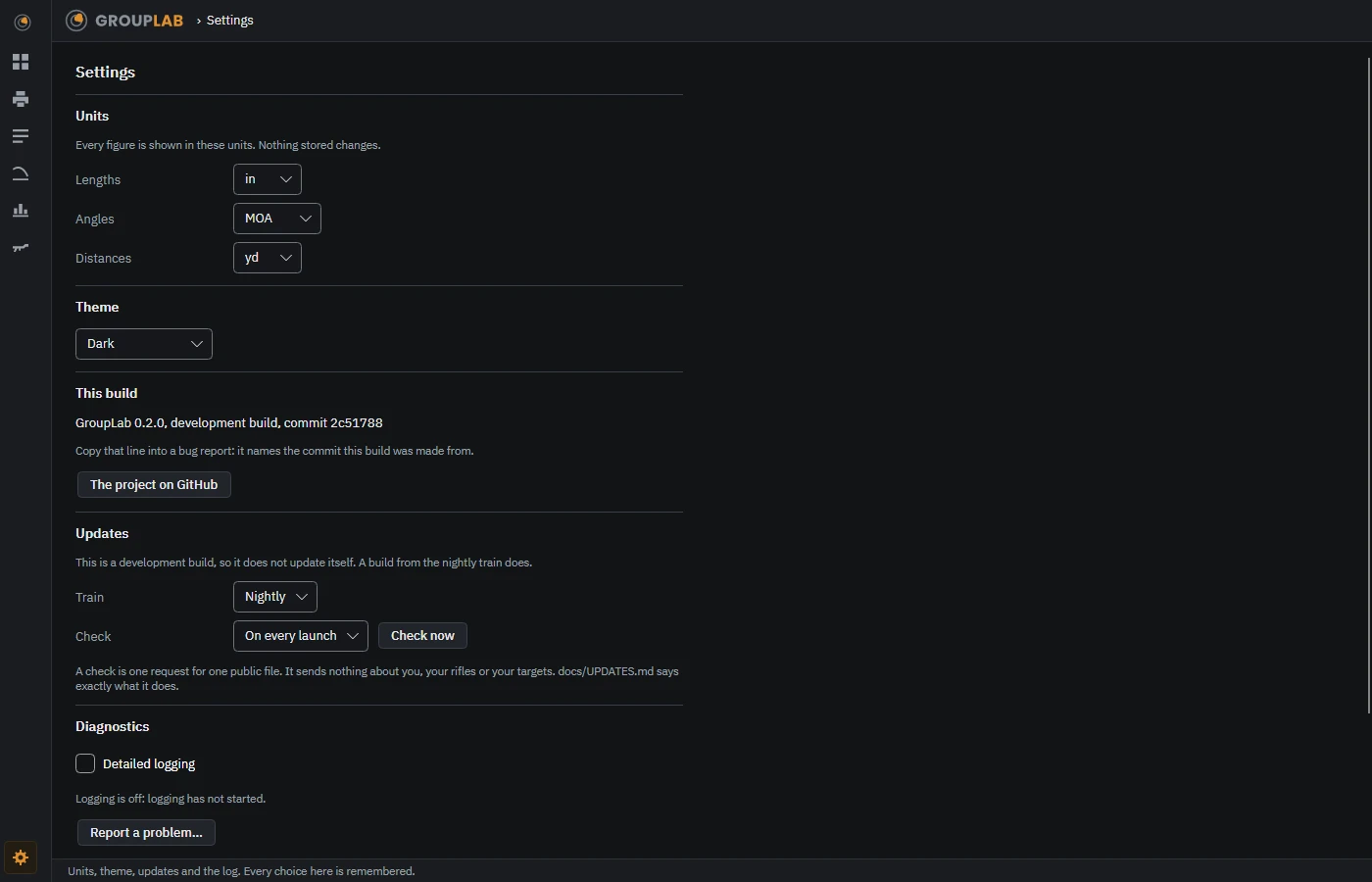
From the newest build of GroupLab, regenerated every week. Tap the picture for it full size.
What this screen is for
Short by design. The units change how every figure is displayed and nothing that is stored, so you can switch between inches and millimetres without touching a single record. The rest is about this build: what it is, whether it looks for a newer one, and how to send a problem report.
What you are looking at
- Units. Lengths, angles and distances. Displayed only; nothing stored changes.
- Theme. Light, dark, or follow the system.
- This build. The version and the commit it was made from. Copy that line into a bug report and it says exactly which build you were on.
- Updates. Which train to follow and how often to check. A check is one request for one public file, and it sends nothing about you, your rifles or your targets.
- Detailed logging. Off by default. Turn it on before reproducing a problem, then send the report.
- Report a problem. Collects what is useful and lets you look at it before anything leaves your machine.
What you would do here
- Set your units once. Everything on every screen follows.
- Choose a theme, or leave it following the system.
- If you are testing, set the train to nightly so you are offered new builds.
- Turn on detailed logging only while chasing a problem.
Where it fits
Reachable from the cog at the bottom of the sidebar on every screen.