Tour › Ballistics
Ballistics
On this page
A trajectory for one rifle and load, a dope table at whatever spacing you ask for, the chance of a hit from your own measured precision, and Point blank, the range you can hold dead on.
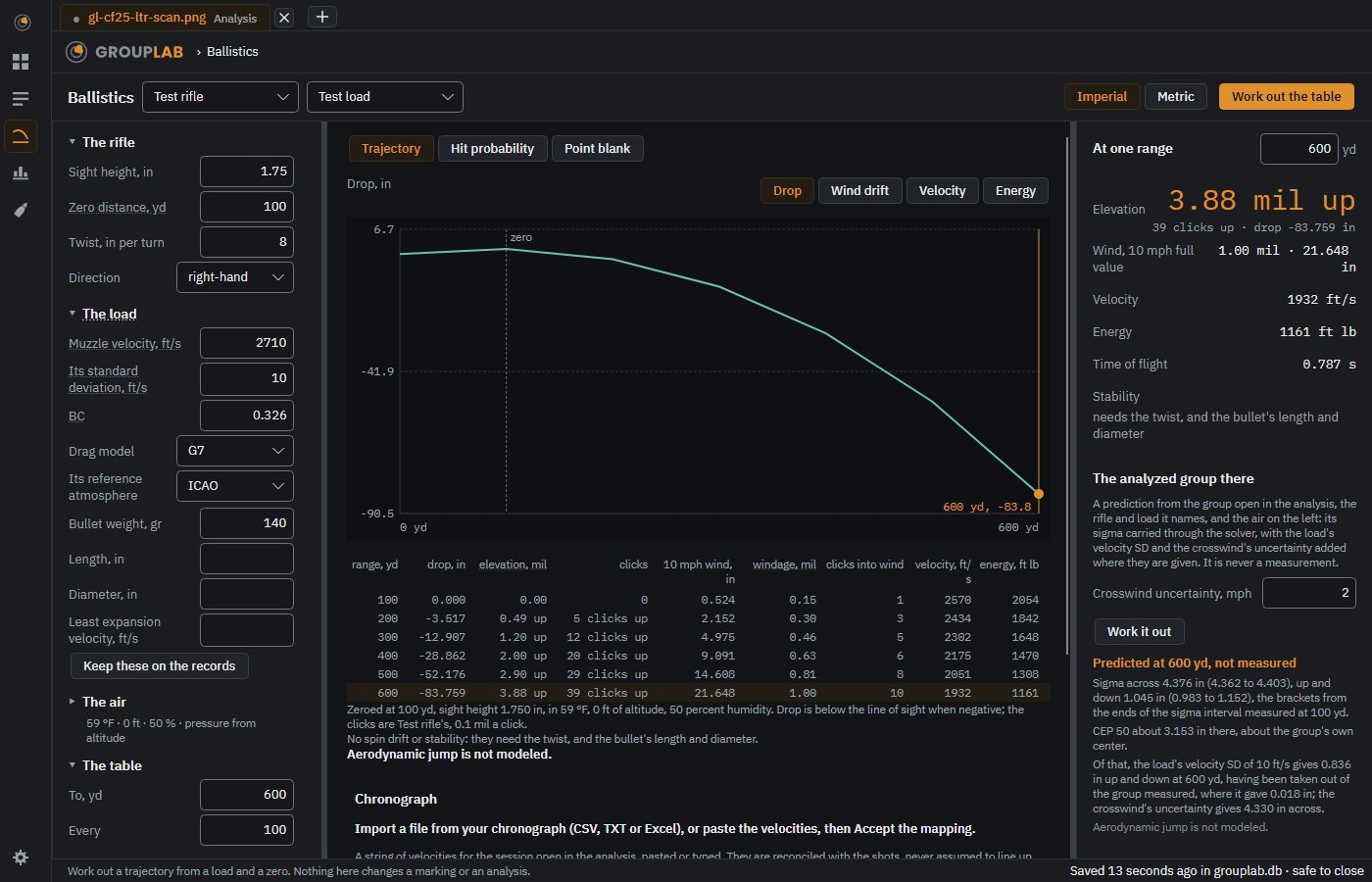
From the newest build of GroupLab, regenerated every week. Tap the picture for it full size.
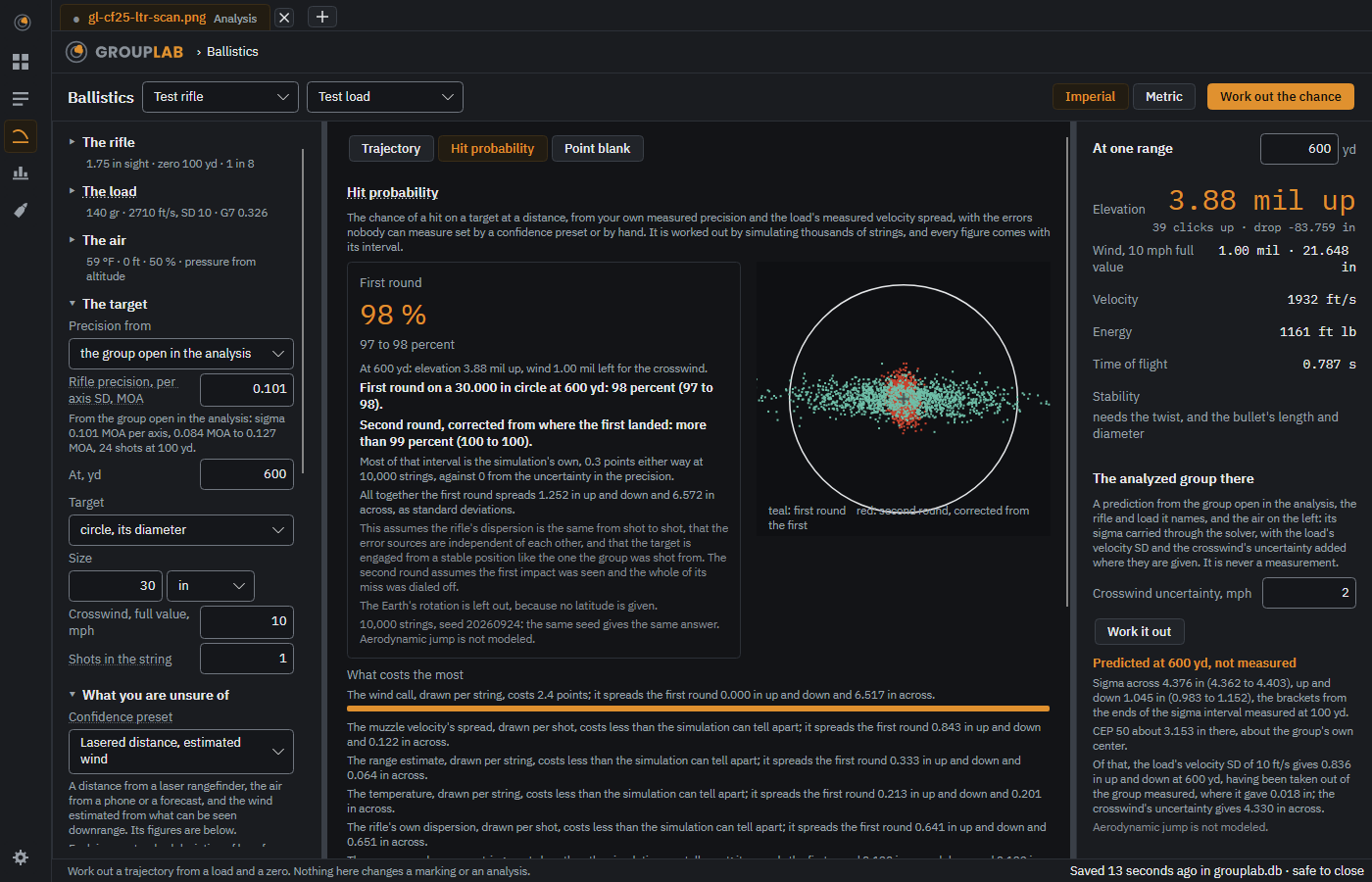
The other view, Hit probability: the first round's chance on a target at a distance, the second round's after a correction, and what costs the most.
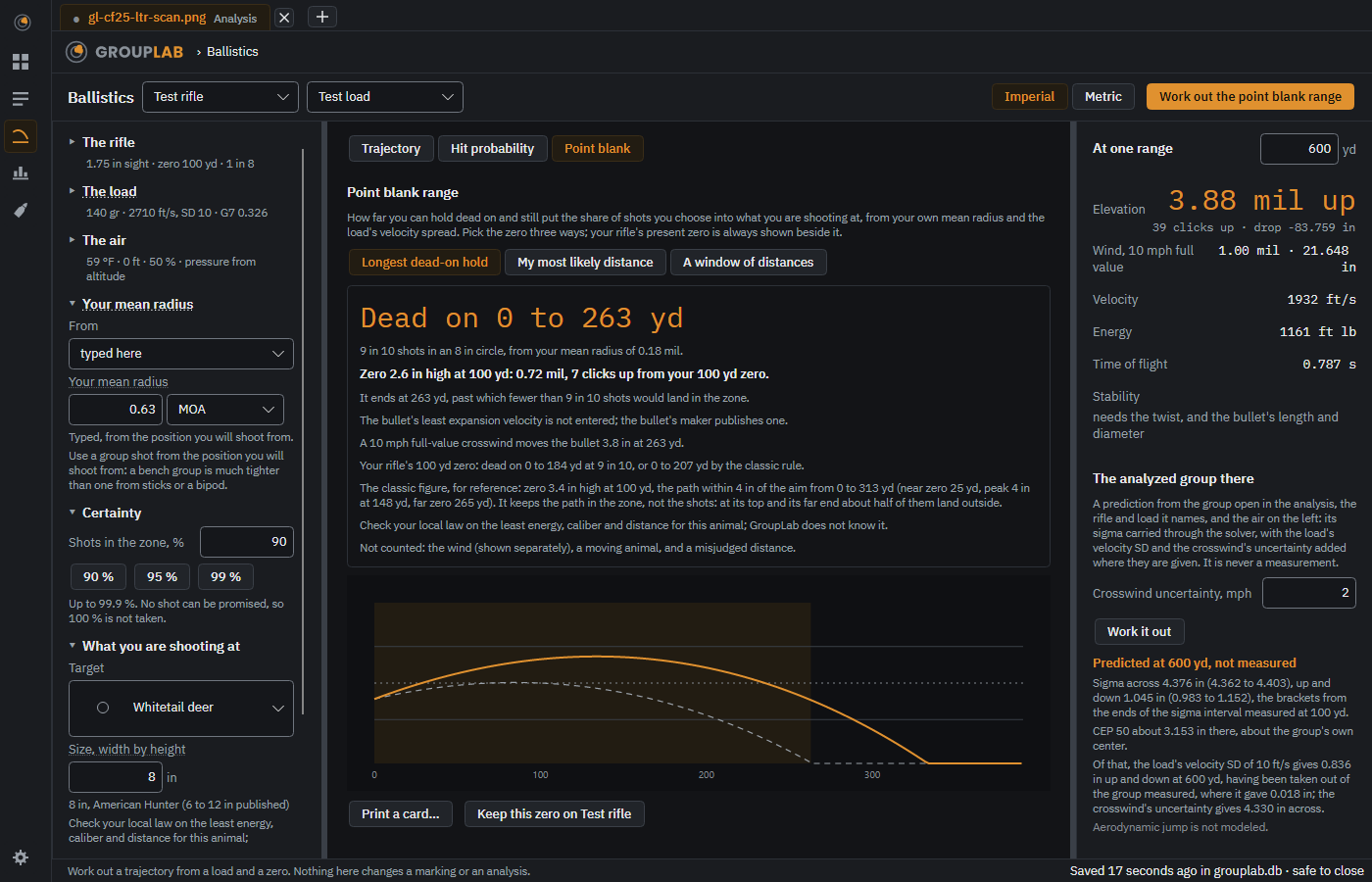
The third view, Point blank: how far you can hold dead on and still put your chosen share of shots in the zone, how to set the zero in clicks, and the present zero of your rifle beside it.
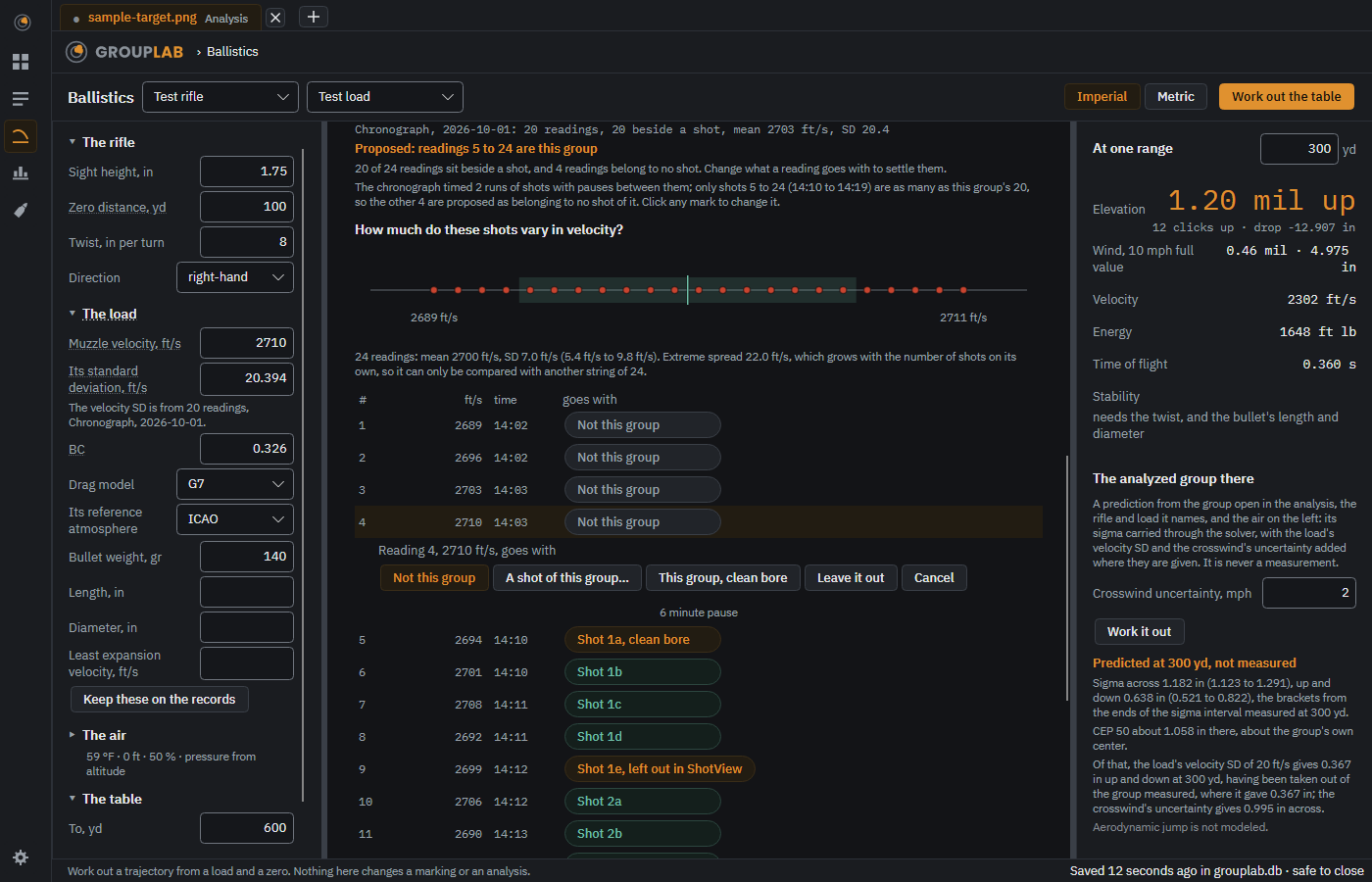
A chronograph string paired with the shots a row per reading: Not this group plain, Shot 2 in teal, Shot 1, clean bore in amber, and a click on a mark opens the same four choices the phone offers in a sheet.
On the phone since nightly 119, as a fifth tab: the dope for your rifle and load, the trajectory, and the chance of a hit with a result's group. The phone's pictures now come from the Android emulator, and this screen is not yet among the ones it takes.
What this screen is for#
Everything else in GroupLab measures what your rifle did. This works out what it should do. It takes the rifle and load you have already recorded, asks for the air it will be shot in, and gives you drop, wind drift, velocity and energy out to whatever distance you name, and the chance of a hit there from your own measured precision. Nothing here changes a marking or an analysis.
Without a GroupLab sheet#
No difference. Nothing here depends on a sheet. What GroupLab can measure.
What you are looking at#
- Along the top. The rifle and load, chosen from what you recorded on the equipment screen, Imperial or metric, and the one amber button: Work out the table, or Work out the chance in the hit probability view.
- The rifle, The load, The air, The table. The settings on the left, in sections that fold and say what they hold in one line when folded. GroupLab remembers which you left open. A field the solver still needs says needed beside it, and its section opens.
- Keep these on the records. Writes what you have typed back to the rifle and load, so you do not type it again.
- Trajectory, Hit probability or Point blank. The three views of the middle, chosen at its top and remembered.
- Drop, Wind drift, Velocity, Energy. Four views of the same trajectory on a large chart. It marks your zero and the range chosen on the right; clicking a point chooses it.
- Dope table. Drop, elevation and clicks, the drift of a 10 mph wind, velocity and energy at every step. Clicking a row chooses that range, and its row is highlighted.
- At one range. The right column: the elevation for one range in large amber figures with its clicks and drop, then the wind, velocity, energy, time of flight and stability. Stability says what it needs when the twist is empty.
- The analyzed group there. The group open in the analysis carried through the solver to that range, labeled a prediction, with its sigma there and its interval.
- The target, What you are unsure of. The hit probability view's settings: the target, its distance, which is the range on the right, and where the precision comes from; then a confidence preset for everything nobody can measure, with each figure and a bias beside it for something you know is off.
- Hit probability. A card that leads with the first round's chance and its interval, then the second round, corrected from the first, beside the simulated first rounds drawn on the target.
- Point blank. The third view of the middle: from your mean radius and a certainty, how far you can hold dead on at a chosen animal or target, how to set the zero for it in clicks, and a card to print. The rifle, load and air are the ones already chosen.
- What costs the most. Every error source by the hits it takes away, largest first with a bar for each, so you can see whether the wind call, the load or the range estimate is what to work on.
- The shot and the simulation. Folded until you want it: the shot angle, latitude and direction of fire, and the trials and seed that make a result repeatable.
What you would do here#
- Choose the rifle and load along the top.
- Fill in anything the record is missing; a field the solver needs says so in its row.
- Set the air, or leave the pressure empty and give the altitude.
- Set the distance and step, press Work out the table, and click a row or a point on the chart to see that range on the right.
- For a hit probability, switch the middle to Hit probability, set the target, choose the confidence preset closest to your situation, and press Work out the chance.
Where it fits#
Takes its inputs from equipment. It does not feed back into a marking or an analysis.