

Tour › Made for your optic
Made for your optic
Say how far, the lowest magnification you shoot at, or a red dot's size, and how many shots, and GroupLab draws a sheet whose bulls you can center on through that optic.
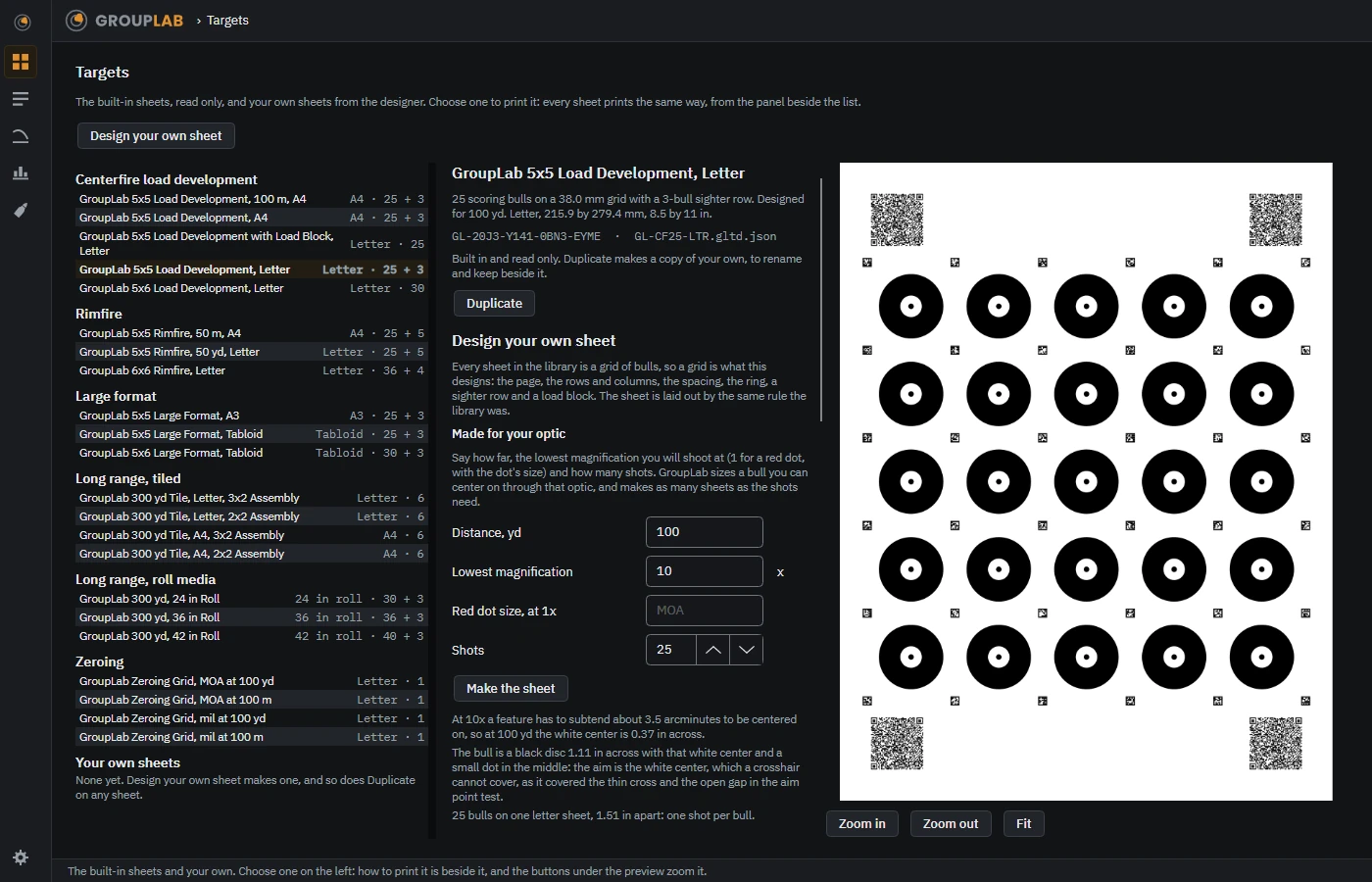
From the newest build of GroupLab, regenerated every week. Tap the picture for it full size.
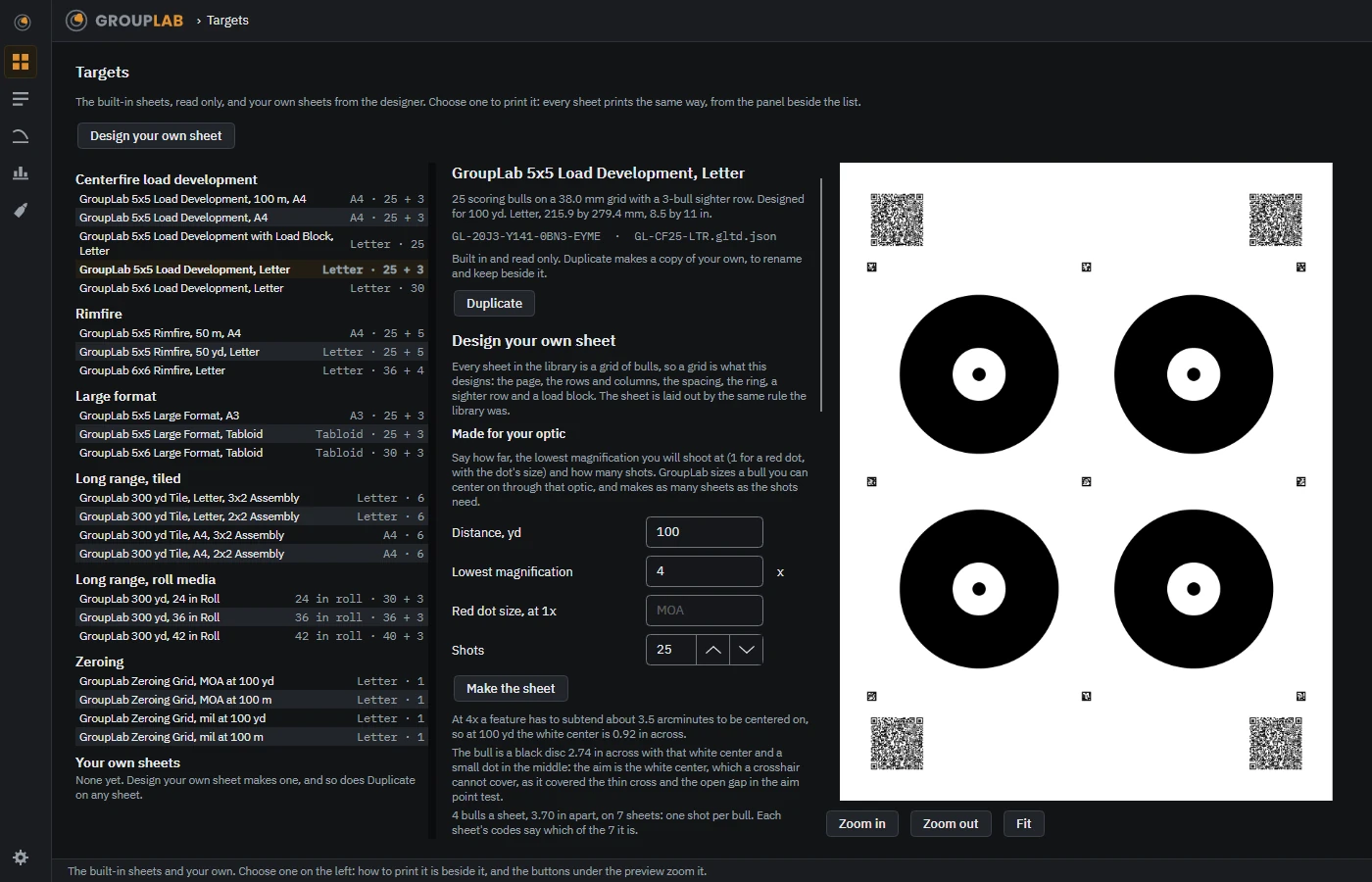
Through 4x the same 25 shots need a bigger bull, so they take a set of sheets.
What this screen is for
A bull you cannot see the middle of is a bull you cannot aim at the same way twice, and that is what spreads a group before the rifle does. The aim point test of 2026-09-26 found that a feature needs about 3.5 arcminutes at the lowest magnification a sheet is shot at before it can be centered on. So GroupLab draws a black disc with a white center of that size at the distance you give, and a small dot in the middle, nothing thinner, because a crosshair covered the thin cross and the open gap in that test. Through a red dot, whose dot hides whatever is under it, the white center is 1.5 times the dot. At 100 yards through 10x the white center comes out 0.37 inches across in a disc of 1.11, 25 bulls 1.51 inches apart on one Letter sheet for 25 shots. Through 4x it is 0.92 inches in a disc of 2.74, so only 4 bulls fit a sheet and 25 shots take 7 sheets, each of which names itself by its codes.
Without a GroupLab sheet
Nothing here reads a target. It draws a GroupLab sheet to print, which then reads itself like every other. What GroupLab can measure.
What you are looking at
- What you enter. The distance in yards; the lowest magnification you will shoot at, 1 for a red dot, with the dot's size in MOA; and how many shots. Make the sheet draws it.
- Why it is that size. Under the button GroupLab says what it drew and why, in the sentences the picture shows: the feature size at your magnification, the disc and its center, and how many bulls fit how many sheets.
- The sheet. On the right, the sheet itself, as it will print. The column in the middle still names the sheet chosen in the list; the preview is the one just made.
- Printing it. It prints like any sheet, at its true size, and Save as my own keeps it in Your own sheets beside the built-in ones.
What you would do here
- Open Targets and choose Design your own sheet.
- Enter the distance, the lowest magnification or the red dot's size, and the number of shots, and choose Make the sheet.
- Read why it is the size it is, then print it, or save it as your own.
Where it fits
Between choosing a sheet and shooting it. Once the set is shot, analyze each sheet in any order and tick them in Session records: Pool the chosen reads them as one group and says which sheets are still missing. Where the 3.5 arcminute rule comes from is Can you see the bull?