Tour › Equipment
Equipment
On this page
Your rifles, barrels and loads. A sheet names one of each, and everything else takes what it needs from here.
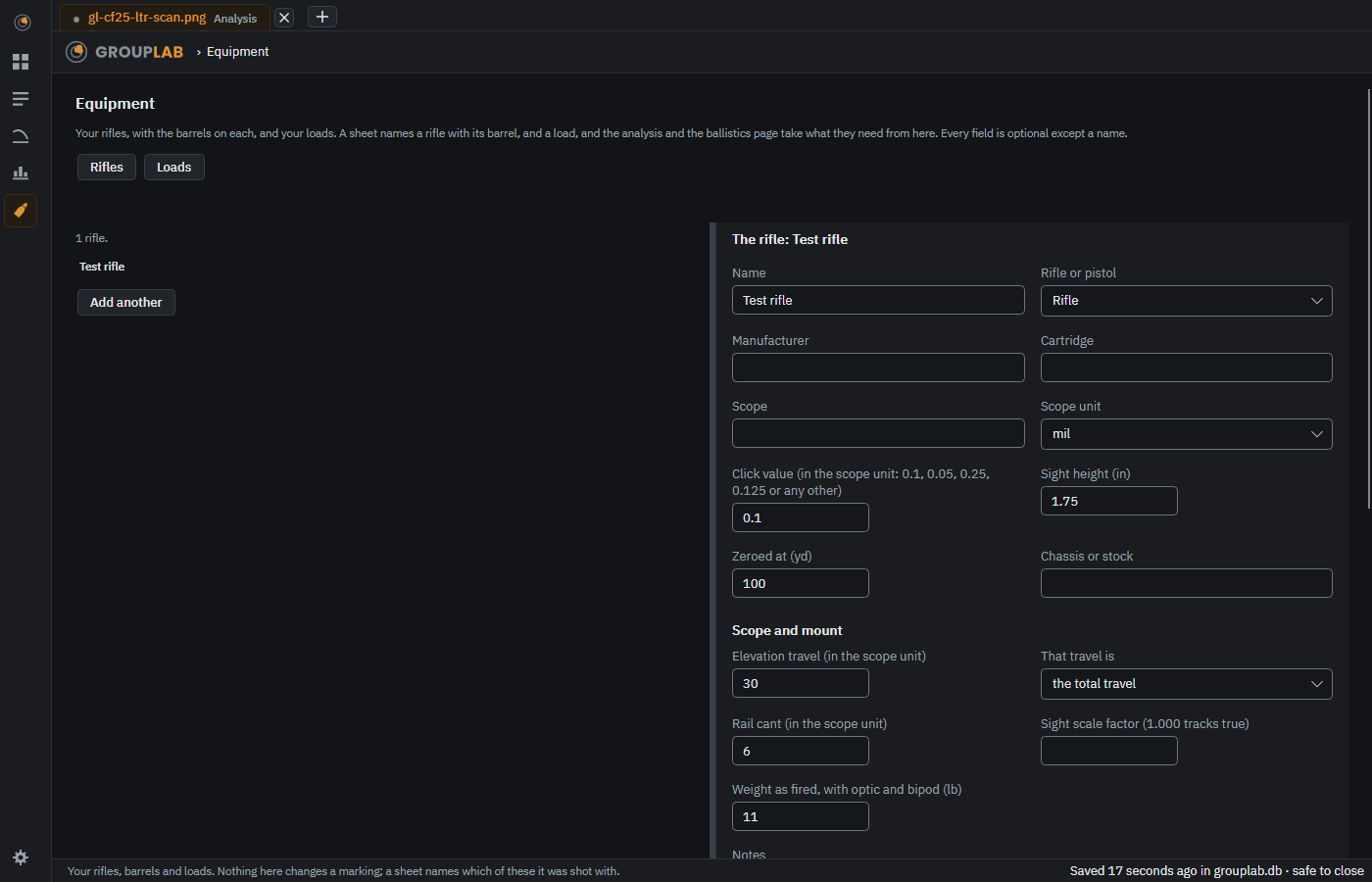
From the newest build of GroupLab, regenerated every week. Tap the picture for it full size.
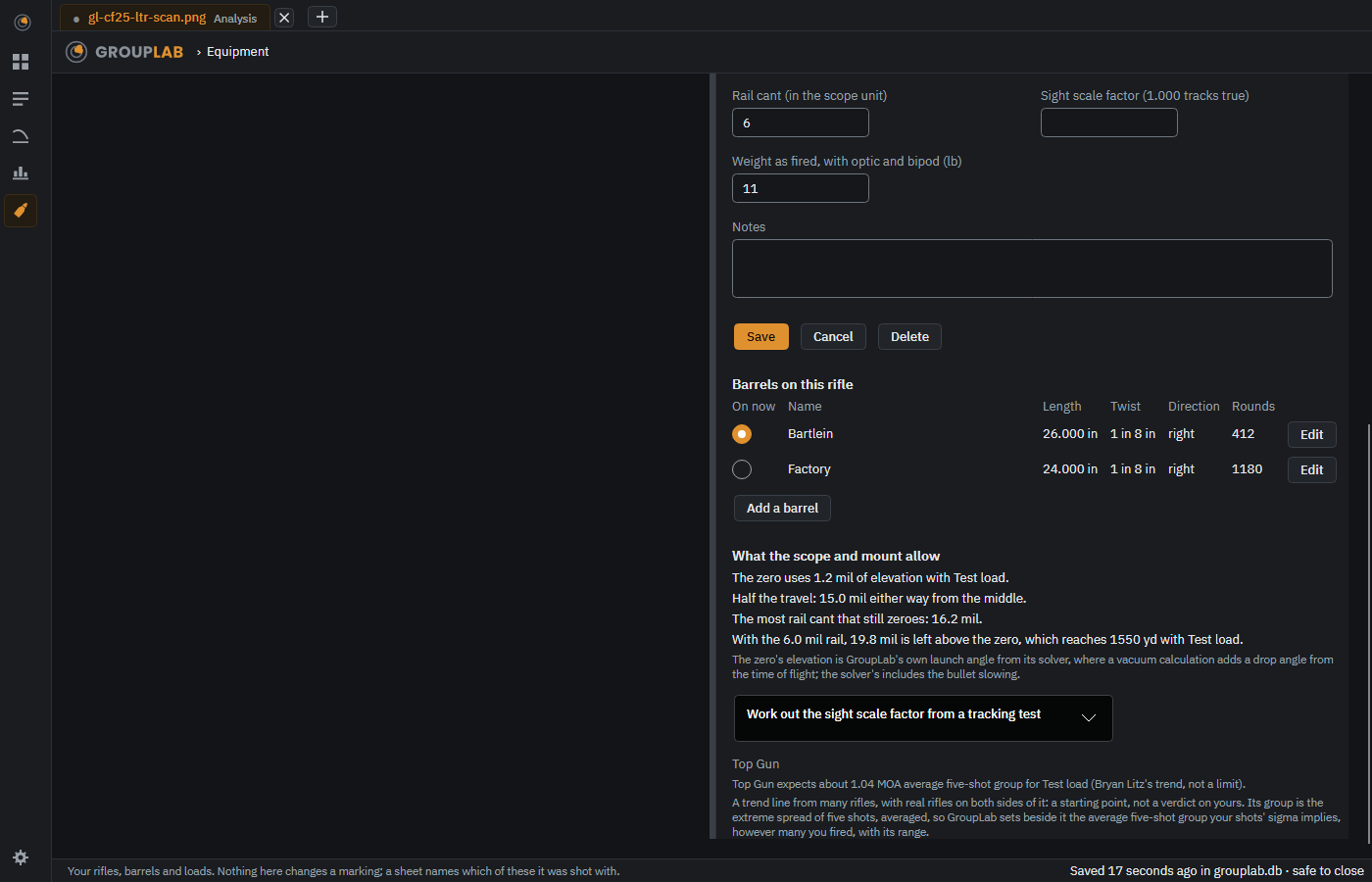
The Scope and mount part of a rifle: fill in the travel and the rail cant and it shows the elevation your zero uses, the most cant that still zeroes and how far the elevation left reaches, with a tracking test for the sight scale factor.
On the phone, rifles and loads are in Ballistics, and Settings, Rifles and loads opens them, with Delete and rename; barrels are chosen on the computer.
What this screen is for#
Rather than typing the same rifle into every session, you record it once. Everything is optional except a name: GroupLab will happily measure a group for a rifle it knows nothing else about. The extra fields are there because the ballistics page and the zero correction need them, and it says which one is missing when it cannot work something out.
Without a GroupLab sheet#
No difference. Nothing here depends on a sheet. What GroupLab can measure.
What you are looking at#
- Rifles and Loads. Two tabs. A session names a rifle with its barrel, and a load.
- The list on the left. What you have already, with Add another underneath.
- The form on the right. Name is the only field you must fill in. Delete removes a rifle, a barrel or a load, asked first: a rifle goes with its barrels, and sessions saved with it keep the name. Changing the name renames the record. Sight height and Zeroed at are the two the zero correction uses; scope and click value matter for the ballistics page. A Scope and mount part on the rifle form holds the elevation travel of the scope, the rail cant, a sight scale factor and the weight as fired; it shows what the scope and mount allow and sets the Top Gun trend from Bryan Litz beside each load. Under the form are Save, Cancel and, on a record already saved, Delete, which asks first; a rifle goes with the barrels on it, and sessions keep its name.
- Barrels on this rifle. A table under the rifle: the barrel that is on now (a radio button), its name, length, twist, direction and rounds, Edit, and Add a barrel. The rifle takes its length and twist from the barrel on now. Barrels from earlier versions were moved under their rifles; any it could not place wait under a rifle named Barrels not yet on a rifle.
- Notes. Anything that does not fit a field. It travels with the record.
- The line along the bottom. A reminder that nothing here changes a marking. A sheet names which of these it was shot with, and that is all.
What you would do here#
- Add a rifle with just its name if that is all you have.
- Fill in sight height and the distance it is zeroed at when you want zero corrections.
- Add a barrel to the rifle and mark the one that is on now.
- Add the load, with muzzle velocity and ballistic coefficient if you want a dope table.
- Press Save. The record is then offered on every new session.
Where it fits#
Used by marking, the analysis and ballistics.