

Tour › Session records
Session records
Every sheet you have accepted, newest first, ready to open again or to compare.
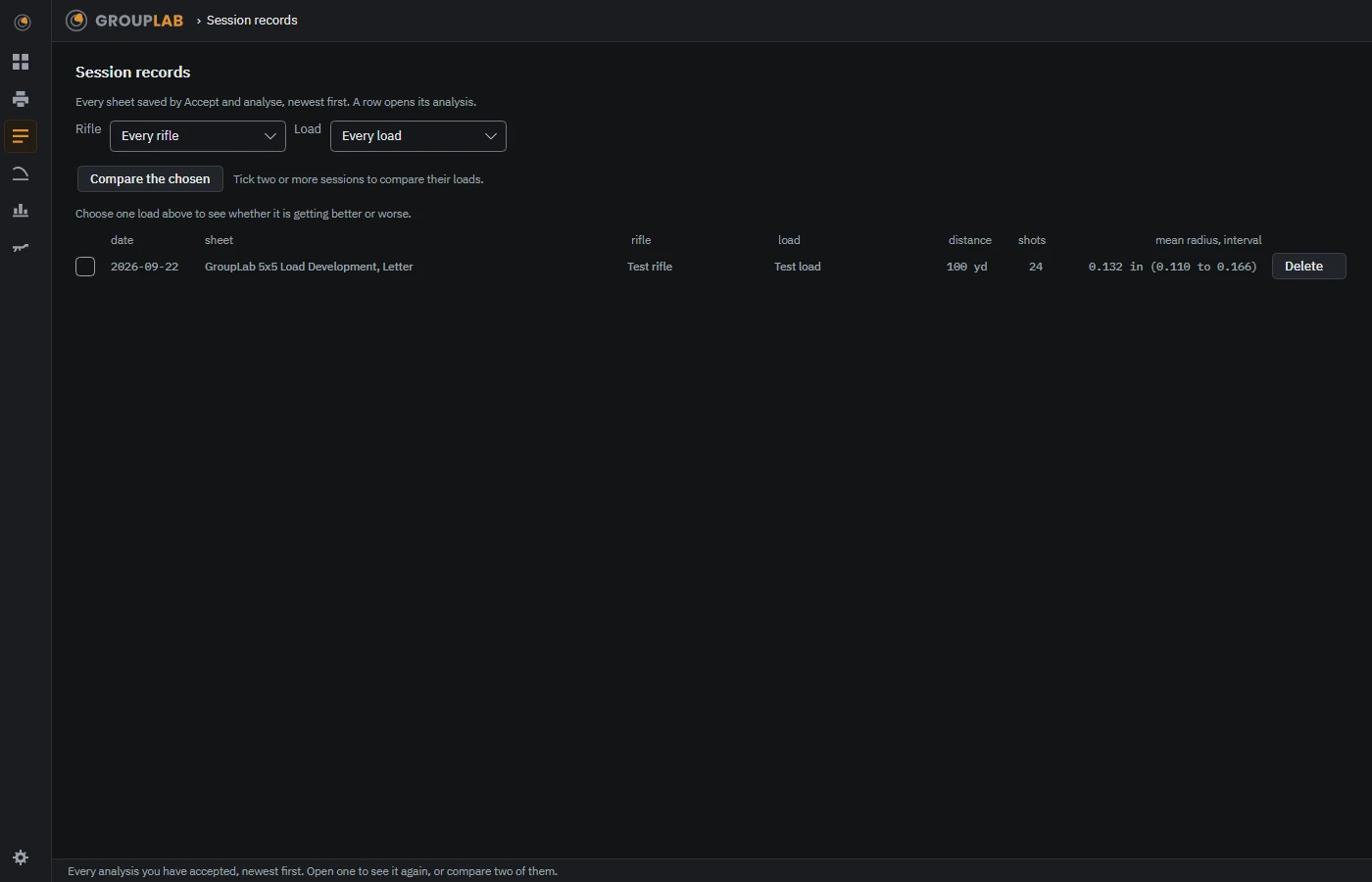
From the newest build of GroupLab, regenerated every week. Tap the picture for it full size.
What this screen is for
A session is one sheet, accepted and saved. This is the list of them. It is how you go back to a result weeks later, and how you pick which two loads to put side by side.
What you are looking at
- Rifle and Load. Narrow the list to one rifle or one load. Choosing a single load also shows whether it is getting better or worse over time.
- The tick boxes. Choose two or more sessions to compare.
- The columns. Date, sheet, rifle, load, distance, how many shots, and the mean radius with its interval, so you can see at a glance which sessions are worth comparing without opening any of them.
- Compare the chosen. Takes the ticked sessions to the compare screen.
- A row. Opens that session's analysis again, exactly as it was.
- Delete. Removes one session. It does not touch the image it was made from.
What you would do here
- Filter by rifle or load if the list is long.
- Tick the sessions you want to put beside each other.
- Press Compare the chosen, or click a row to reopen its analysis.
Where it fits
Filled by the analysis every time you accept a sheet. Feeds compare loads.